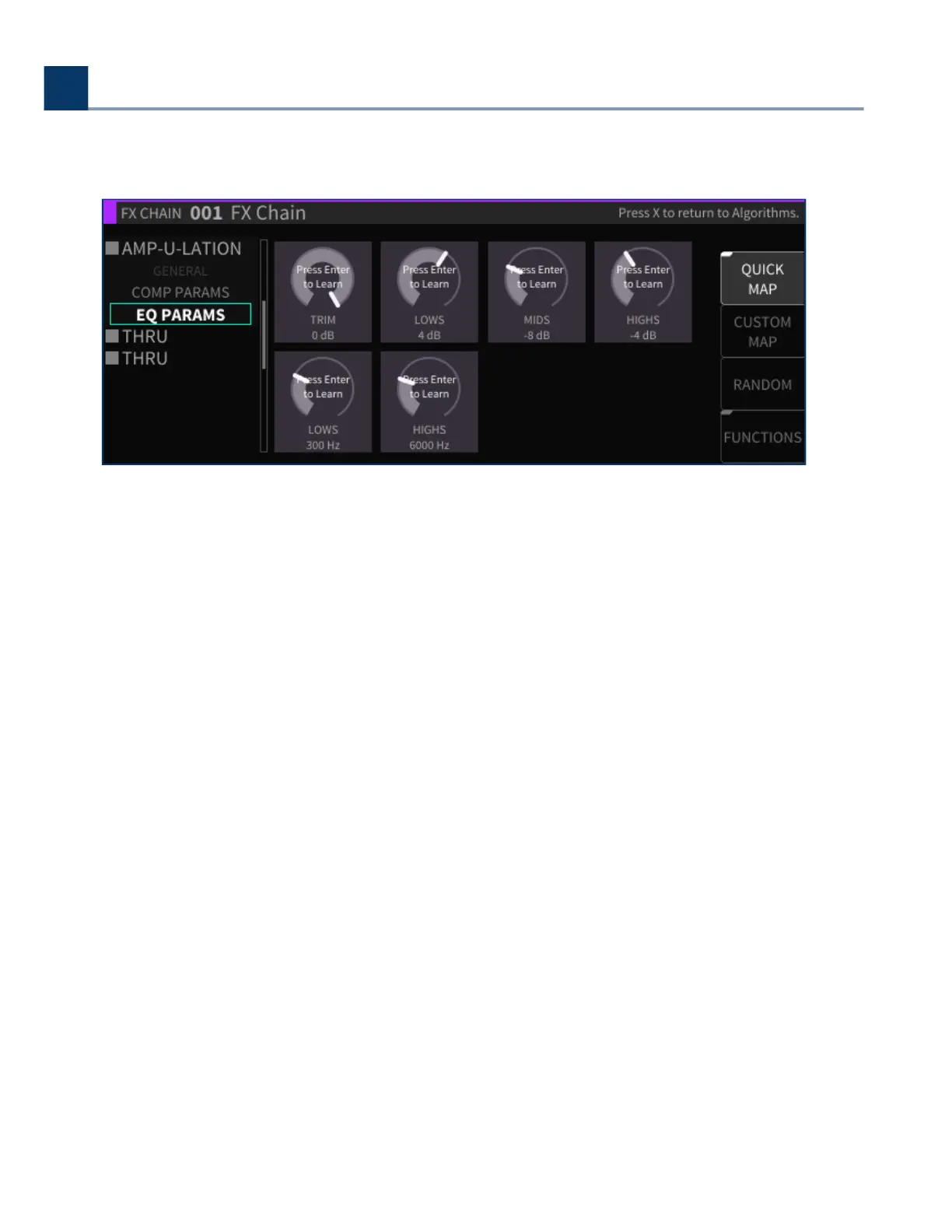
4.6.1.1. Quick Map
Press the latching Quick Map sot key to bring up the quick mapping function for the parameters you
are viewing.
The quick map feature is extremely powerful, as it lets you quickly map a wide variety of external
controllers to any algorithm parameter. Dierent aspects of the eects can be adjusted in real time
using MIDI controllers, expression pedals, footswitches, control voltages, etc.
The MIDI functionality on the H9000 is “plug-and-play”. You can connect a MIDI device to the 5-pin
MIDI-in DIN port, or connect a MIDI class compliant interface to one of the USB connectors. All MIDI
Channel conguration is done when individual controllers are mapped, as opposed to in a central
MIDI settings screen.
You can map multiple parameters to a single external control source; you cannot, however, have
multiple control sources aect a single parameter.
For more complex mapping of multiple parameters to a single control source, please refer to
Section
4.6.1.4: Functions.
The Quick Map feature works as follows:
Press the Quick Map sot key; you will see a “Press Enter to Learn” label superimposed over each
of the parameters on the screen.
Use the cursor buttons to navigate to the parameter to which you wish to map a controller.
Press the Enter button; the highlighted parameter’s label will change to “Move Any Controller”.
•
•
•
4. Front Panel Operation
Copyright © 2021, Eventide Inc.



 To Next Page