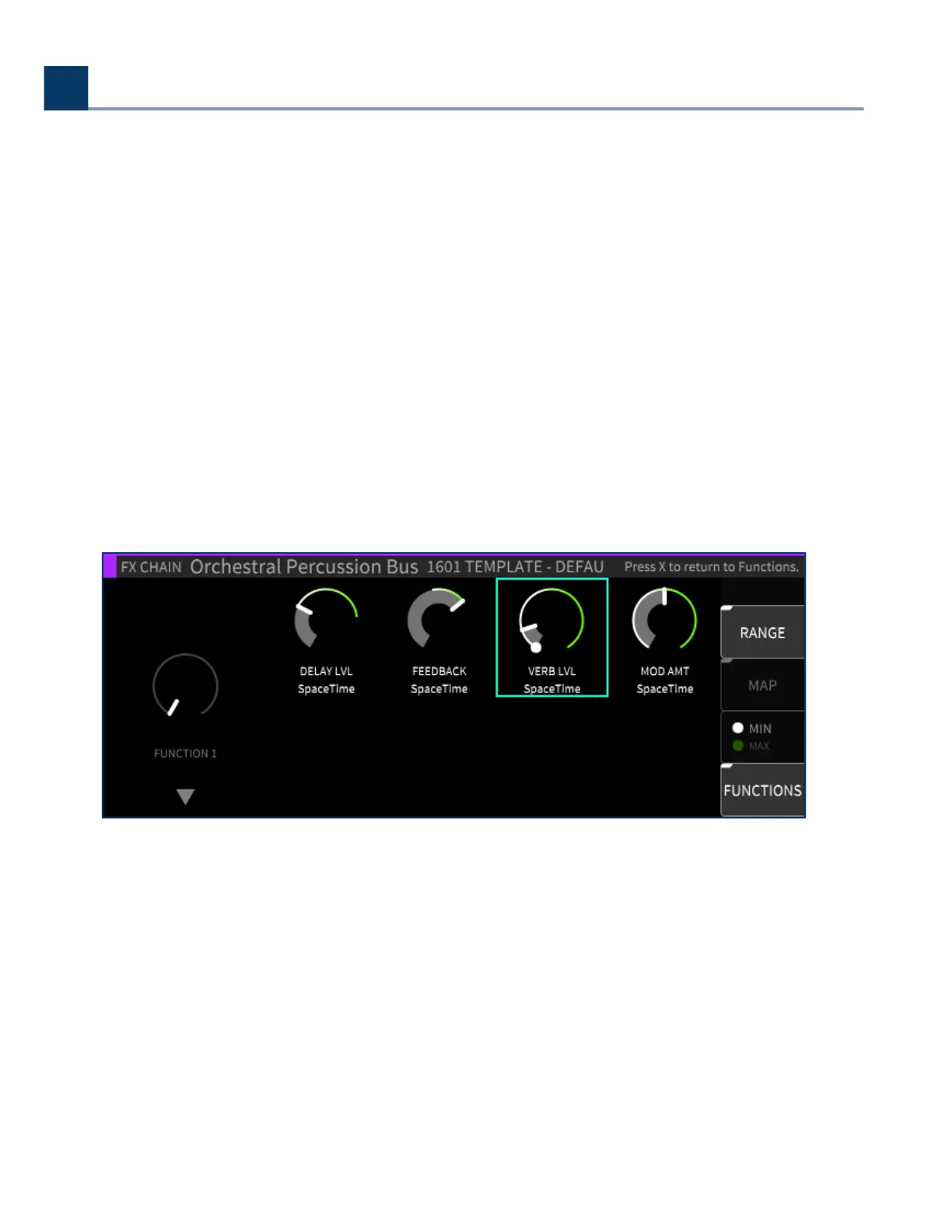
There are eight Functions available in each FX chain with three parameters available:
Range
Map
Ext Control
4.6.1.4.1. Range
Press the latching Range sot key to adjust the range of each parameter mapped to any given
parameter.
Each parameter that belongs to a Function has a dened range; it can be as large as the true
Minimum/Maximum range of the parameter, or anywhere in-between. The main Function knobs then
cause each parameter change to be scaled, according to its dened range.
4.6.1.4.2. Minimum/Maximum
You can use the Min/Max sot key to toggle between adjusting the minimum or maximum value of a
parameter’s range, as indicated by the white and green end cap markers.
As detailed earlier in the Custom Map settings, you can change the direction of a parameter’s value
by inverting the min/max end cap markers. This can be useful for having one Function knob control
multiple parameters that move in dierent directions.
•
•
•
4. Front Panel Operation
Copyright © 2021, Eventide Inc.



 To Next Page