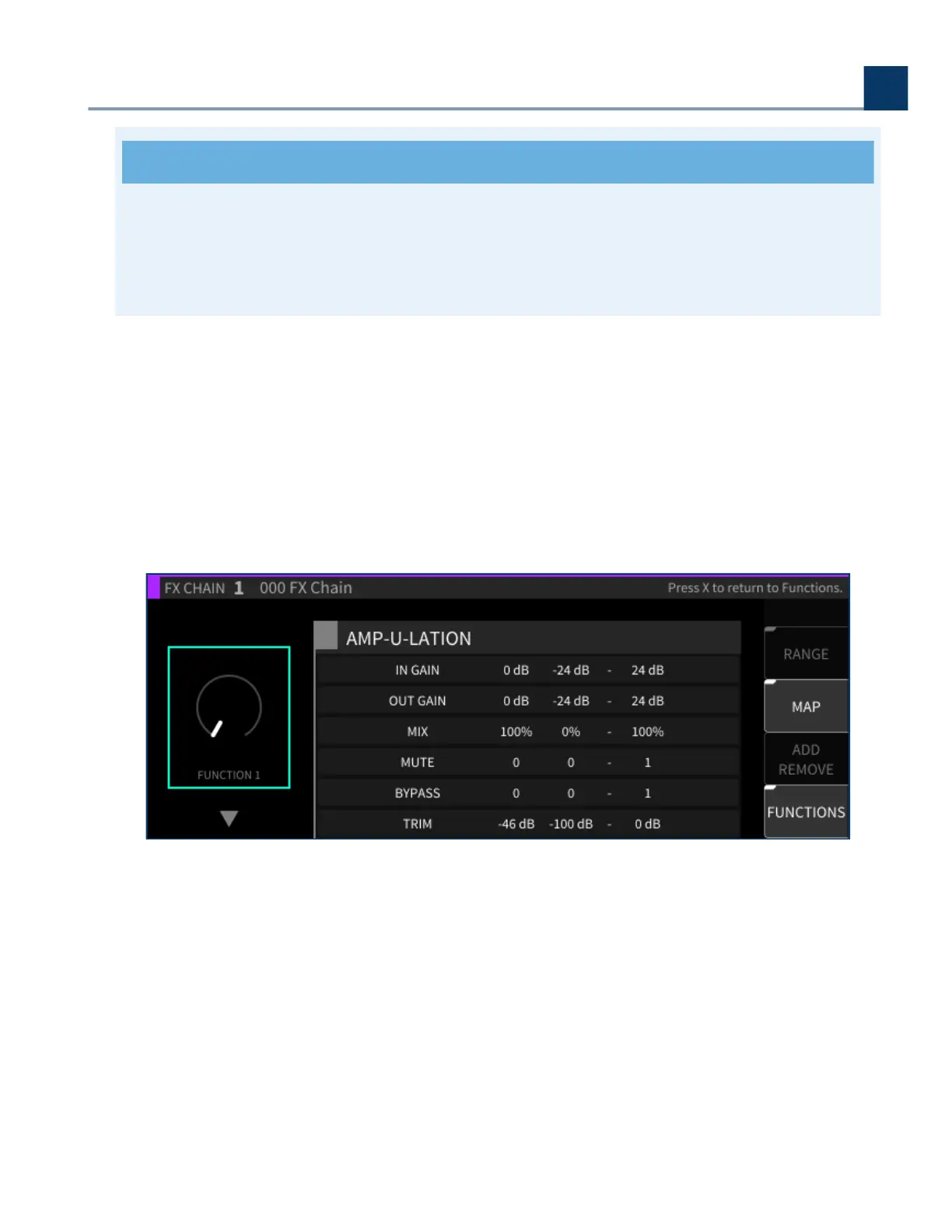
These Min/Max values only apply to parameters mapped to a Function knob, not the Function
knob itself. To set a min/max value for a Function knob, use the Custom Map feature in the
External Control settings.
4.6.1.5. MAP
Press the Map sot key to map specic parameters to any given Function knob.
The Map view displays a condensed view of all the parameters in the FX Chain, allowing their
selection for assigning to Functions. The Add/Remove sot key assigns/unassigns the parameter of
the selected Function.
Highlight the Function knob on the let side of the display.
Use the cursor up/down keys to select which of the eight Functions to work with.
A list of available parameters will appear; use the cursor up/down keys to highlight the Function
you wish to map.
Press the Add/Remove or Enter key; the highlighted parameter is now mapped to the Function
knob you had selected, and that Function’s number (e.g. F1) now appears on the let side of that
parameter’s entry in the list.
•
•
•
•
4. Front Panel Operation
Copyright © 2021, Eventide Inc.



 To Next Page