169
OILING SYSTEM
OIL CONTROL SETTINGS
8
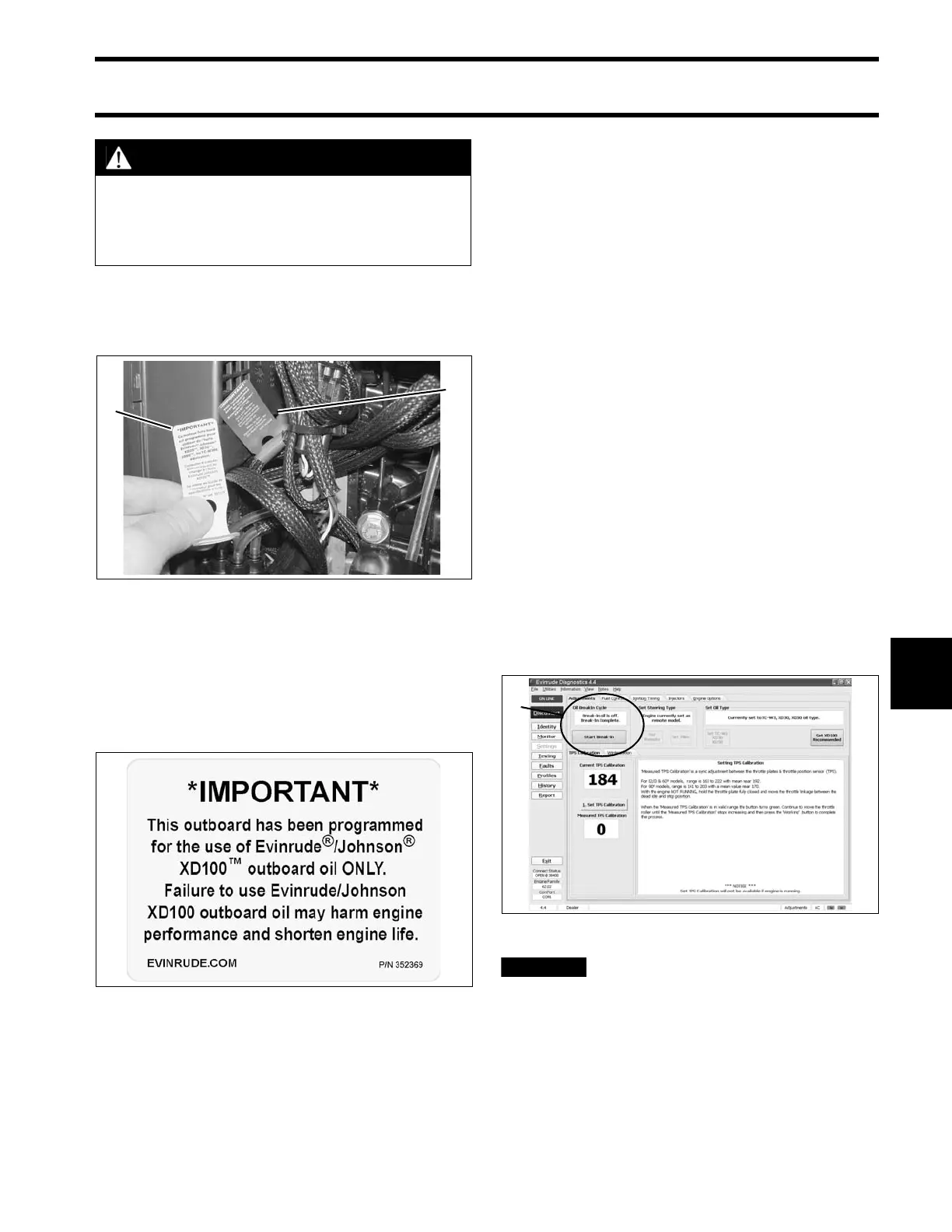
Powerhead oil programming labels are provided
to identify EMM oil programming. Install the cor-
rect label to alert user to specific oil requirements.
An XD100 Outboard Oil Decal, P/N 352369, is
available to label boats equipped with outboards
that have been programmed for the reduced oil
injection ratio.
Install decals in a highly visible location, such as
one of the following:
• Dashboard/deck of boat, next to key switch
• Deck of boat, next to the remote oil fill
• Deck of boat, next to oil tank assembly
• Oil tank cover
• Cover of oil tank compartment
• Attach to oil tank or oil fill cap.
IMPORTANT: Make sure the engine label and
boat decals match EMM programming.
Break-In Oiling
IMPORTANT: DO NOT add oil in the fuel tank
on Evinrude E-TEC models.
The EMM automatically supplies extra oil to the
engine as follows:
• 90° V6: First two hours above 2000 RPM
Follow these steps for outboard set-up:
Use Evinrude Diagnostics software to make sure
the break-in program has been started on a new
outboard.
• Use the diagnostics software to start break-in
oiling after a powerhead rebuild.
The operator must monitor the oil
tank level to confirm oil consumption. This
may require several hours of operation above
idle.
CAUTION
Running an Evinrude E-TEC outboard on
other grades of oil while set to the XD100
oil ratio will result in increased engine
wear and shortened outboard life.
1. Evinrude/Johnson XD30 outboard lubricant (TC-W3)
YELLOW label
2. Evinrude/Johnson XD100 outboard lubricant (Premium)
BLUE label (Installed)
004964
XD100 Outboard Oil Decal 004522
1. Break-in oil setting 008108





 To Next Page