23
ROUTINE SERVICE
OUTBOARD RIGGING CONNECTIONS
2
For an I-Command oil level display, an accessory
CANbus oil level sender must be installed in the
oil tank. Connect the sender to the I-Command
network. Refer to the I-Command Digital Net-
work Guide.
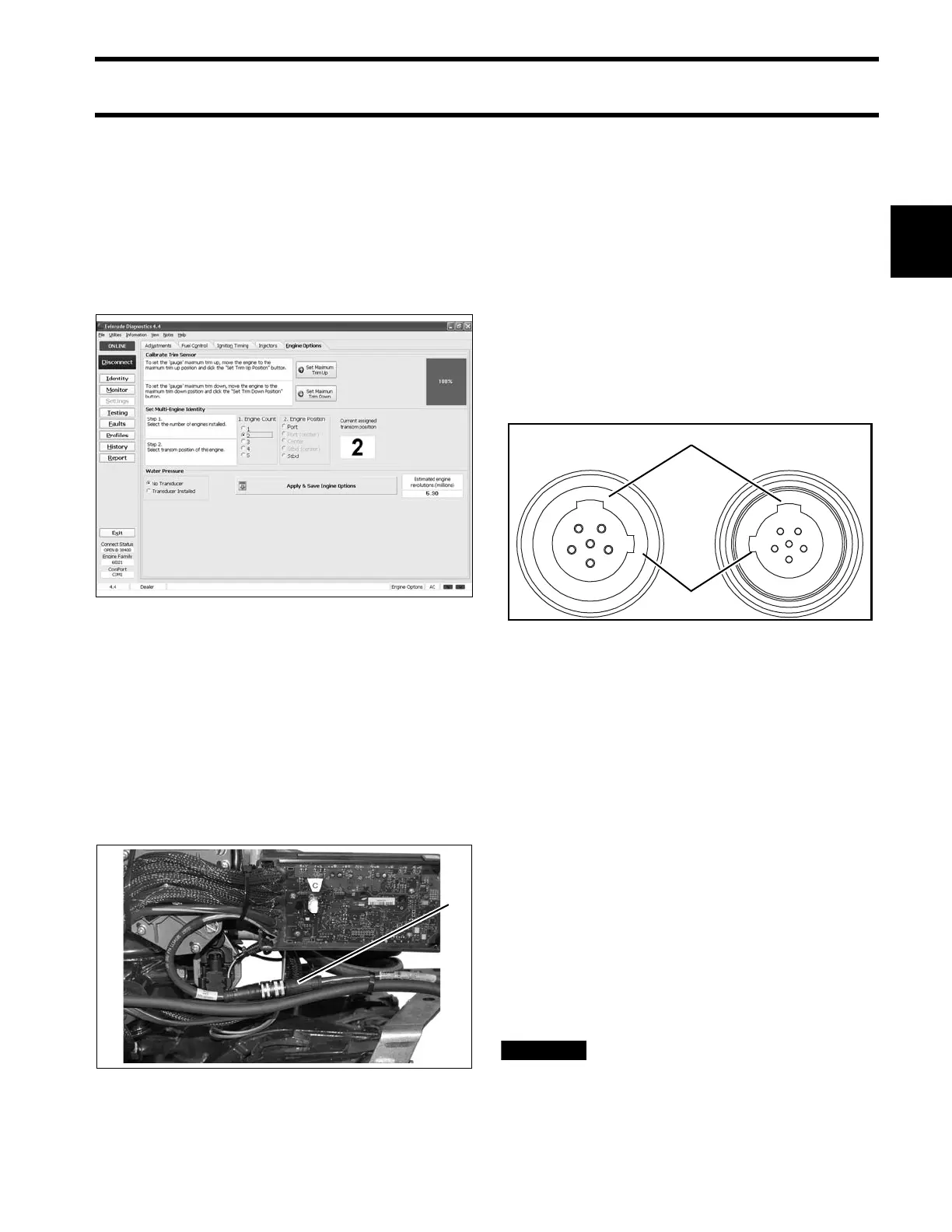
Use Evinrude Diagnostics software to adjust net-
work settings in the EMM. From the Settings
screen, select Engine Options.
ICON Network Connections
If the outboard is equipped for an Evinrude ICON
control system, connect the outboard to the net-
work as follows.
Refer to the ICON Remote Control System
Installation Guide.
Connect the buss cable from the rear network hub
to the outboard’s network harness.
IMPORTANT: Do not force connectors or lock-
ing rings. Properly aligned connectors assemble
easily.
Do not use Electrical Grease on ICON buss cable
connectors.
To assemble the connectors:
• Use the large tabs and small tabs to carefully
align buss cable connectors.
• Carefully align pins and sockets of connectors.
Do NOT force connectors together.
• Tighten locking rings of buss connectors finger
tight. Do NOT use locking rings to force connec-
tors together.
Do not rotate connectors until they align. This
could result in a mismatched connection. It is pos-
sible for each pin to enter a socket even if the tabs
are misaligned. Look at the tabs to ensure con-
nector alignment prior to making the connection.
Engine Monitor information is distributed to an
ICON or I-Command network through the ICON
gateway module. Refer to the I-Command Digital
Network Guide.
The ICON Harness and Relay Kit, P/N 765296,
must be used to provide power to boat accesso-
ries that require switched B+. This kit is used in
place of connecting accessories to the “A” termi-
nal of the key switch. Accessories connected to
the accessory power relay should not exceed 7
amps.
Do not connect boat accessories to
the key switch of an ICON system. Connecting
accessories to the key switch can cause low
Engine Options Screen 008013
1. ICON network connector 008001
1. Large tabs
2. Small tabs
007883





 To Next Page