69
ENGINE MANAGEMENT MODULE (EMM)
DIAGNOSTIC SOFTWARE FUNCTIONS
4
Reports
Engine reports provide service records and can
be used to document the running history of an out-
board. Reviewing this information can help iden-
tify or resolve some service issues.
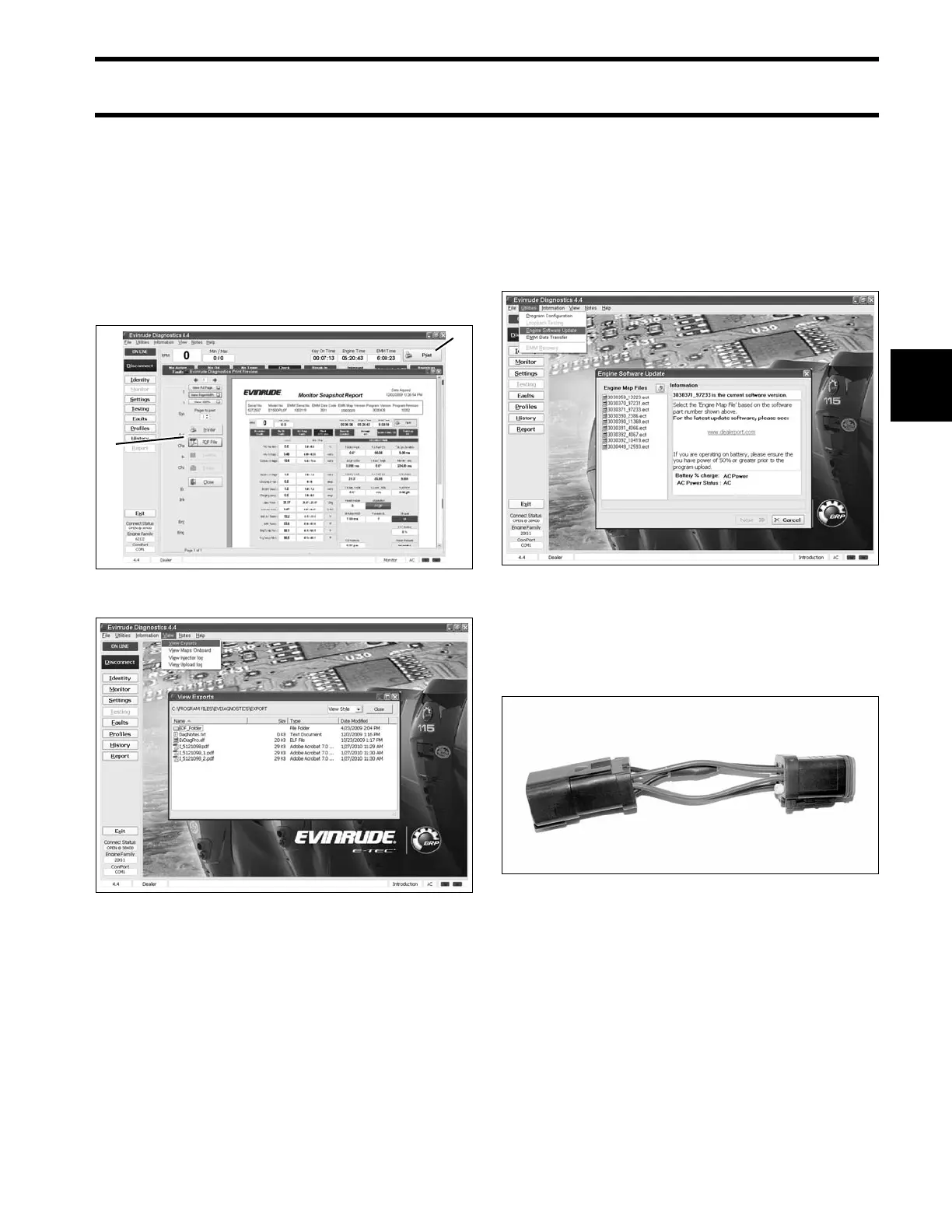
Click the print button in a window of the diagnos-
tics software to print engine data, or to export the
information to a computer file.
Software Replacement
Engine Management Software is loaded into the
EMM at the factory. Periodically, a new program
may be available to enhance the operation of an
outboard. Select Engine Software Update from
the Utilities menu and refer to the instructions pro-
vided with the program.
IMPORTANT: Software replacement requires
the use of Bootstrap Tool, P/N 586551. Install tool
between engine and boat harness key/stop switch
connectors as instructed by update program.
1. Print button
2. Print/Export options
008111
Engine Report data files 008096
008095
002383





 To Next Page