32
PRIMACY 2
5
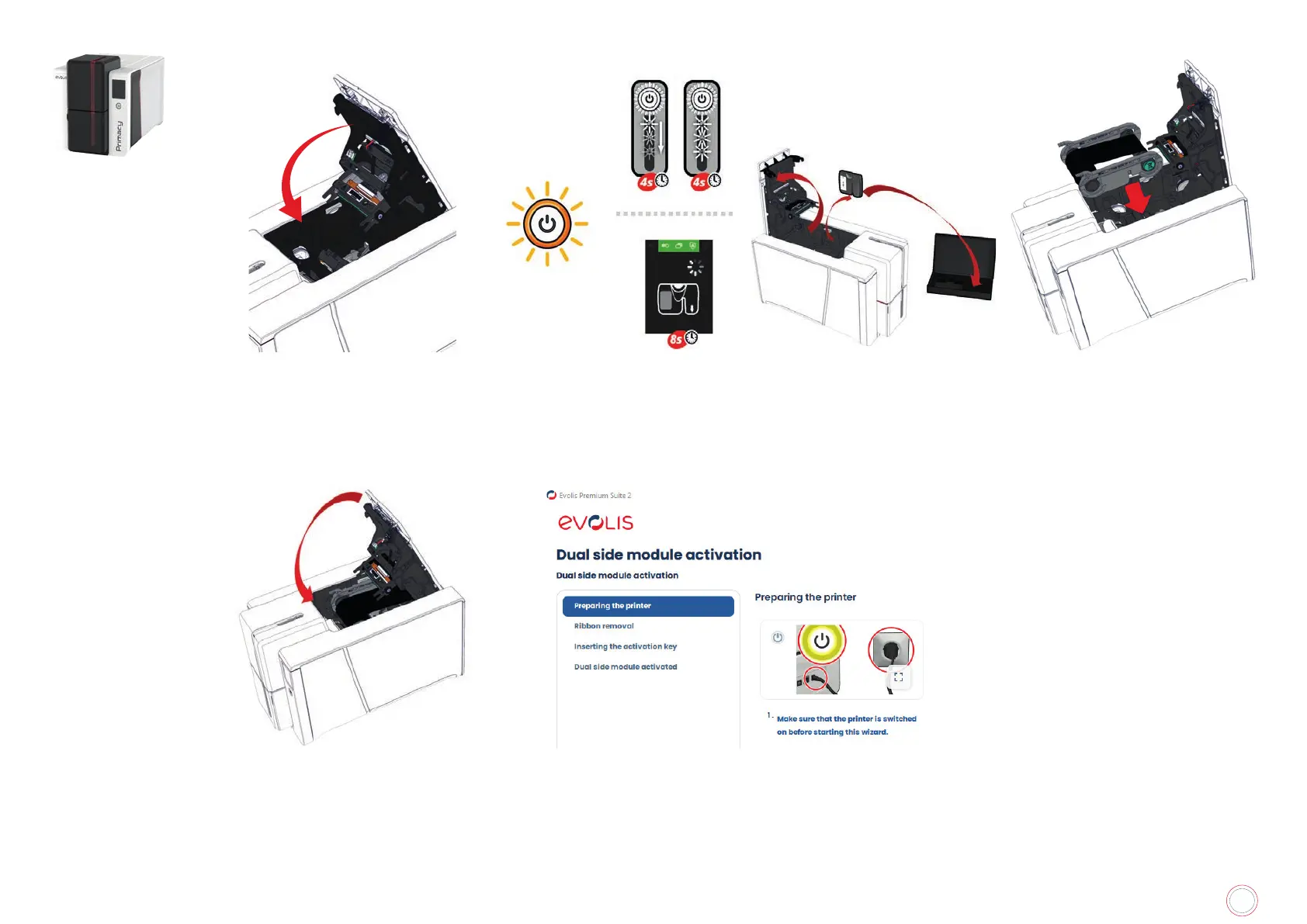
Close the cover
6
until the end of the process.
The LED or LCD panel gives
information about the process.
The printer restarts at the end
of the update.
7
Open the cover and remove the
activation key
8
Insert the ribbon
9
Close the cover If necessary, a wizard is available in Evolis Premium Suite to perform the
activation



 To Next Page