61
PRIMACY 2
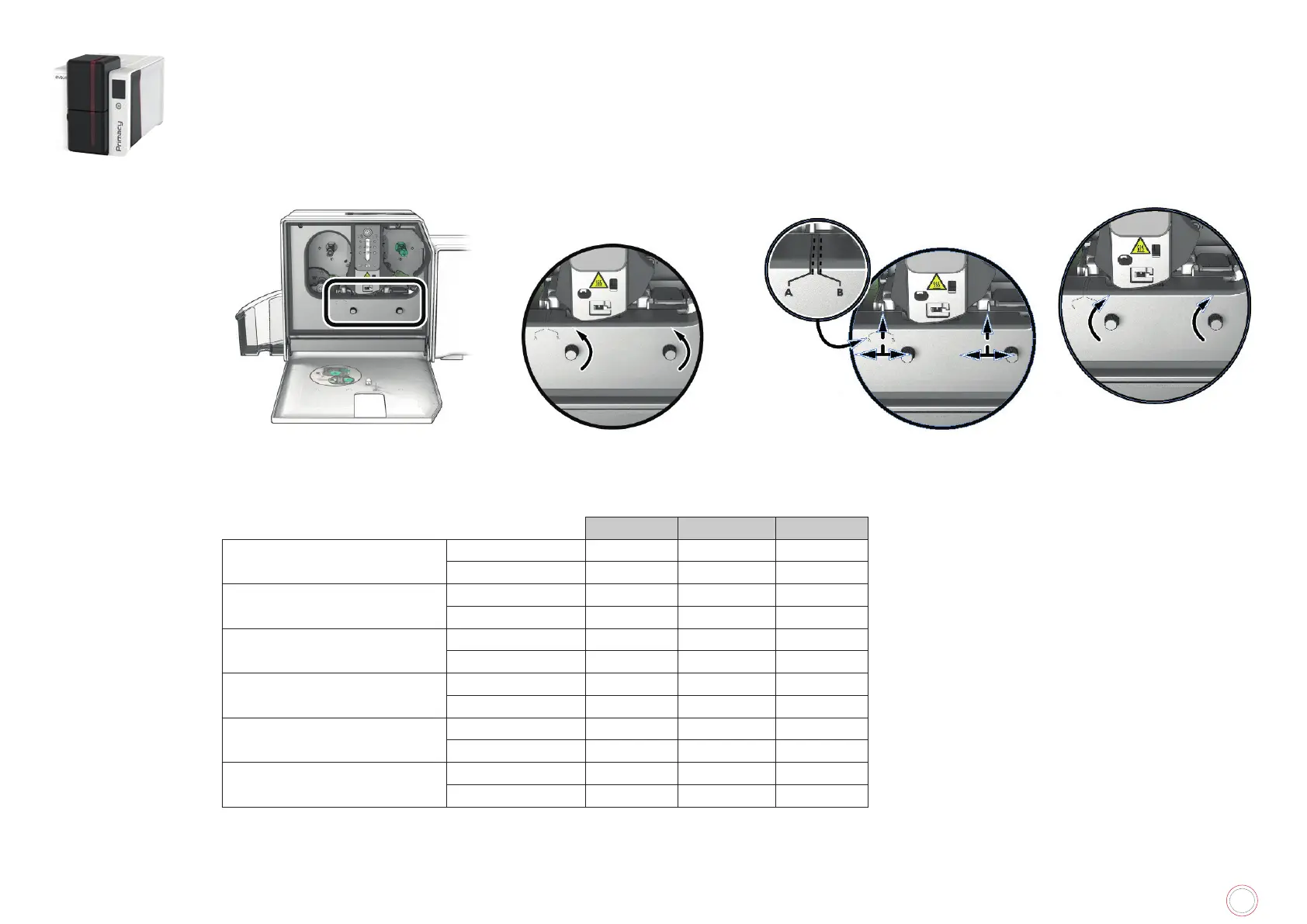
Using the leveler
Use the levelers of the lamination module to correct any natural bending of the card caused by the lamination process. Cards can be more or less
Follow the procedure below:
1
Open the door of the lamination
module.
2
Loosen the two wheels as
shown.
3
Depending on the type of card and
position A or B (see the table below).
4
Tighten the two wheels
and close the door of the
lamination module.
PVC Cards PET-F Cards PC Cards
1 mil transparent patch
Single-sided B A B
Double-sided B B B
1 mil holographic patch
Single-sided A A B
Double-sided B B B
0.5 mil transparent patch
Single-sided A A B
Double-sided A A B
0.6 mil holographic patch
Single-sided A A B
Double-sided A A B
Varnish
Single-sided A A B
Double-sided B B B
Holographic varnish
Single-sided A A B
Double-sided B B B



 To Next Page