EasyManua.ls Logo

Evolis PRIMACY 2 - Page 56

Evolis PRIMACY 2
74 pages
Print Icon
To Next Page IconTo Next Page
To Previous Page IconTo Previous Page
Loading...
56
PRIMACY 2
5

6
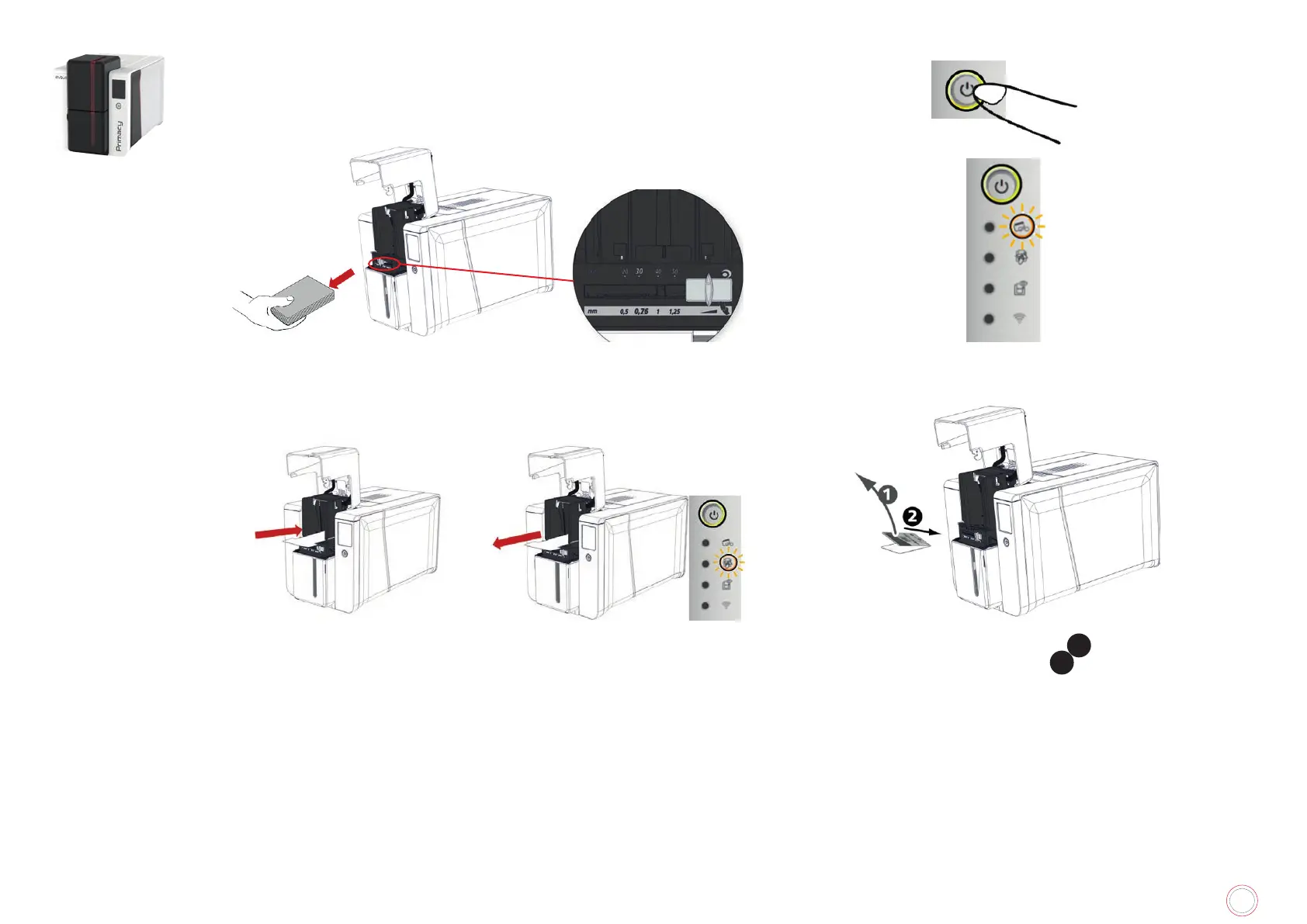
Double-click the cleaning button on the control panel before
inserting the cleaning card
7
Take the T-card and insert it into
the feeder as shown. Cleaning
starts.
8
Remove the T-card.
9

1
and insert the adhesive
card into the feeder, adhesive side up
2
. The cleaning starts.

Table of Contents

Related product manuals