112
CONNECT NAV+
To select the required function, ro-
tate the knob 15-fig. 1 and then press
it to confirm.
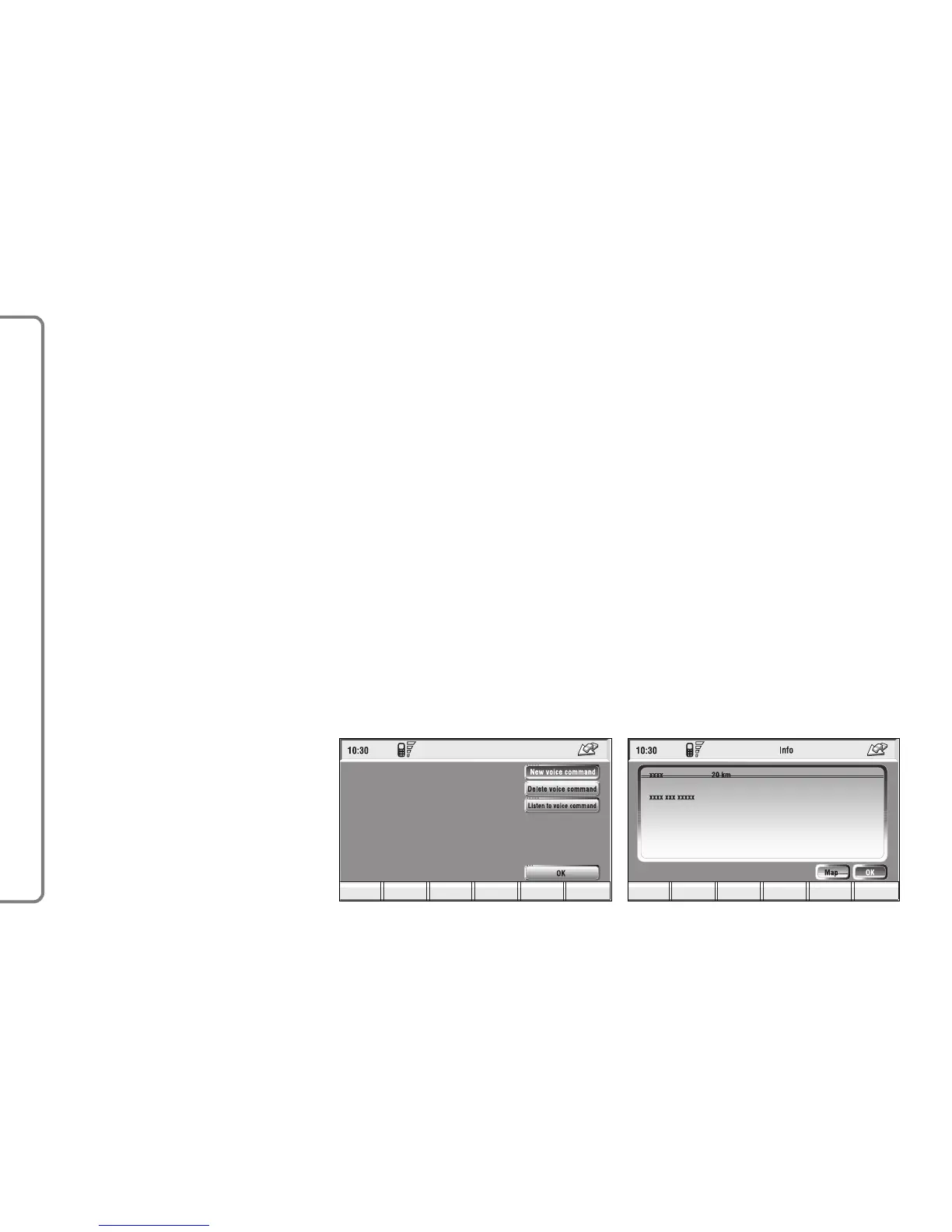
– Service Info (available only by se-
lection from “Atlas”): shows informa-
tion about a “service” selected on the
map fig. 131.
– Locate (available only by selection
from “Atlas”): shows the car position
on the map. All keys are disabled and
an arrow identifies the car position.
Car orientation (arrow direction) can
be modified by rotating and pressing
the knob 15-fig. 1.
– Calculate Route
Selecting and confirming “Calculate
Route” by rotating and pressing the
knob 15-fig. 1, will activate route cal-
culation to the required destination. If
a destination is already set, the system
will ask for confirmation before chang-
ing destination.
– Bookmarks
This option may be used to store a
selected point in the navigation phone
book and associate it with a name (e.g.
Home), so that it may be called up eas-
ily fig. 109.
The name to be associated with the
destination can be entered, after se-
lecting and confirming “Name”, by ro-
tating and pressing the knob 15-fig. 1.
IMPORTANT When selecting
“Name”, remember that it is not pos-
sible to add a name already present in
the Telephone (TEL) function direc-
tory.
To enter the characters simply select
them one by one by rotating and press-
ing the knob 15-fig. 1.
Then, select OK using the keypad and
press the knob 15-fig. 1.
The “Voice recognition” key allows
to associate a voice sample to a desti-
nation stored in the directory. Sym-
bol “√” at the left of the key shows if
a sample has already been associated.
Selecting and confirming “Voice
recognition” will display the screen in
fig. 130:
“New voice command”: allows
recording of a new voice sample. User
is invited to pronounce twice the name
to be recorded.
“Delete voice command”: allows
deletion of a previously recorded voice
sample. If there is no sample, this key
is disabled.
“Listen to voice command”: repro-
duces a previously recorded voice
sample. If there is no recorded sample,
this key is disabled.



 To Next Page