106
CONNECT NAV+
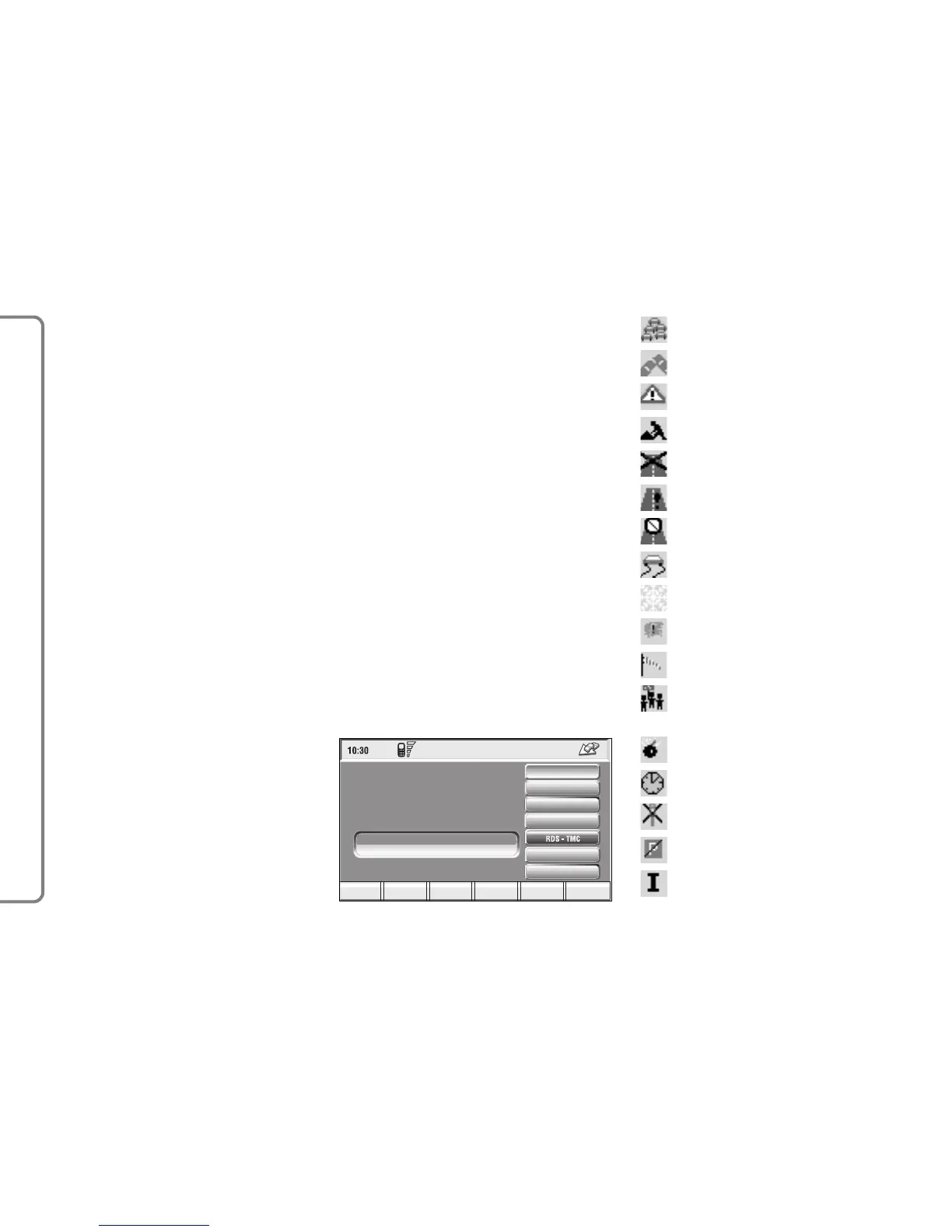
1. Queue.
2. Accident.
3. Generic danger.
4. Works in progress.
5. Closed road.
6. Narrow road.
7. No entry road.
8. Slippery road.
9. Ice / snow.
10.
Fog.
11. Wind.
12. Procession,
protest.
13. Danger of explosions.
14. Slow down.
15. Traffic signs out of order.
16. Parking.
17. Forecast.
RDS-TMC
Select this function by rotating the
knob 15-fig. 1 and then press it to
confirm.
The display shows the following op-
tions fig. 119:
– Near car;
– Near address.
“RDS-TMC” icon allows the user to
select a geographical point to get re-
lated RDS-TMC information: RDS-
TMC events are pictured through
dedicated icons on the map. A TMC
event cannot be used to identify a des-
tination.
IMPORTANT TMC information
can be displayed provided that the fol-
lowing two conditions take place: 1)
the active radio station provides such
service; 2) the same station transmits
messages next to the point shown.



 To Next Page