54
CONNECT NAV+
Starting from “Stop” state (stop play-
ing by pressing “˙/II” 9-fig. 1, user can
create or modify the playlist (if any) by
means of the “Define playlist” func-
tion or set a track sequence by means
of the “Playlist” function. It is then pos-
sible to play the MP3 CD by pressing
again “˙/II” 9-fig. 1 (“Play” key).
DEFINE PLAYLIST
FUNCTION
The “Define playlist” function enables
to create a playlist.
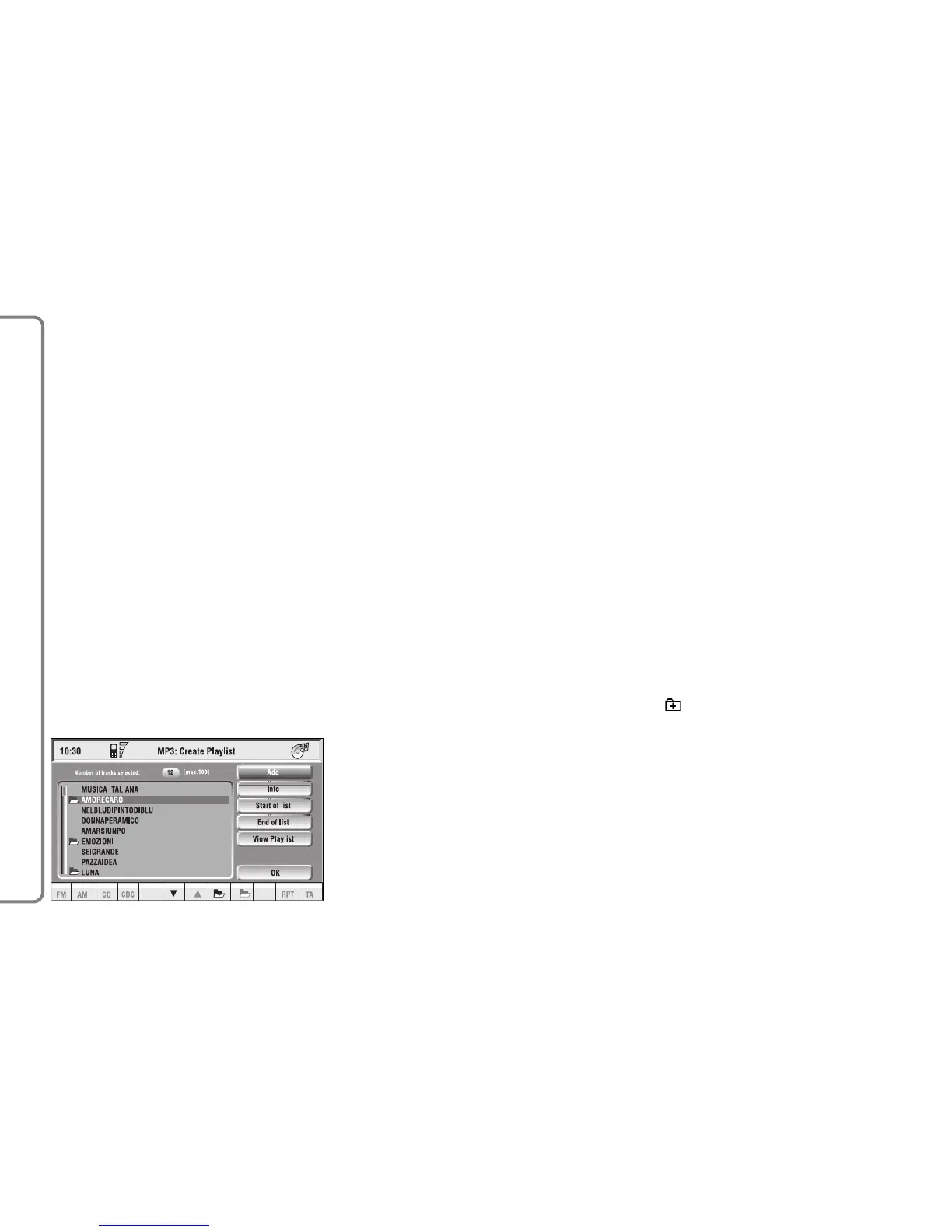
Select “Define Playlist” function on
the main screen by rotating the knob
15-fig. 1 and then press it to confirm.
In this way you go to a window dis-
playing the following functions fig. 32:
– Add
– Info
– Start of list
– End of list
– View Playlist
– OK.
The left side of the screen displays
(folder-organized) MP3 CD structure.
Max. 10 rows with all the folders and
file names are displayed. To scroll
names, press the multifunction key 16-
fig. 1 symbols “
▲” and “▼” at the bot-
tom of the screen.
The top of the screen shows the
number of selected tracks in playlist
(100 max.).
At the bottom of the screen are
shown the functions that can be acti-
vated through the corresponding mul-
tifunction keys 16-fig. 1 on the CON-
NECT Nav+ system:
– “
▲” and “▼” allow to scroll
up/down between folders and tracks
shown on the screen. Arrows are
greyed when reaching the top or the
bottom of the list.
– allows to skip to next folders
(greyed when positioned on the last
folder of the list)
fig. 32
F0Q3027g



 To Next Page