152
CONNECT NAV+
VEHICLE
To display the relevant screen page,
press one of the keypad keys 16-
fig. 1 under VEHICLE.
Choosing this Setup option two dif-
ferent setting menus are displayed, ac-
cording to the car version.
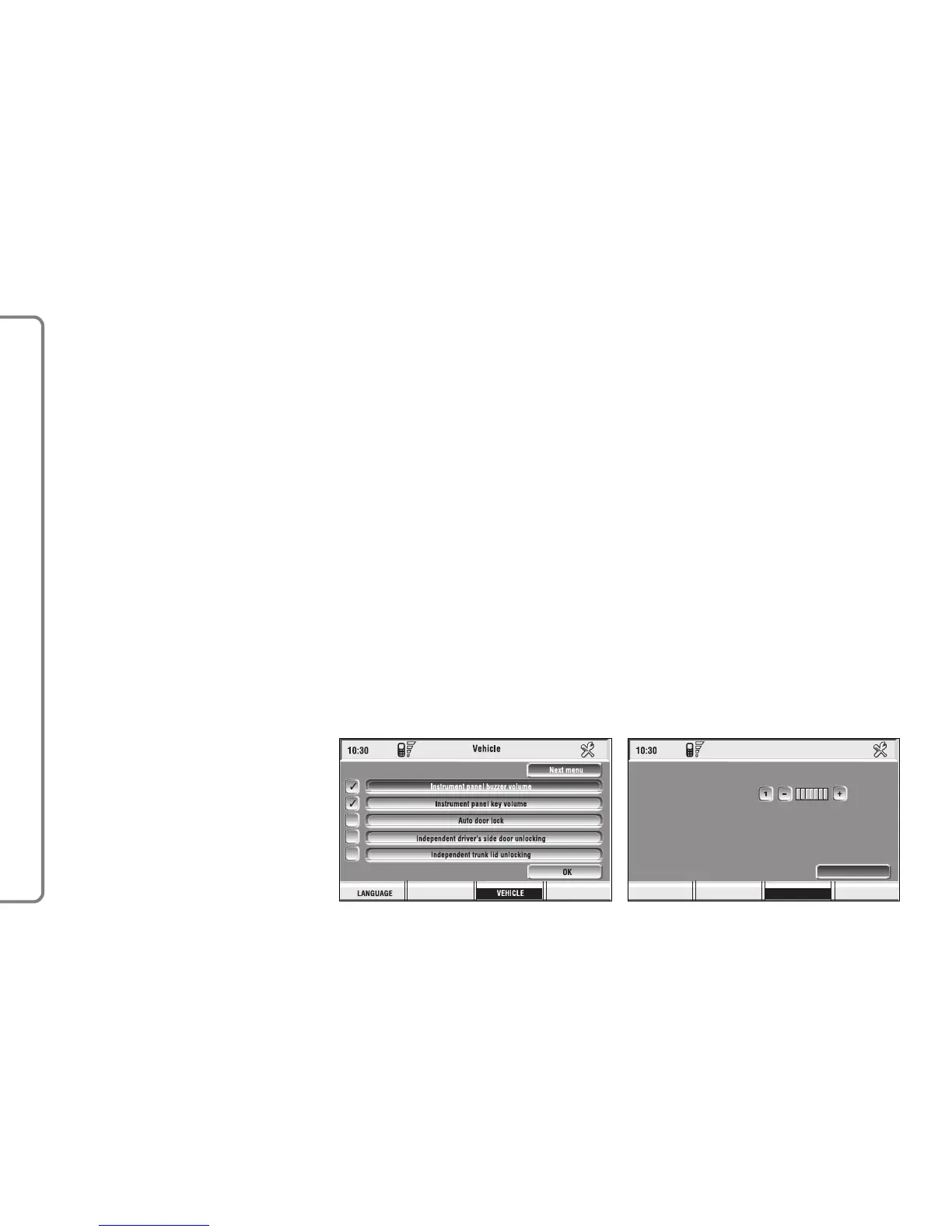
FIRST MENU - fig. 163
Instrument panel
buzzer volume
To adjust the volume of warning/fail-
ure indications (buzzer) given by the
instrument panel.
The buzzer volume can be adjusted
on 8 levels.
IMPORTANT The buzzer can be
adjusted but not excluded.
Rotate and press the knob 15-fig. 1
to select and confirm “Instrument pan-
el buzzer volume”.
The display shows the screen in
fig. 164.
To adjust volume, select “Change”
rotating the knob 15-fig. 1 and then
press it to confirm.
Rotate the knob 15-fig. 1 clockwise
to increase volume and anticlockwise
to reduce it.
An indication cursor and a numeric
window will help you in setting.
Press the knob 15-fig. 1 twice to
confirm and go back to first menu.
Whenever set value exceeds 1, sym-
bol “✓” is displayed in the first menu
next to the corresponding item.



 To Next Page