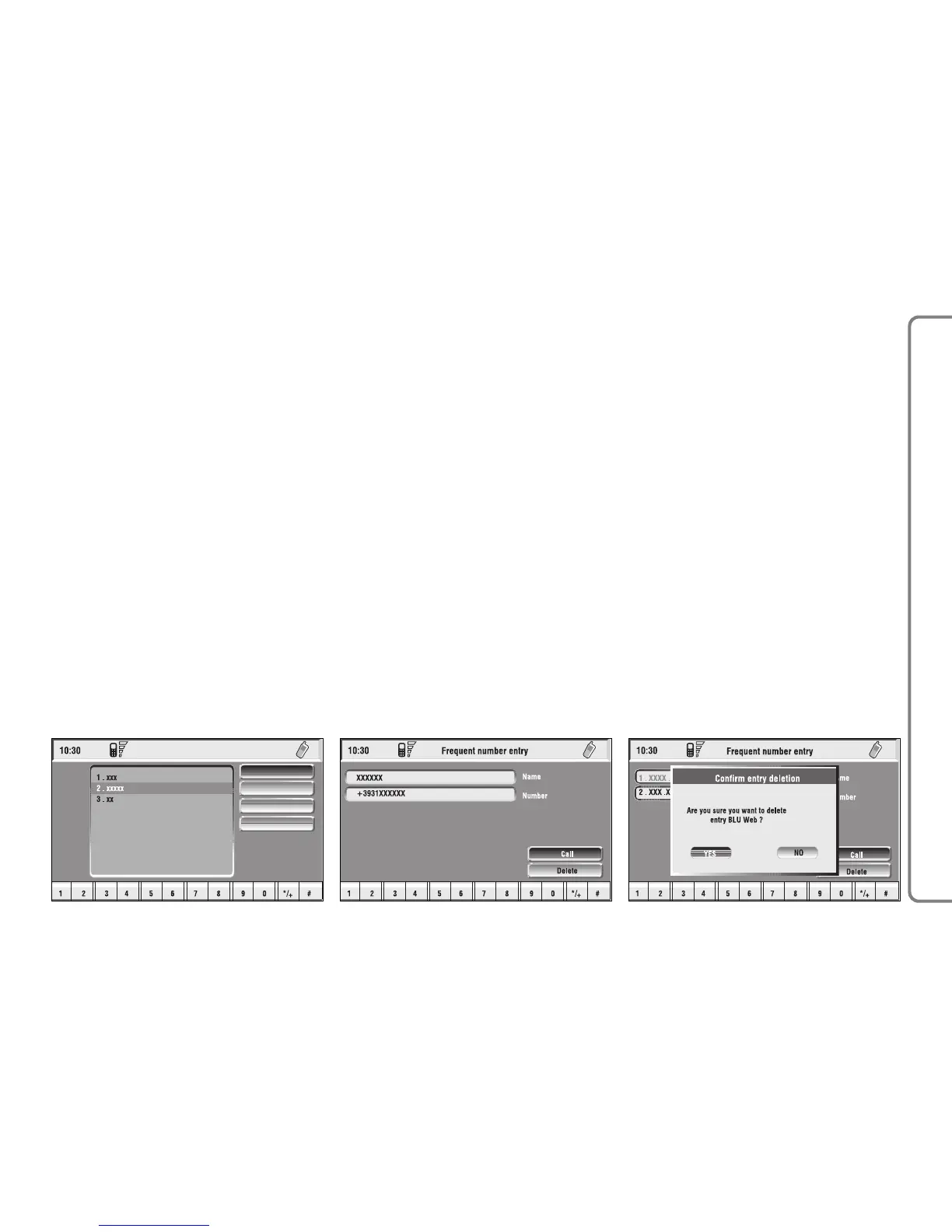
“Dial” function
The “Dial” function fig. 44 enables
the user to enter the list of stored fre-
quent numbers. After selecting an en-
try of the list with the knob 15-fig. 1,
start the call by pushing button
ß
3-fig. 1; active screen becomes the
one shown in fig. 40. Select the “DI-
AL” icon key by pressing the knob 15-
fig. 1 to display detailed information
about selected name and number and
the icons “Call” and “Delete” fig. 45.
To call the selected number proceed
as follows:
– select the “Call” icon key rotating
the knob 15-fig. 1 and press it to con-
firm;
– push button
ß
3-fig. 1.
To delete the selected number from
the list proceed as follows:
– select “Delete” icon rotating the
knob 15-fig. 1, a confirmation box
with “YES” - “NO” fig. 46 will come
up;
– rotate the knob 15-fig. 1 and se-
lect “YES”; all the numbers below the
deleted one are moved up by one po-
sition automatically.
IMPORTANT “Delete” shall be
used specially when the “Frequent
numbers” list is full (9 numbers stored)
and you want to enter a new number.
“New entry” function
“New entry” icon key is used to copy
an entry from the directory.
To copy an entry from the directo-
ry and add it to the “Frequent num-
bers” list proceed as follows:
– rotate the knob 15-fig. 1 to se-
lect the “New entry” icon key;
– press the knob to confirm. If the
list is full (9 numbers), then the “New
entry” icon key is disabled;
– the display shows a keypad to be
used to type the desired number or
the names stored in the directory
fig. 47.
67
CONNECT NAV+



 To Next Page