52
CONNECT NAV+
PLAYING THE PLAYLIST
Inserting a MP3 CD with associated
playlist starts sequence playing auto-
matically.
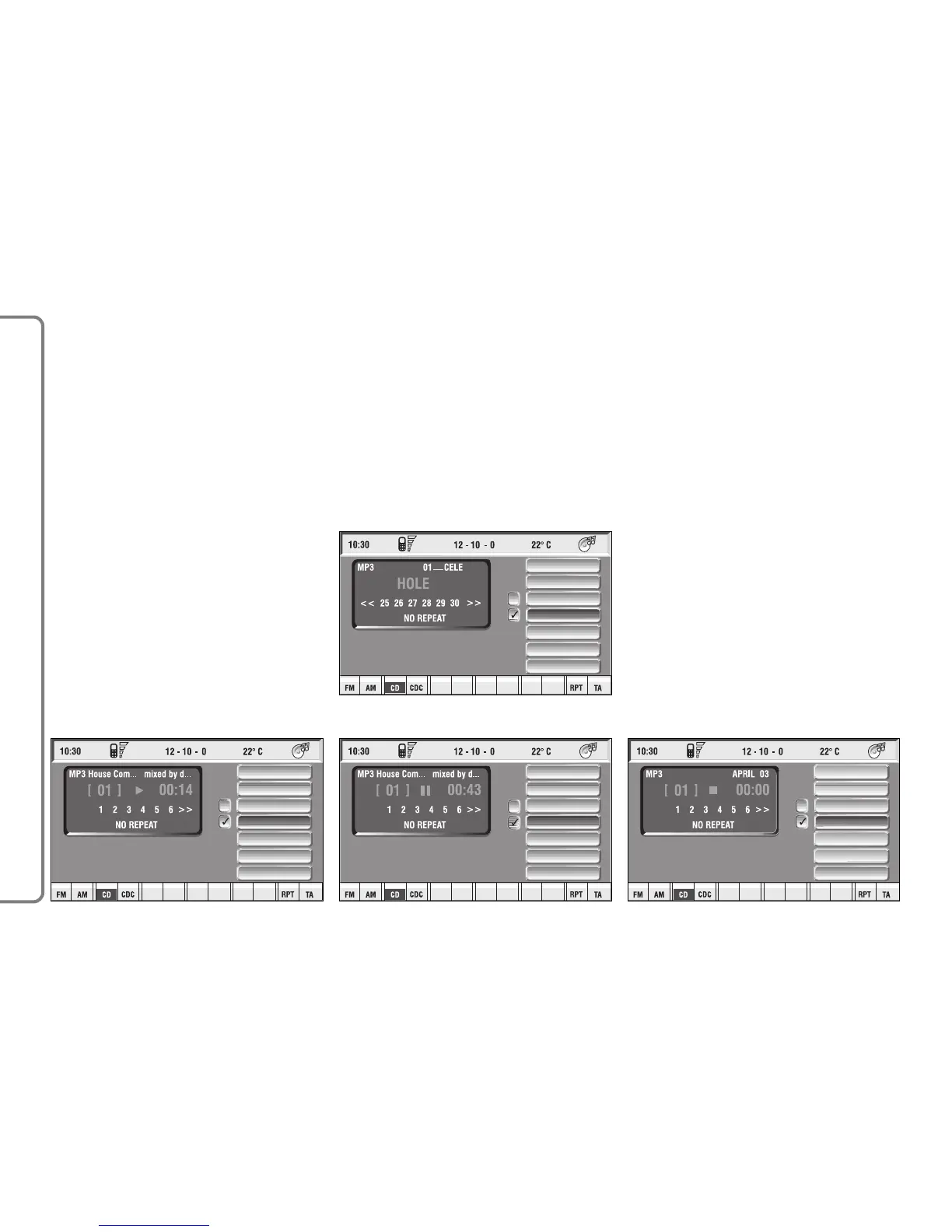
The main screen shows also the fol-
lowing information:
– audio source (MP3);
– when available, author and song
name fig. 28, or file name fig. 29;
– current track number fig. 28;
– current status of MP3 CD source
(play fig. 28, pause fig. 30, stop fig.
31);
– playback time info;
– list of available tracks;
– SHUFFLE, REPEAT… according to
the active function.
Icon keys on the right of the screen
are all enabled, excluding “Define
playlist” and “Playlist” under “Play” and
“Pause” conditions fig. 28 and 30;
stop the MP3 CD (“Stop”) to enable
these two functions fig. 31.
When playing MP3 CD, buttons
“
¯¯” 5-fig. 1 and “˙˙” 6-fig. 1 on
the left of the CONNECT Nav+ key-
pad, perform the following functions:
– with short push skips to previ-
ous/next track in playlist;
– with long push skips 10 tracks
back/forward in playlist.



 To Next Page