116
CONNECT NAV+
GENERAL INFORMATION
The on-board computer provides a
series of helpful data relevant to cur-
rent travel (e.g.: times, distances,
speed, fuel consumption). Certain in-
formation is only available with navi-
gation function on and depends on set
navigation route.
IMPORTANT Certain informa-
tion/operations hereafter described
are available/possible only with ignition
key turned to ON.
TRIP menu allows to set the desired
distance and fuel consumption mea-
sure unit.
TRIP menu also allows to input a
number of events (e.g. Tyre replace-
ment..., Birthday…) that can be trig-
gered both on set date or mileage.
To display on-board computer
screen, press “TRIP” key 4-fig. 1.
To perform new settings or to have
information about TRIP settings, press
keypad 16-fig. 1 buttons: “TRIP”,
“TRIP B”, “SPEED”, “INFO” or “RE-
SET”.
“GENERAL TRIP”
and “TRIP B” FUNCTION
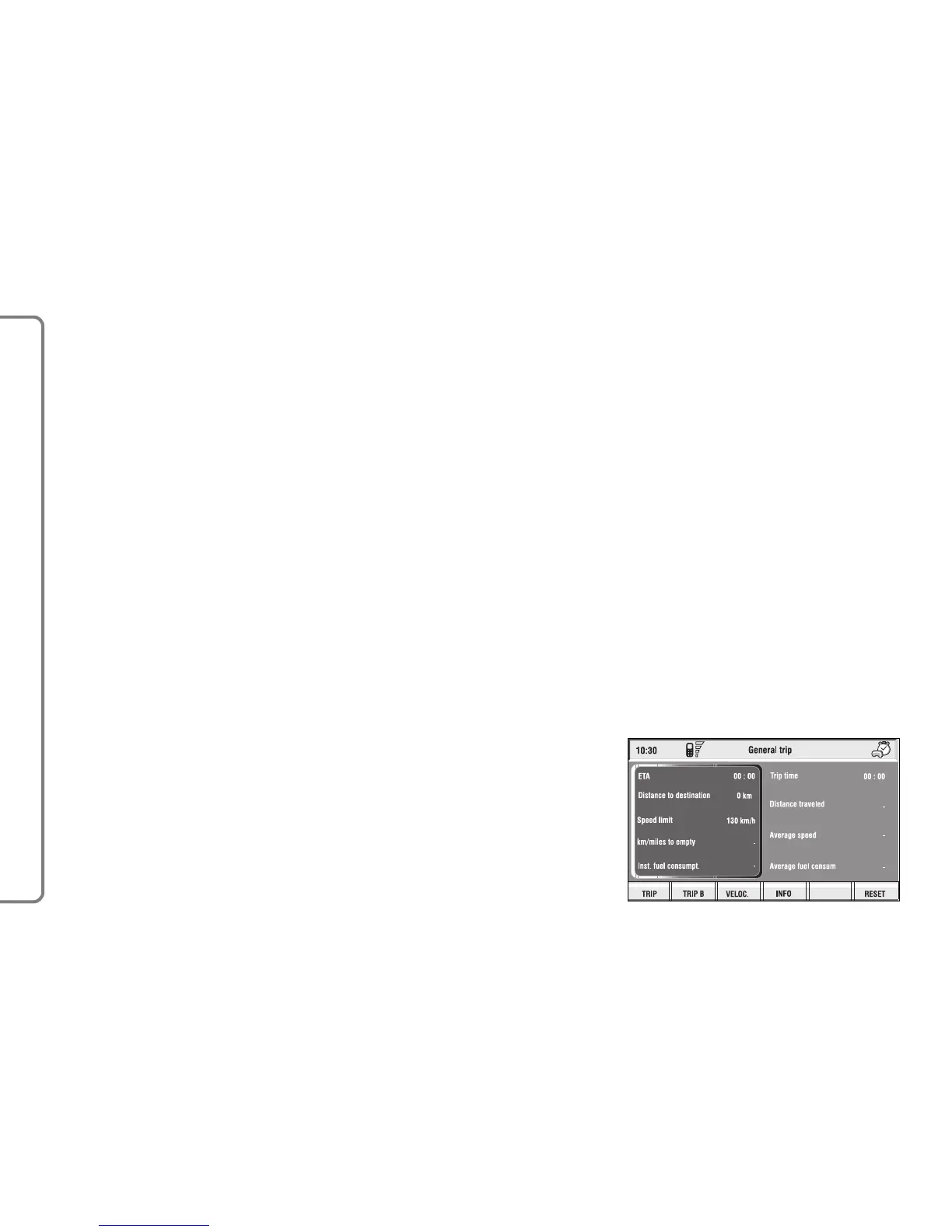
Press TRIP key 4-fig. 1 on CON-
NECT Nav+ front panel to open the
“General Trip” screen fig. 138.
With “General Trip” screen open,
pushing one of the keypad buttons 16-
fig. 1, on “TRIP B” will open the rel-
evant screen.
OO
OO
NN
NN
--
--
BB
BB
OO
OO
AA
AA
RR
RR
DD
DD
CC
CC
OO
OO
MM
MM
PP
PP
UU
UU
TT
TT
EE
EE
RR
RR
((
((
TT
TT
RR
RR
II
II
PP
PP
))
))
fig. 138
F0Q3089g



 To Next Page