33
CONNECT NAV+
Bass (Bass adjustment)
Proceed as follows:
– select the “Bass” function by turn-
ing and pressing the knob 15-fig. 1;
– turn the knob 15-fig. 1 right to in-
crease the bass tones or left to reduce
them.
At the end, press the knob 15-fig.
1 to confirm setting and continue with
the other parameter settings.
Treble (Treble adjustment)
Proceed as follows:
– select the “Treble” function by turn-
ing and pressing the knob 15-fig. 1;
– turn the knob 15-fig. 1 right to in-
crease the treble tones or left to re-
duce them.
At the end, press the knob
15-fig. 1 to confirm setting and con-
tinue with the other parameter set-
tings.
Balance/Fader function
(sound distribution)
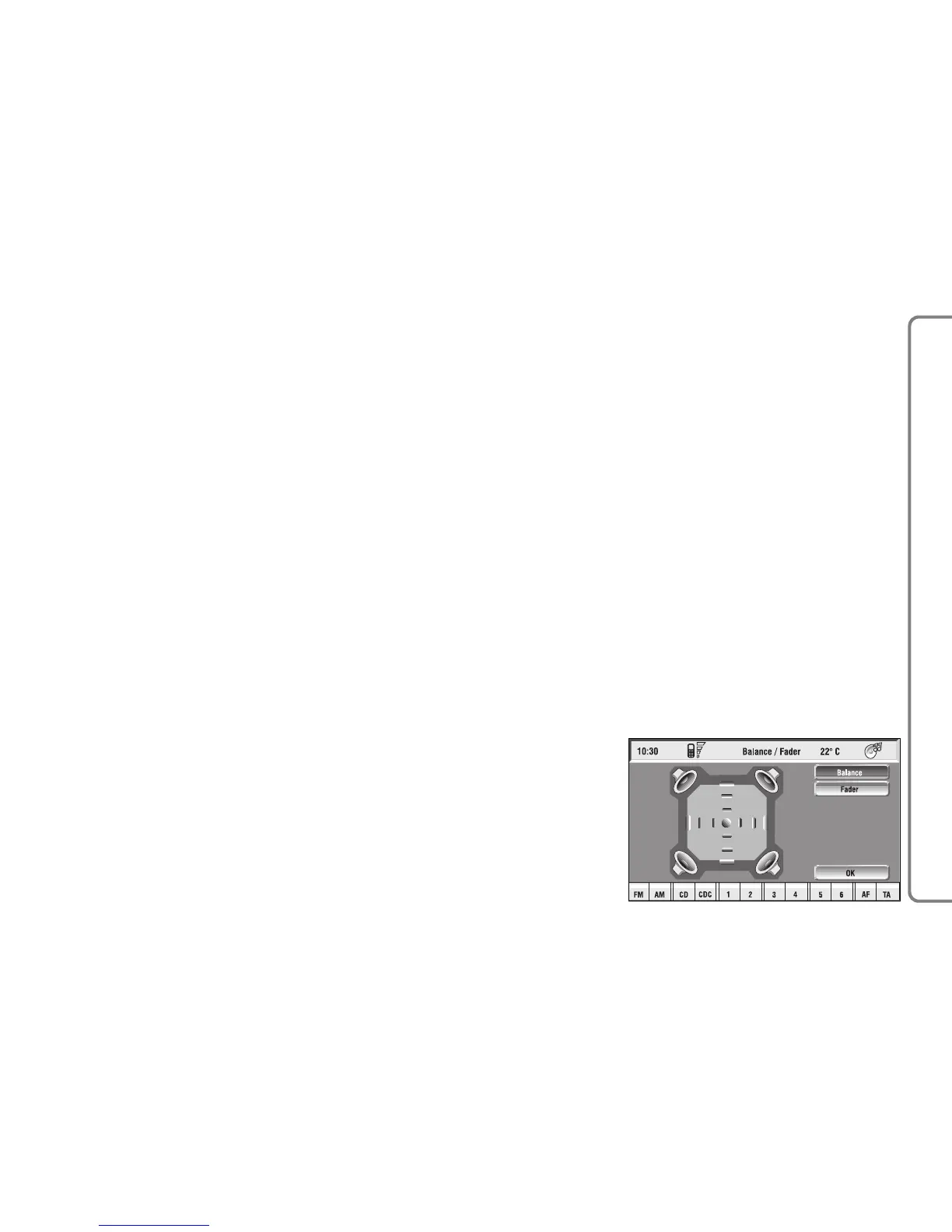
The “Balance/Fader” function shows
a schematic representation of the po-
sition of the speakers in the car
(left/right and front/rear). Sound dis-
tribution is represented by a red small
square cursor.
To adjust sound distribution, pro-
ceed as follows fig. 11:
– choose the “Balance/Fader” func-
tion by turning and pressing the knob
15-fig. 1; the display will show the
screen in fig. 11
fig. 11
F0Q3011g



 To Next Page