105
CONNECT NAV+
LAST DESTINATIONS
“Last destinations” key is used to get
the list of last inserted destinations
(maximum 10). At each route calcula-
tion, the destination is automatically in-
serted in the list. Selection of a desti-
nation from that list is done by rotat-
ing and pressing the knob 15-fig. 1 to
confirm. When the choice has been
expressed, the location is shown on
the map. Pressing the knob 15-fig. 1,
the user will able to use the point as a
destination, to enter it in the directo-
ry, to set it as Dest 1 or Dest 2, or to
locate it.
BOOKMARKS
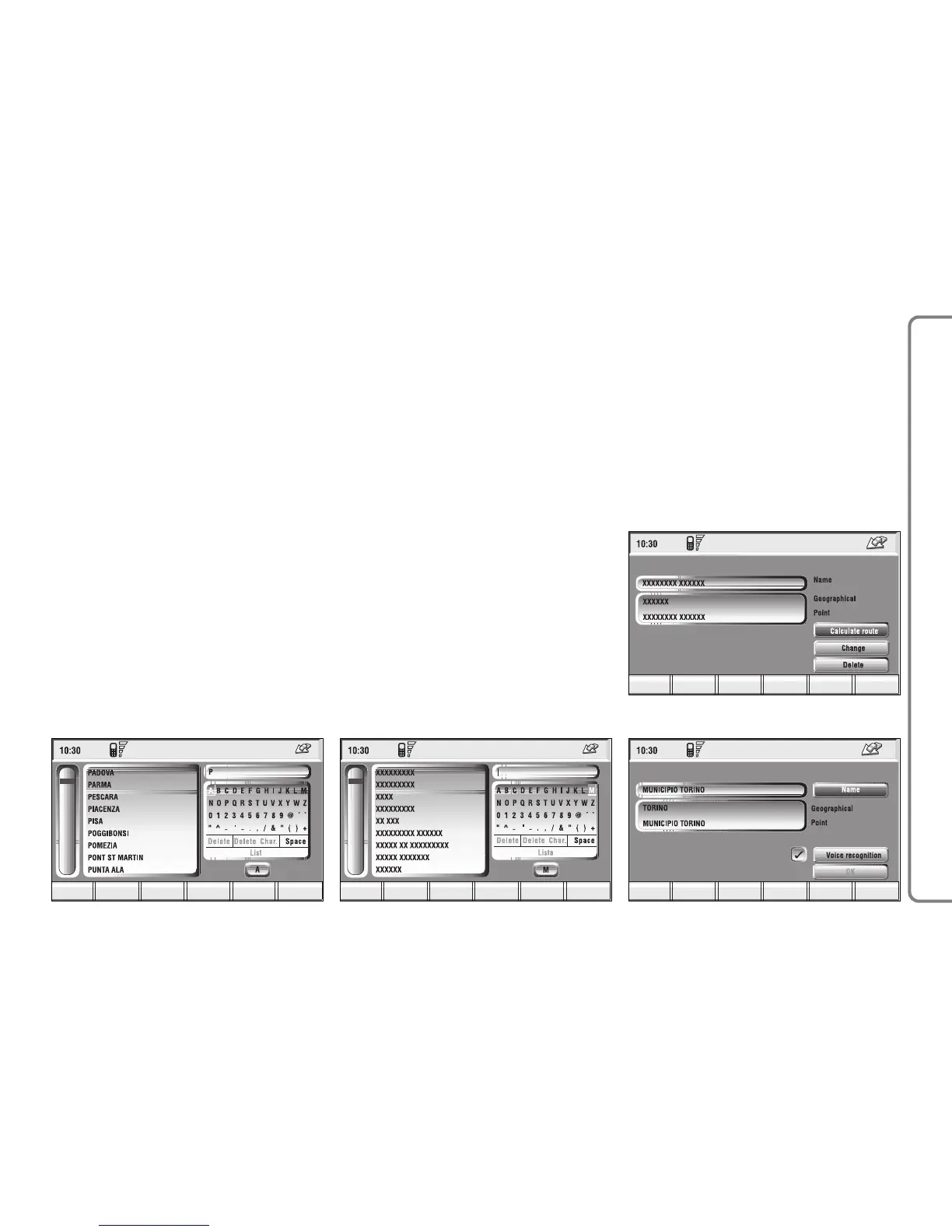
“Bookmarks” key enables to select a
point from those stored in the direc-
tory fig. 115. If the list contains more
than 9 destinations, the display will
show the screen in fig. 116. Select-
ing “List”, the keypad disappears and
the required destination can be se-
lected directly.
The available options are the follow-
ing:
“Calculate route”: allows the use of
the point as already described fig.
117.
“Change”: modifies the Name associ-
ated to the point and allows inser-
tion/change/deletion of a voice sample
associated to the entry fig. 118.
“Delete”: deletes entry.



 To Next Page