The icon keys at the bottom of the
display can be activated by the corre-
sponding multifunction keys on the
keypad 17-fig. 1. Options are the fol-
lowing:
Play
˙ plays active message;
Stop
■
stops message playback
or recording;
Skip
¯¯
skips to previous mes-
sage;
Skip
˙˙
skips to next message;
Record
ç starts recording;
Delete deletes all recorded mes-
sages.
“WAP” FUNCTION
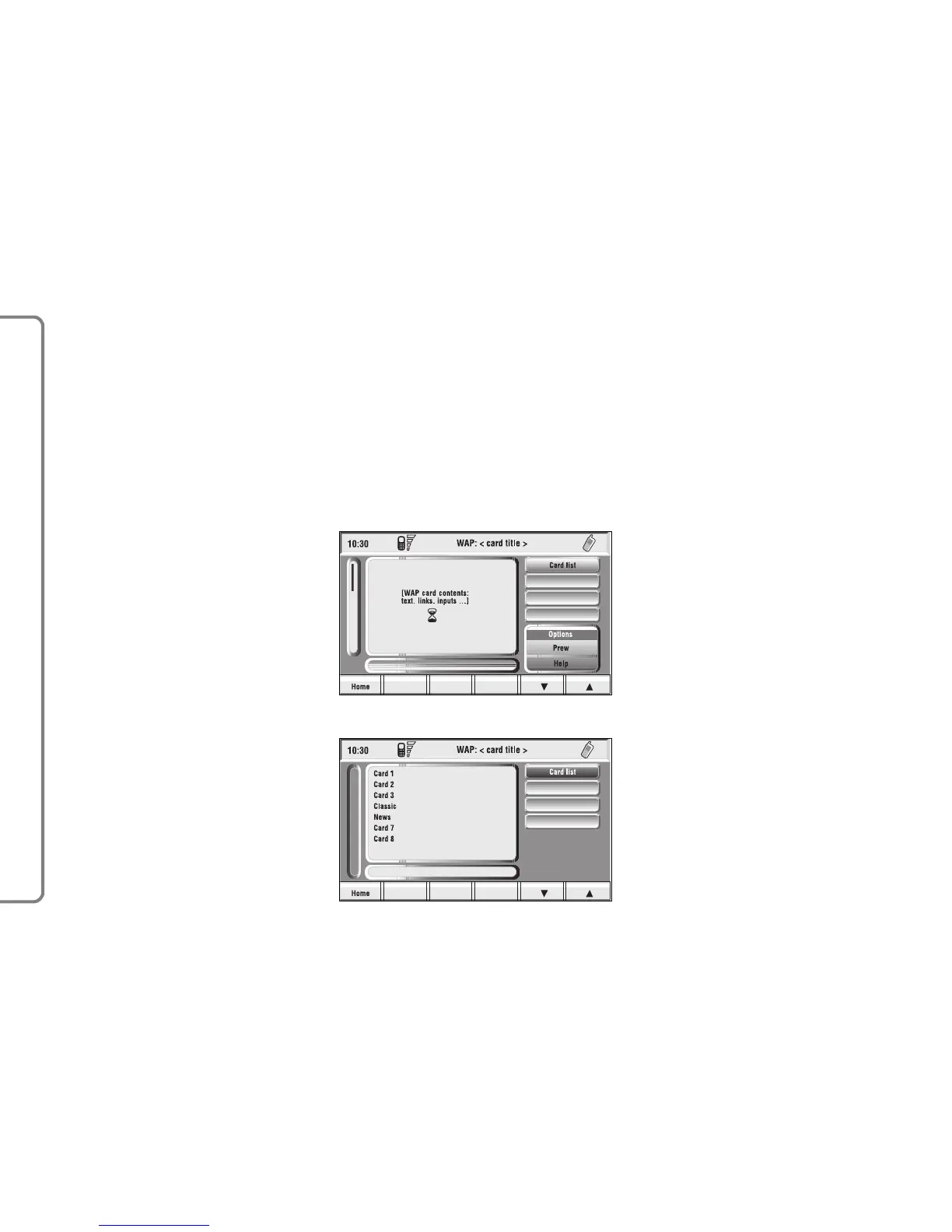
The “WAP” icon key opens a GSM
link to a WAP provider, browsing the
“home” site first. Access to WAP site
loads automatically in memory the
corresponding “deck”; the display
shows the first card of the deck
fig. 74-75.
WAP main screen is composed of
the following elements:
– Card title, in the centre of the up-
per bar;
– Main window, on the left, including
card text, links and possible selections
and/or input areas;
– Left vertical scroll bar, showing if
required, which portion of the card is
displayed;
– “Card list” icon: displays the title
or the ID number of all the cards in-
cluded in the loaded deck. This icon is
greyed when the displayed deck is de-
clared as “No bookmark-able”;
– “Update” icon: to reload current
deck;
– “WAP options” icon: to set home
site and other WAP options;
– “In directory” icon: to store in di-
rectory a maximum of ten addresses;
– Card action keys (“Options”,
“Prew”, “Help”): existence, number
and functionality of these action keys
depend on the card content;
82
CONNECT NAV+



 To Next Page