49
CONNECT NAV+
MAIN SCREEN OPTIONS
AND FUNCTIONS
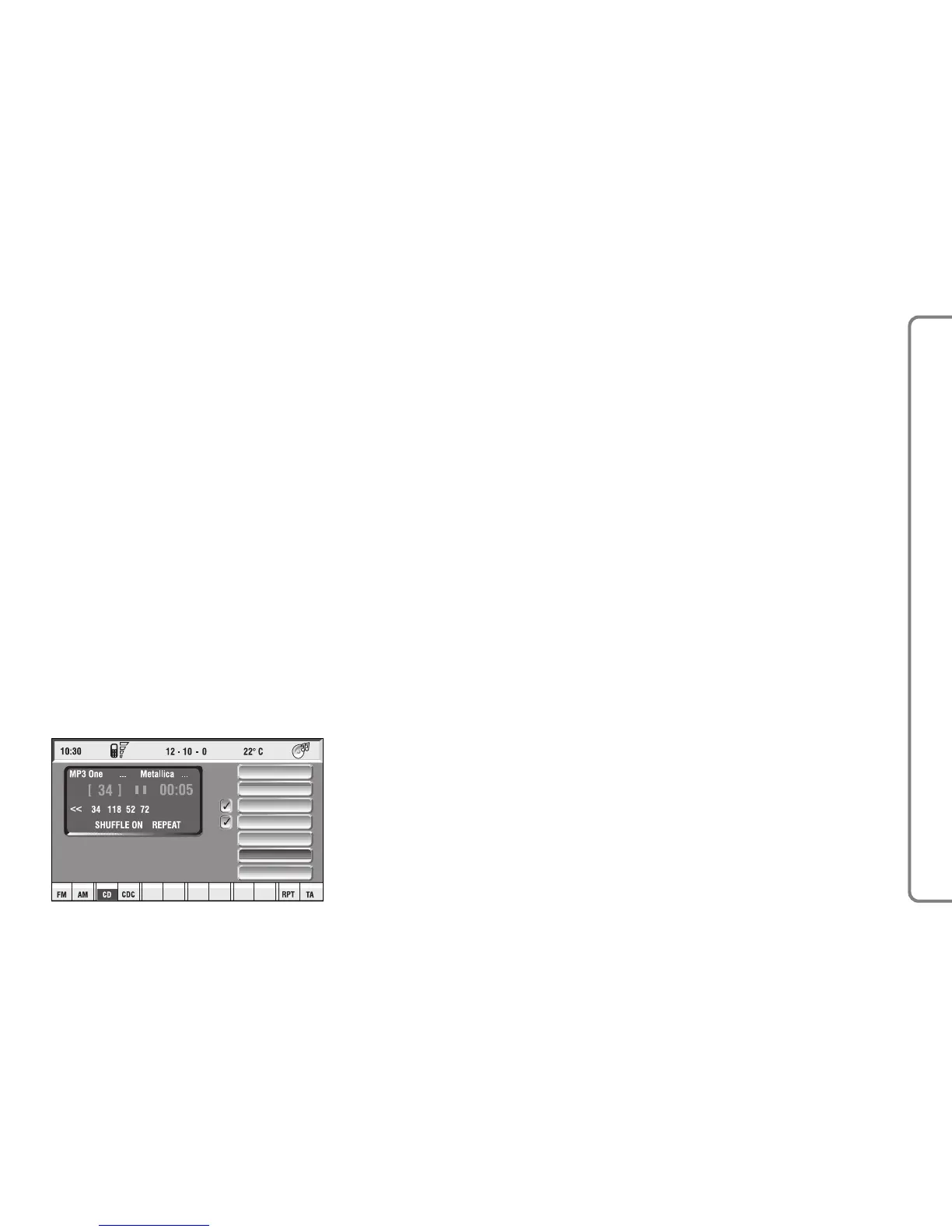
The main screen contains the fol-
lowing functions fig. 27:
– Direct selection
– Define Playlist
– Playlist
– Compression
– Scan
– Shuffle– Audio setup.
At the bottom of the screen are
shown the functions that can be acti-
vated by pressing the corresponding
multifunction keys 16-fig. 1 on the
CONNECT Nav+ system:
– FM allows audio source change
through the following loop FM1, FM2,
FM3, FMAST, FM1….
– AM allows audio source change
through the following loop LW, MW,
AMAST, MW…
– CD activates CD
– CDC activates CD Changer
– RPT enables the Repeat function:
Repeat one (repeat one track)/Repeat
all (repeat all tracks)/Repeat off (re-
peat function off)
– TA traffic information on/off.
The main screen shows also the fol-
lowing information:
– audio source (MP3);
– name of the file or piece of music (if
any);
– author;
– SHUFFLE, REPEAT… according to
the active function;
– played track number;
– current status of MP3 CD source
(play, pause, stop);
– playback time info;
– list of available tracks.



 To Next Page