21
CONNECT NAV+
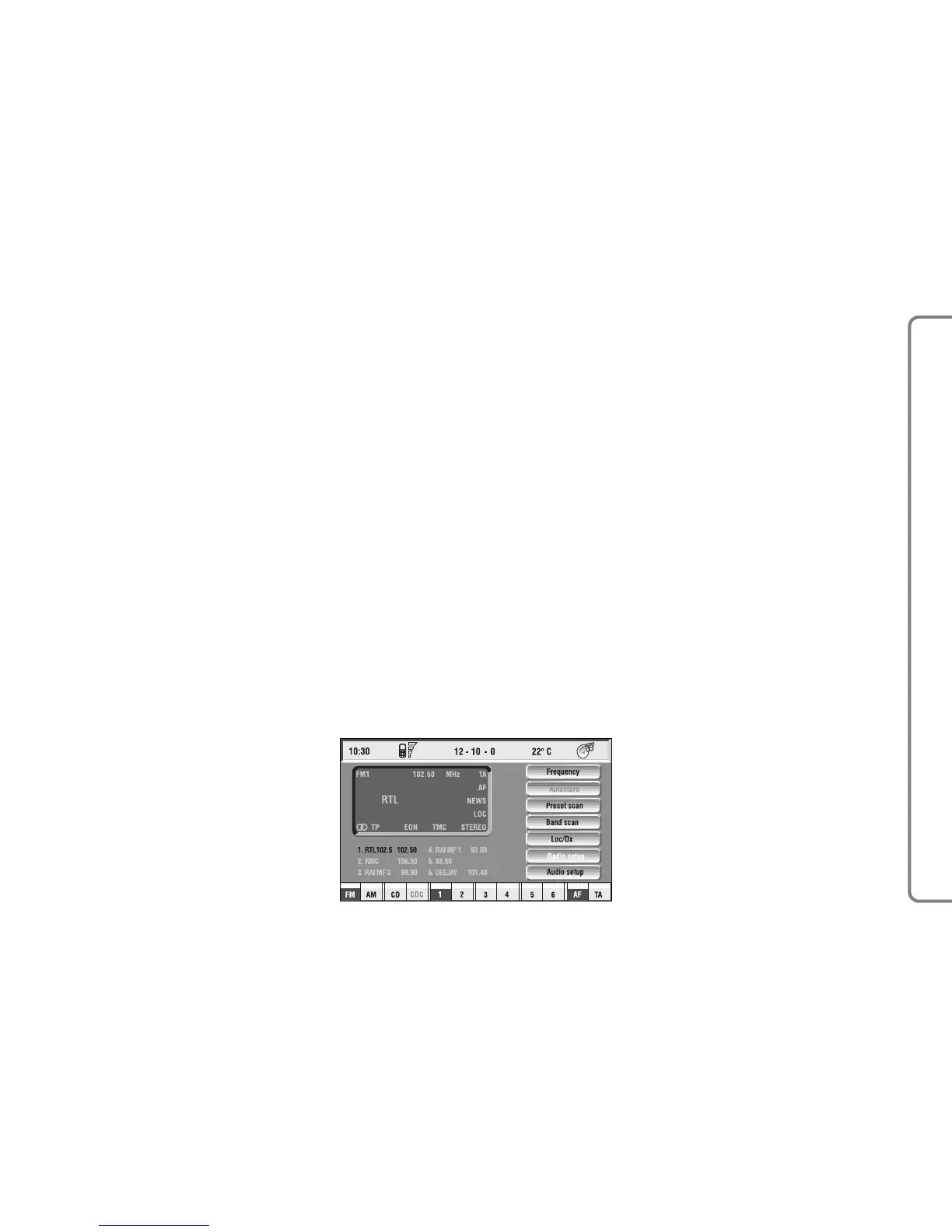
The audio system is turned on by
pressing briefly the “AUDIO” key 20-
fig. 1 which displays the main func-
tions of the radio fig. 7.
Keeping button 20-fig. 1 pressed
longer, with the audio system on and
any operating mode active, the
“MUTE” mode is switched on: this
way the audio source is muted and the
display will show “MUTE”. The
“MUTE” function can be switched off
either by pressing key 20-fig. 1 for
more than 2 seconds or changing the
sound volume.
Through the audio system of the
CONNECT Nav+ it is possible to
control:
– RDS radio with FM/AM reception;
– Compact Disc player;
– CD-Changer (if installed);
– equalizer;
– MP3 player.
SCREEN OPTIONS
AND FUNCTIONS
Pressing repeatedly the “SRC” key 2-
fig. 1 the available audio sources are
displayed cyclically:
– Radio (FM1, FM2, FM3, FMAST,
LW, MW, AMAST)
– CD (if the CD is inserted)
– CD-Changer (if installed).
The audio source is automatically
changed in one of the following cas-
es:
– broadcasting of traffic information,
if the TA function is on and an enabled
station is tuned (TP)
– forwarding a phone call
– receiving a phone call
– voice recognition function activa-
tion.
AA
AA
UU
UU
DD
DD
II
II
OO
OO



 To Next Page