122
CONNECT NAV+
“Personal info” function
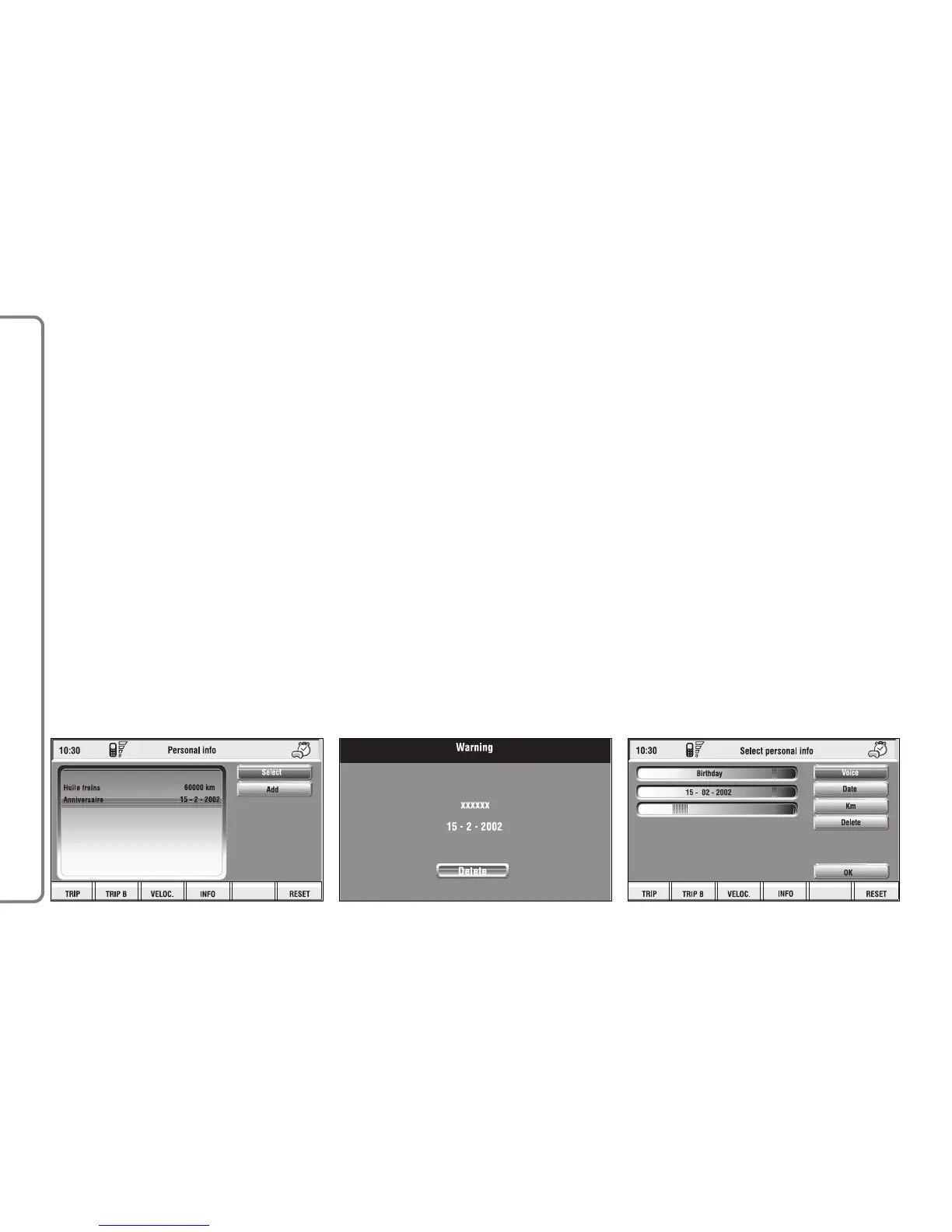
“Personal info” function opens a 10-
element directory fig. 146 where it is
possible to store events to be re-
membered on a specified date and/or
car mileage.
As soon as this event (date and/or
car mileage) is reached, CONNECT
Nav+ display shows a reminder box
with event mnemonic string entered
at setting (see paragraph dealing with
“Add” function) fig. 147; “ESC” 14-
fig. 1 clears off the string till next
CONNECT Nav+ switch on.
To delete the message definitively
press the knob 15-fig. 1. “Personal in-
fo” function shows also the following
icon keys:
“Select”;
“Add”.
“Select”
“Select” function enables to select a
list entry and to display detailed info in
a new window fig. 148.
Press:
“Voice”, “Date”, “km or mi” (ac-
cording to set unit), “Delete”, “OK”
to change selected entry settings.
To make the change, select the re-
quired icon (Voice, Date, km or mi)
with the knob 15-fig. 1 and then press
it to confirm. A new screen for en-
tering or changing letters and/or num-
bers will be displayed.
fig. 146
F0Q3097g
fig. 147
F0Q3098g
fig. 148
F0Q3099g



 To Next Page