41
CONNECT NAV+
During the operations available in the
“CD Prog” function, buttons 5, 6 and
9-fig. 1 are disabled.
CD name
This function can be selected only if
a Compact Disc is inserted.
If the CD already has a name, this will
be shown on the display.
“CD name” function allows to name
max. 10 CDs with 20 characters max.
Selecting the “CD name” function by
rotating the knob 15-fig. 1 and press-
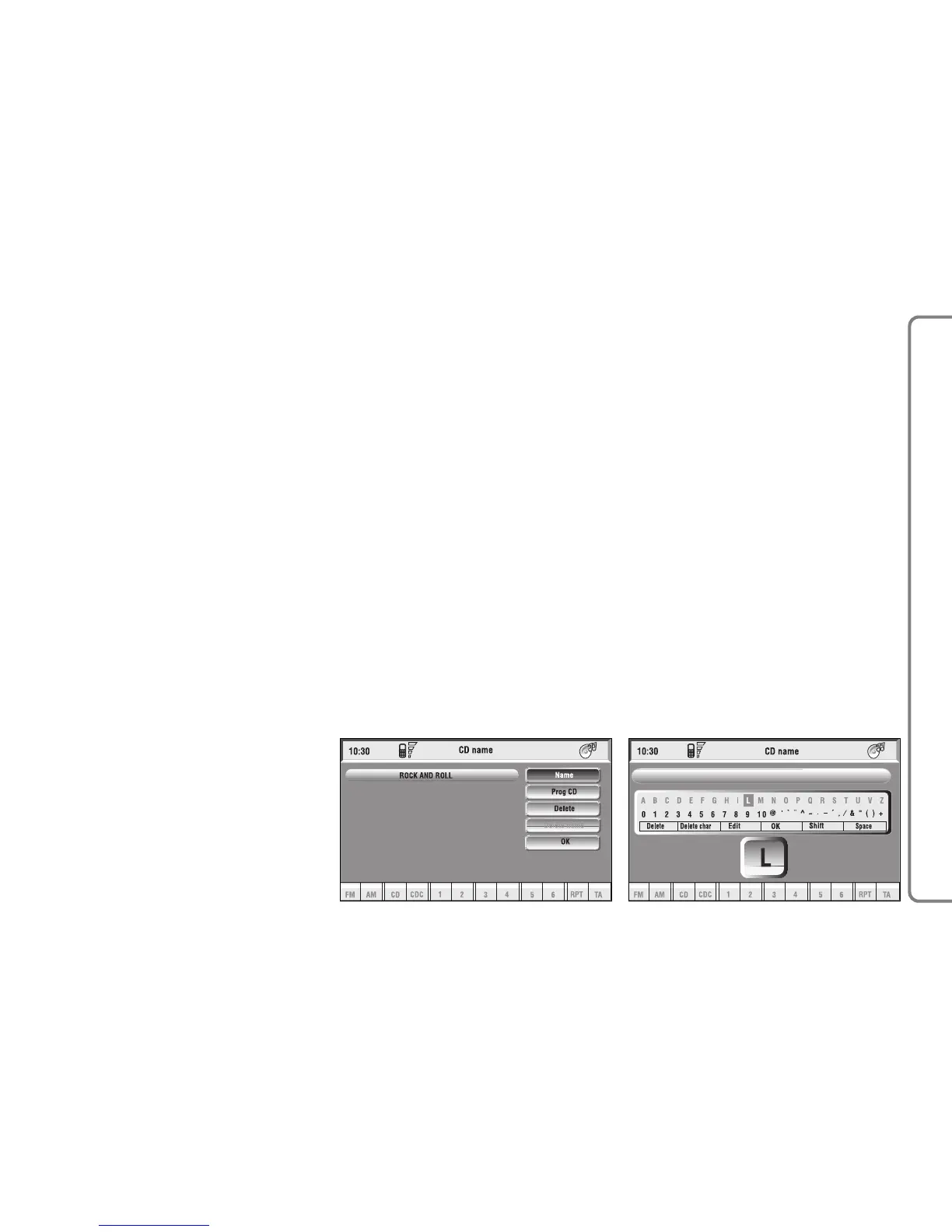
ing it goes to next menu fig. 19:
– Name
– CD Prog
– Delete
– Delete name
– OK.
Name
Select “Name” icon with the knob
15-fig. 1 and press it to confirm, in
this way you go to a screen showing
an alphanumeric sequence fig. 20 to
be used to name the CD inserted.
Proceed as follows:
– select the first letter rotating the
knob 15-fig. 1 and press it to confirm;
– proceed in the same way for the
other letters until completing the
name;
– select and press “OK” to confirm
the CD name.
After confirming the CD name, the
previous screen is shown automati-
cally.
The CD name is automatically asso-
ciated to CD track number and total
time duration.
CD Prog
Selecting “CD Prog” icon with the
knob 15-fig. 1 and pressing it gives ac-
cess to a menu similar to the one
shown in fig. 18 with the option to as-
sociate a name to a preset track se-
quence.
Proceed as described before.
While playing a CD this icon key is
disabled, regardless of the “Prog” func-
tion status (on/off); the icon key will
return active when you stop the CD.
fig. 19
F0Q3015g
fig. 20
F0Q3016g



 To Next Page