43
CONNECT NAV+
The CONNECT Nav+ system can
control 10 CDs.
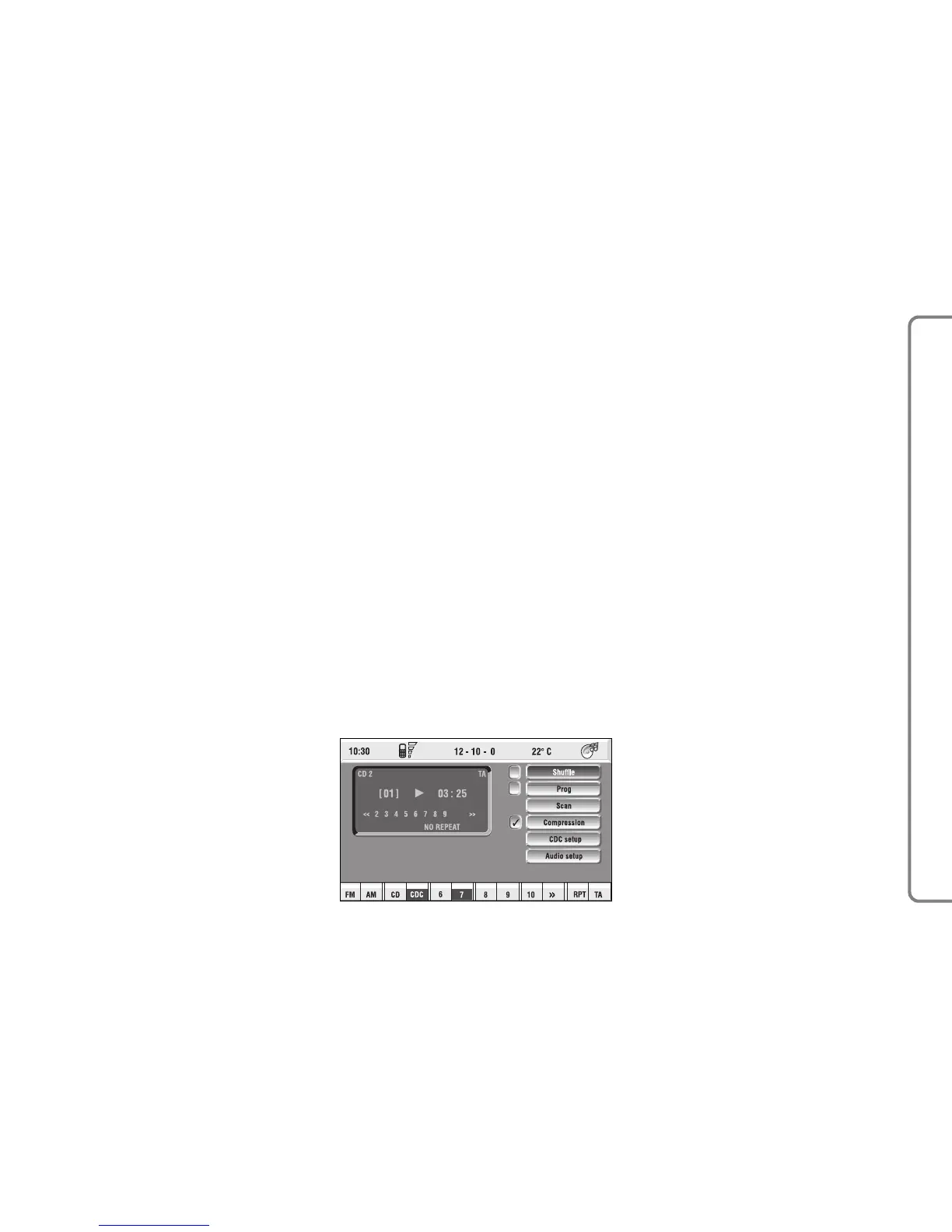
At the bottom of the screen are
shown the functions that can be acti-
vated through the corresponding mul-
tifunction keys 16-fig. 1 on the CON-
NECT Nav+ system:
– FM allows audio source change
through the following loop FM1, FM2,
FM3, FMAST, FM1….
– AM allows audio source change
through the following loop MW, LW,
AMAST, MW…
– CD activates CD
– CDC activates CD Changer
– 1 …10 selects the corresponding
CD in the multiple player (only the
keys corresponding to the actual CDs
inside the player are active)
– >> o << enables to display, like
icon keys, the next or previous 5 CDS
contained in the CD Changer.
– RPT enables the Repeat function:
Repeat one (repeat one track) / Re-
peat CD (repeat all CD tracks) / Re-
peat all (repeat all CD tracks con-
tained in the CD-Changer) / No Re-
peat (repeat function off).
The main screen shows also the fol-
lowing information fig. 22:
– number of the track being played;
– CD name, only if the CD when in-
serted has been named;
– TA wording if the TA-Traff. Ann
function (traffic announcement) is en-
abled;
– number of the track being played;
– current status of CDC source
(play, pause, stop);
– CD time information;
– the numbers of the next 9 tracks
that will be played and symbol “
§” if
there are more than 9 tracks; with the
Shuffle function on (for random play-
ing sequence), the first 10 CD tracks
of the random numeric sequence are
displayed.
Selecting the CD-Changer, playback
starts from the last CD heard previ-
ously or from the first CD following
the last one being heard (if this one
was removed) present in the loader.
To change the current CD use the
keypad buttons 16-fig. 1 corre-
sponding to 1….5. To hear the previ-
ous or next track of the current CD
respectively press buttons “
¯¯
” 5-fig.
1 or “
˙˙
” 6-fig. 1.
If the selected CD is not in the
loader, the relevant button is disabled.



 To Next Page