Select
“Select” icon enables to define CD
track playing sequence. To turn the
function on, select the icon rotating
the knob 15-fig. 1 and press it; this
way access to numeric sequence box
is provided. Turn the knob 15-fig. 1
to select the required number corre-
sponding to the first track of the CD
you want to listen to, then press knob
15-fig. 1 to confirm. Proceed in the
same way to programme the sequence
of the other tracks.
Press “ESC” 14-fig. 1 to quit.
To store the chosen sequence, select
“OK” with the knob 15-fig. 1 and
press it.
Delete
“Delete” icon enables to clear off the
last stored track.
This key is disabled if the sequence is
empty.
To turn the function on, select
“Delete” icon rotating the knob 15-
fig. 1 and then press it.
Delete all
“Delete all” icon enables to delete
the entire track list stored.
This key is disabled if the sequence is
empty.
To turn the function on, select
“Delete all” icon rotating the knob 15-
fig. 1 and then press it.
46
CONNECT NAV+
Prog CD
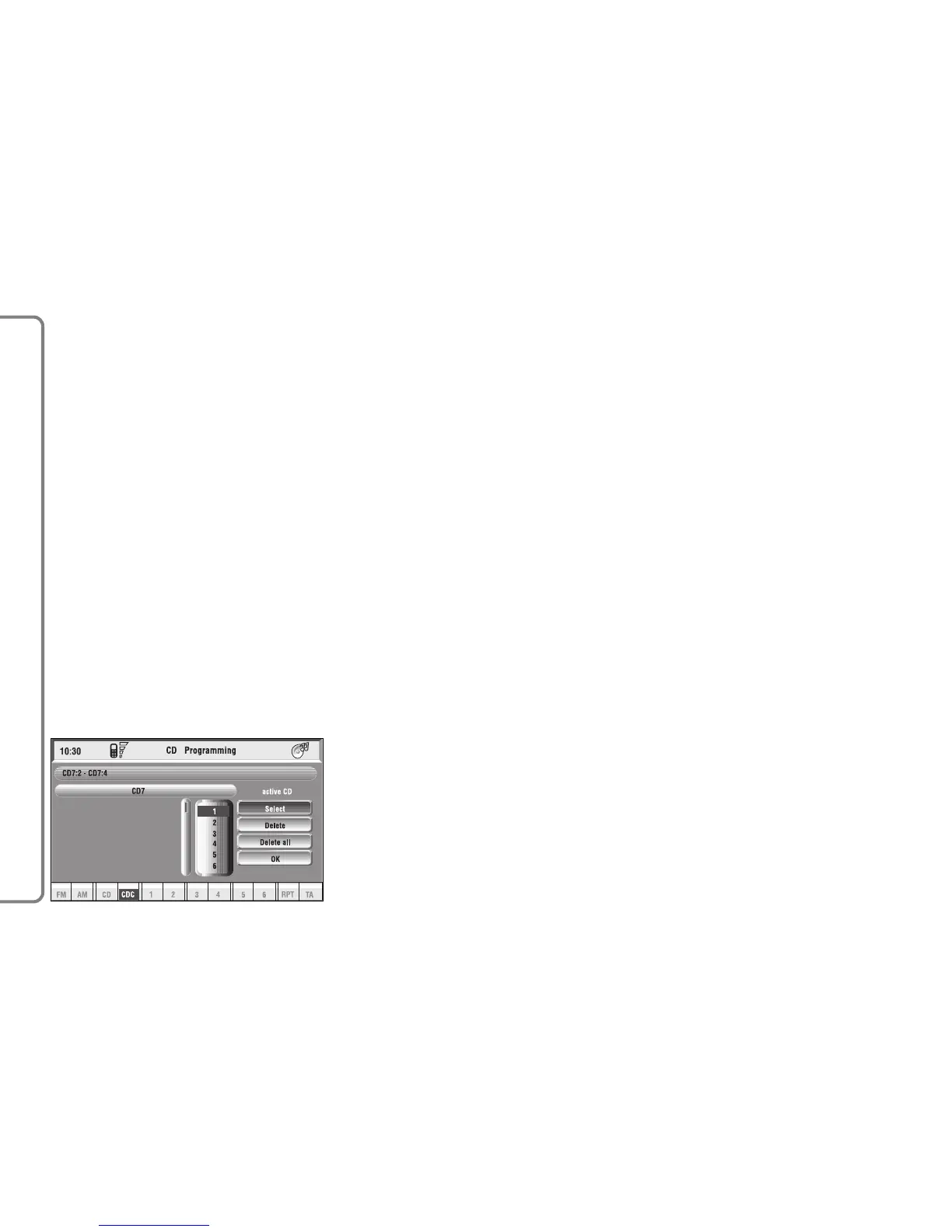
Select the “Prog CD” icon with the
knob 15-fig. 1 and press it to access
the CDC Programming function menu
fig. 24:
– Select
– Delete
– Delete all
– OK.
While playing a CD this icon key is
disabled, regardless of the “Prog” func-
tion status (on/off); the icon key will
return active when you stop the CD.
fig. 24
F0Q3019g



 To Next Page