I&J7000 Series Operating Manual
Section 6: Point Type & Function Details
Part # 561978B
Rev. H May 04
1.12. Brush Area
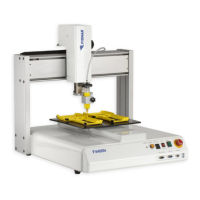
Brush Area causes the tip to ‘paint’ the defined area, passing back and forth along the X
axis, moving the Brush Width distance in the Y axis after each pass.
There are two Brush area shapes: rectangle and circle.
Brush Area: Rectangle
To use the rectangular Brush Area function, first register the brush width by pressing
ENTER, then to change to page 2.
Select Brush Area, then press 1 and ENTER to select Rectangle.
You will be prompted to enter the brush width. The brush with is the distance to move in
the Y axis after each pass in the X axis. Type the value you wish to use for the brush width
and press ENTER.
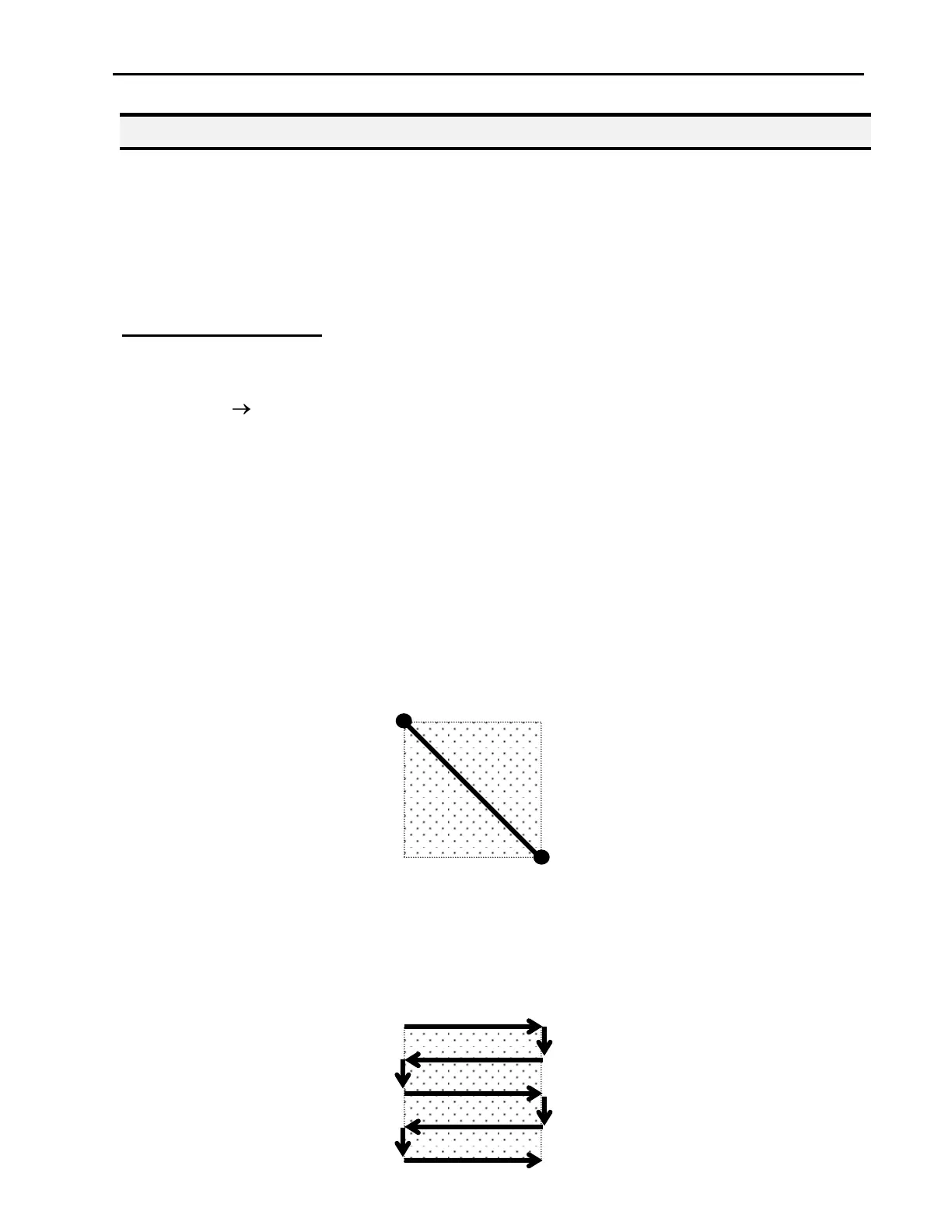
After registering the brush width, teach a line starting from the top left corner of the area to
brush and ending at the bottom right corner:
If, for example, a brush width of 5 mm was used, the tip will take the following path with
the program is run:



 To Next Page