1.10.8 SETTINGS
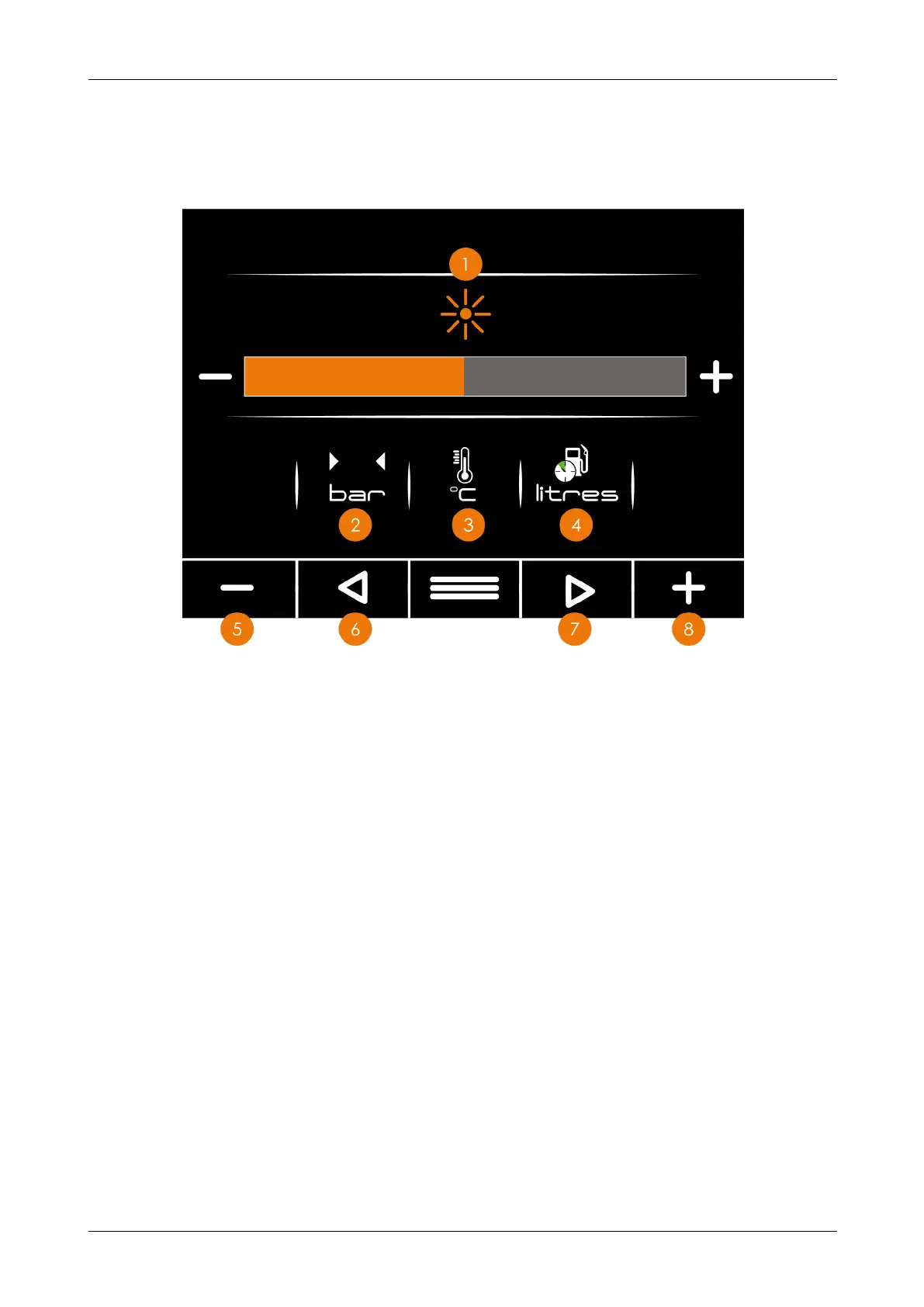
In this screen you can adjust the pressure unit type, fuel unit type and the screen
brightness.
Figure 16 - Settings screen
No. Description
1 Brightness - displays the current brightness level
2 Pressure unit - displays the unit of pressure you have selected
3 Temperature unit - displays the unit of temperature you have selected
4 Fuel unit - displays the unit of fuel you have selected
5 Minus button - with an icon highlighted, press the button to cycle through unit types
6 Left arrow - use this button to navigate left through the icons on screen
7 Right arrow - use this button to navigate right through the icons on screen
8 Plus button - with an icon highlighted, press this button to cycle through the unit types
Chapter 1: Machine Overview
Redwood Global Ltd - ST6D42
Operator and Maintenance Manual
37 12-00-004 v2.1



 To Next Page