5.9 REMOVING THE PANEL
Removing the panel will give you access to the following:
l
Battery
l
Stone trap
l
Fuses
l
Spring
To remove the side panel:
1. Stop the engine.
2. Remove the key from the ignition and keep in a safe place.
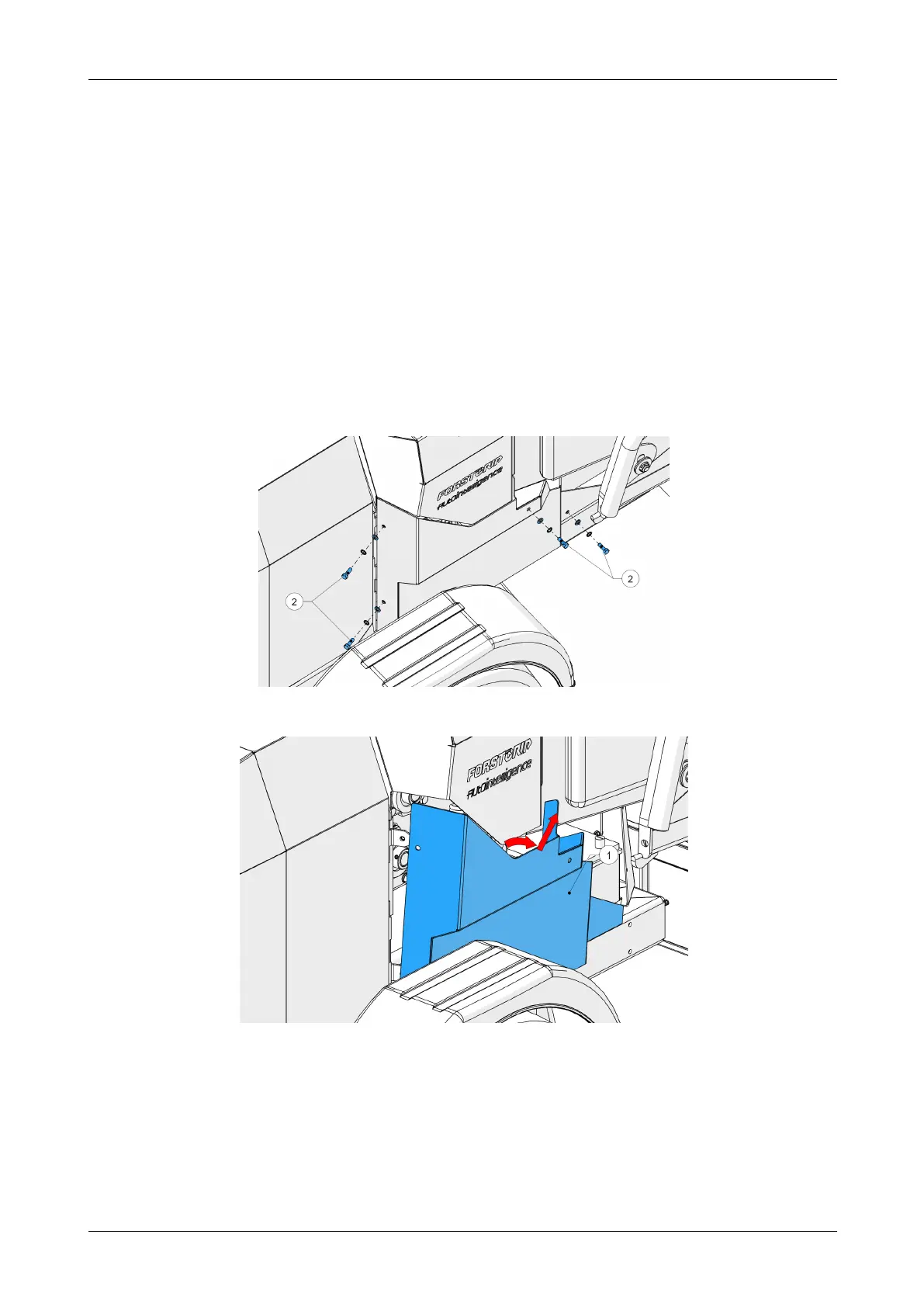
3. Remove the bolts securing the panel (2,Figure 54).
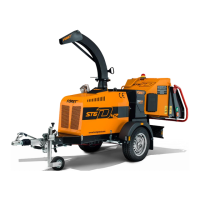
4. Remove the side panel (1, Figure 55).
Figure 54 - Remove bolts
Figure 55 - Remove side panel
Chapter 5: Maintenance
Redwood Global Ltd - ST6D42
Operator and Maintenance Manual
97 12-00-004 v2.1



 To Next Page