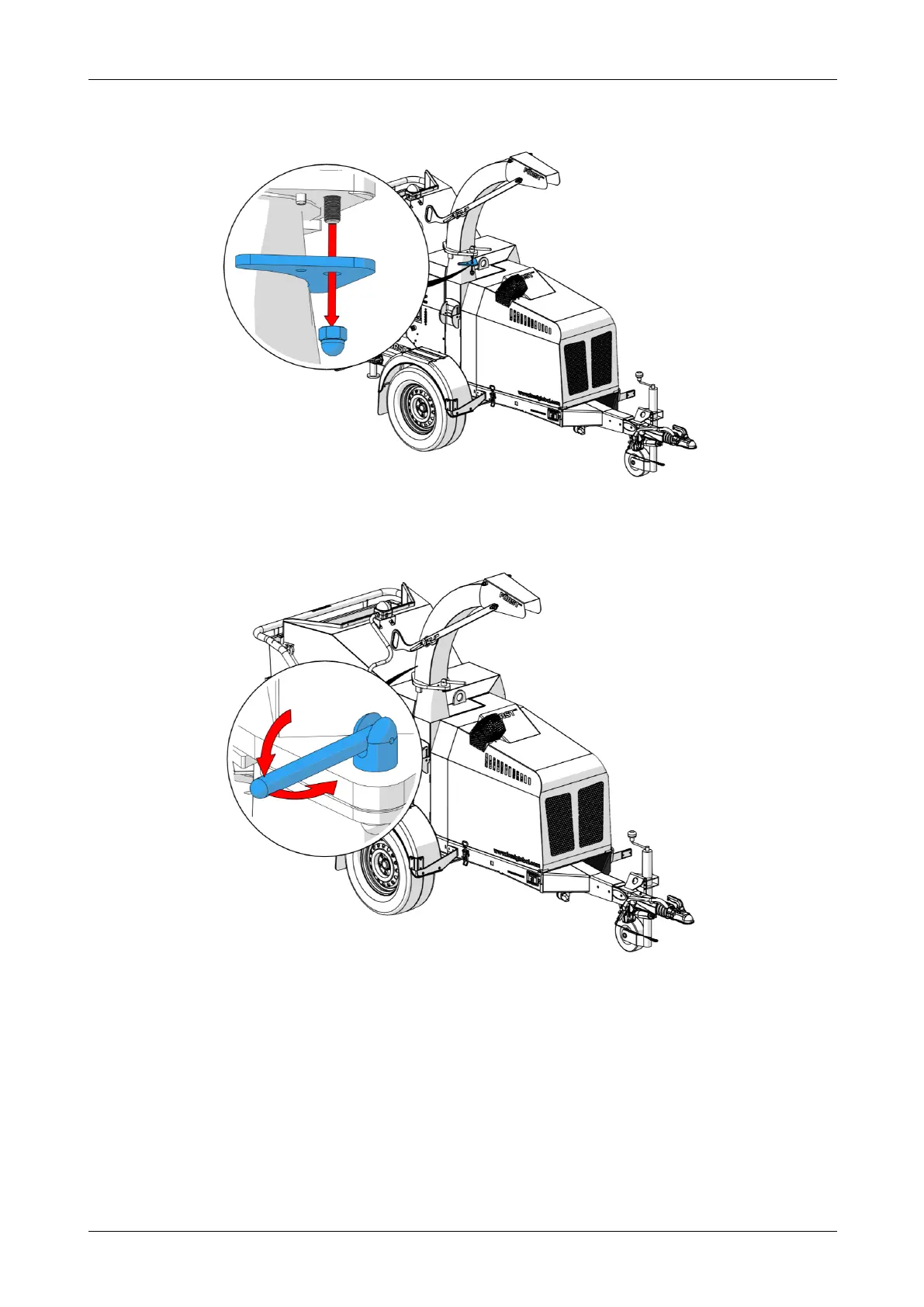
5. Remove both the clamp and the clamp nut and put them somewhere safe.
Figure 29 - Remove clamp and nut
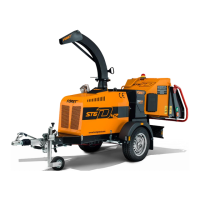
6. Loosen the rear clamp by rotating the clamp lever anti-clockwise.
Figure 30 - Loosen the rear clamp
Chapter 3: Transportation and storage
Redwood Global Ltd - ST6D42
Operator and Maintenance Manual
61 12-00-004 v2.1



 To Next Page