1 Before Using the Machine
24
Before Using the Machine
1
z
Copy
z
Fax/Internet Fax
z
E-mail
z
Scan to Mailbox
z
Network Scanning (ApeosPort series
models only)
z
Scan to PC
z
Media Print - Text
z
Media Print - Photos
z
Send from Mailbox
z
Stored Programming
z
Job Flow Sheets (ApeosPort series models only)
z
Web Applications (ApeosPort series models only)
z
Language
z
Screen Contrast
z
Tools
z
Calibration
z
Activity Report
z
Fax Receiving Mode
z
Print Mode
All Services
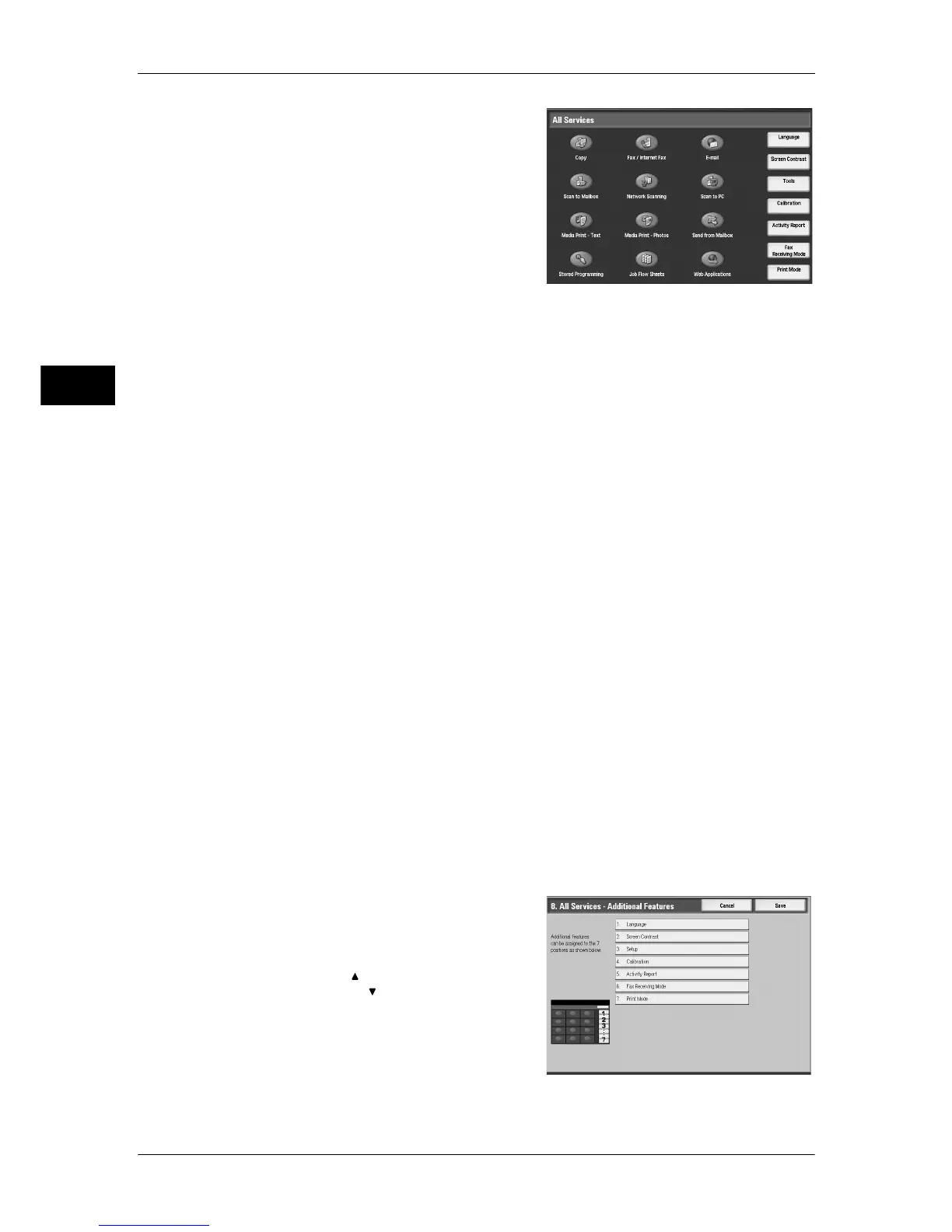
You can select a service button. Service buttons are the oval buttons in the [All
Services] screen.
If you select [Not Set], the selected button position will remain empty.
All Services - Additional Features
You can select an additional feature button. Additional features appear in the [All
Services] screen as rectangular buttons.
If you select [Not Set], the selected button position will remain empty.
The following is the procedure to change the [Language] button displayed at the upper
right corner of the [All Services] screen to the [Secure Print] button, as an example.
1
Select [All Services - Additional Features],
and select [Change Settings].
2
Select [Language].
Note • Select [ ] to return to the previous
screen or [ ] to move to the next screen.


 To Next Page
 Loading...


