Printing a Report/List
75
Maintenance
3
Printing a Report/List
You can print a report/list to check the settings and communication status.
This section describes how to print a report/ list.
For information about report/list types, refer to "Print Reports" (P.83).
Note • When the <Job in Memory> indicator is lit, you can confirm the documents stored to memory
in the [Stored Documents List].
1
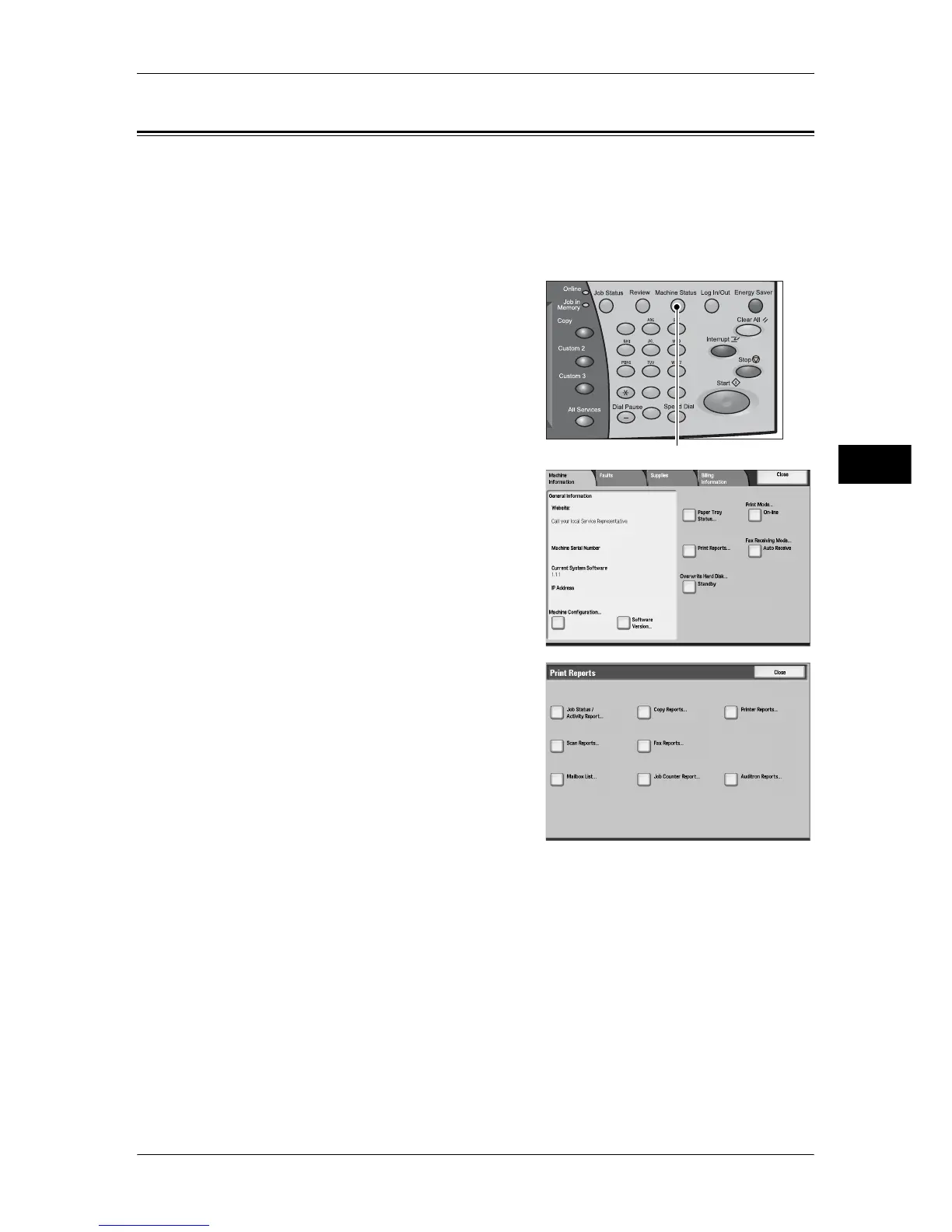
Press the <Machine Status> button.
2
Select [Print Reports].
Note • If [Print Reports Button] under [Reports] is
set to [Disabled], the [Print Reports]
button appears only in [User Mode] of the
System Administration mode. For
information on [Reports], refer to
"Reports" (P.133).
• If printing [Billing Data List] or [Fax
Auditron Administration Report], insert a
card to the machine before instructing to
print.
3
Select a report or list you want to print, and
press the <Start> button.
Note • The items displayed vary depending on
the optional features installed.
123
456
789
0 #
C
<Machine Status> button



 To Next Page
 Loading...


