3 Maintenance
62
Maintenance
3
1
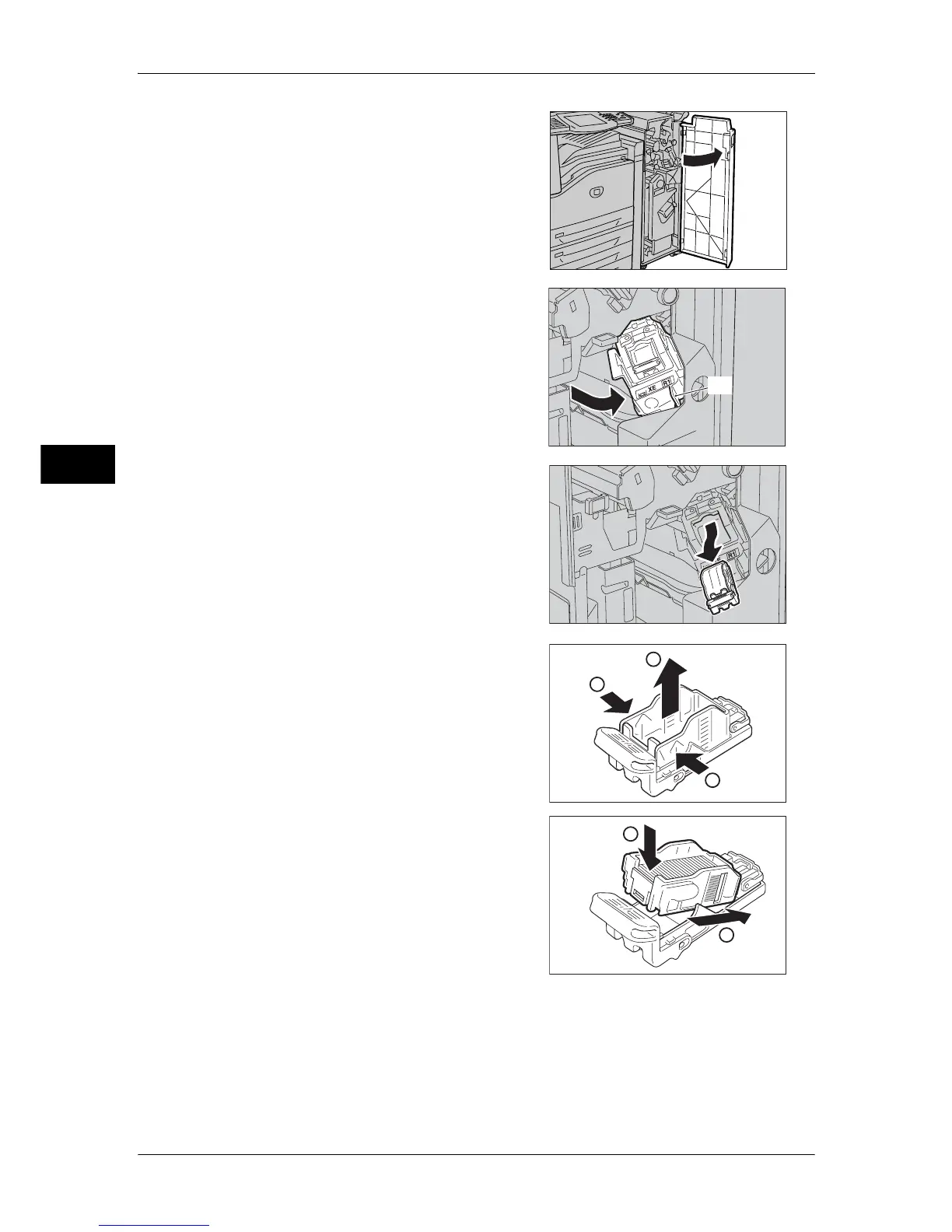
Make sure that the machine is not operating,
and open the front cover of the finisher.
2
Hold the staple cartridge by Lever R1 and
pull the staple cartridge holder to the right.
3
Hold the staple cartridge holder by the
orange lever and remove it from the finisher.
Note • The staple cartridge is firmly inserted. A
slight force is required to pull the cartridge
out of the finisher.
4
Pinch both sides of the empty staple case
with your fingers (1), and remove the staple
case from the cartridge (2).
5
Insert the front side of the a staple case into
the staple cartridge (1), and then push the
rear side into the cartridge (2).
(R1)
1
1
2
1
2



 To Next Page
 Loading...


