Scanning Documents Such as Photographs and
Clippings (For iX500, S1500, S1500M, S1100, or
S510)
Using the Carrier Sheet allows you to scan documents that can be damaged quite easily such as
photographs, or non-standard size documents that are difficult to load directly such as clippings.
ATTENTION
The [Deskew by text on document] checkbox ([Scanning] tab → [Option] in the ScanSnap setup
window) will be disabled.
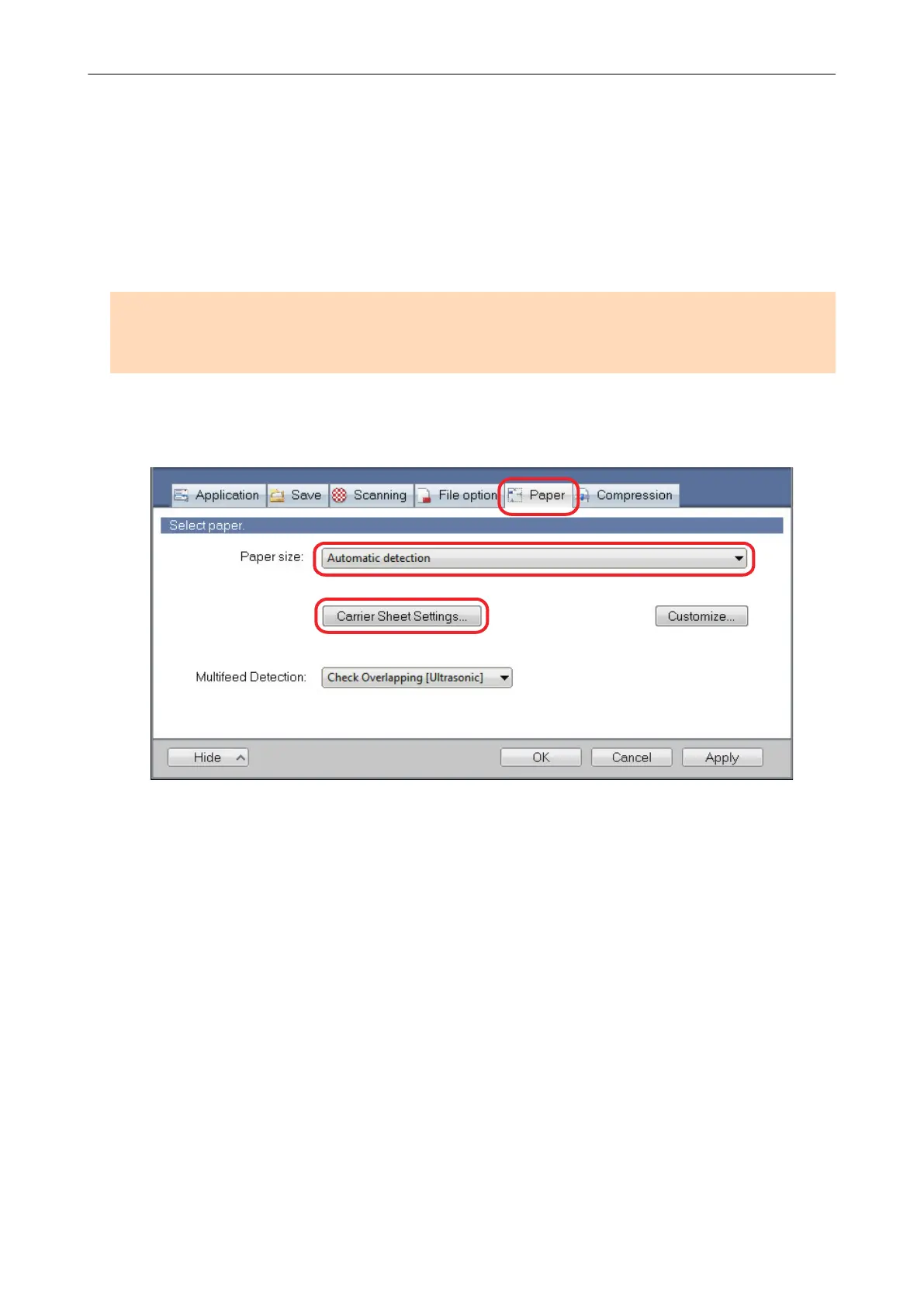
1. In the [Paper] tab of the ScanSnap setup window, select [Automatic
detection] in [Paper size], and then click the [Carrier Sheet Settings] button.
a The [Carrier Sheet Settings] window appears.
2. Select [two separate images (front and back)] in [Save as] and click the [OK]
button.
For details about the Carrier Sheet settings, refer to the ScanSnap Manager Help.
Scanning Documents Such as Photographs and Clippings (For iX500, S1500, S1500M, S1100, or S510)
107















 To Next Page