Deleting Profiles
This section explains how to delete a profile.
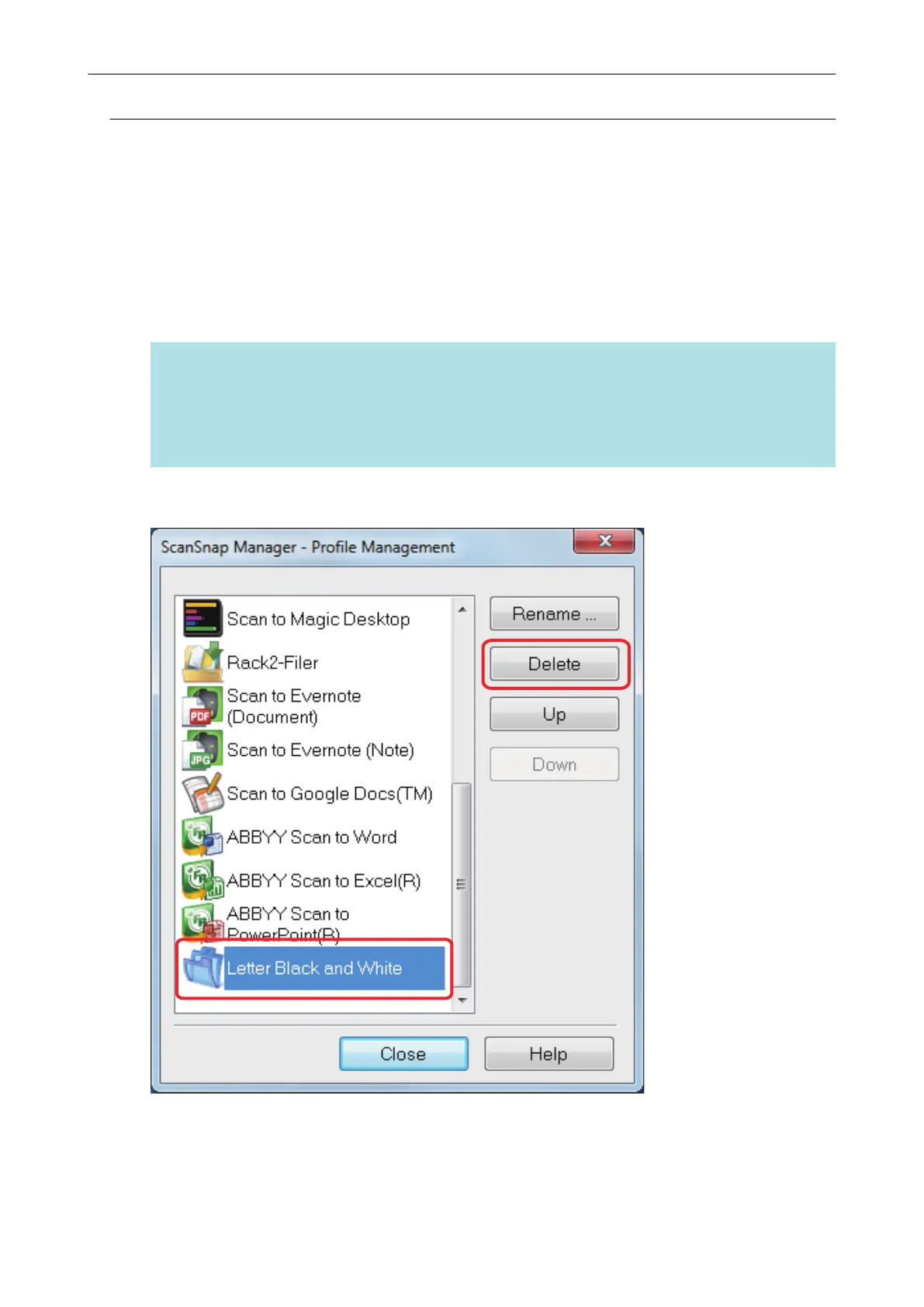
You can delete other profiles than the [Standard] profile.
1. Select [Profile Management] from the Right-Click Menu.
a The [ScanSnap Manager - Profile Management] window appears.
HINT
l If you cannot select [Profile Management] in the Right-Click Menu, clear the [Use Quick
Menu] checkbox in the ScanSnap setup window.
l You can also display the [ScanSnap Manager - Profile Management] window by selecting
[Profile Management] from [Profile] in the ScanSnap setup window.
2. Select a profile and click the [Delete] button.
a The [Delete Profile] window appears.
3. Click the [Yes] button.
a The selected profile is deleted.
Profile Management
77















 To Next Page