1. OPERATIONAL OVERVIEW
1-10
1.6 How to Enter the MOB Mark
The MOB mark denotes man overboard position. Only one MOB mark is displayed.
Each time the MOB mark is entered the previous MOB mark and its position data are
overwritten.
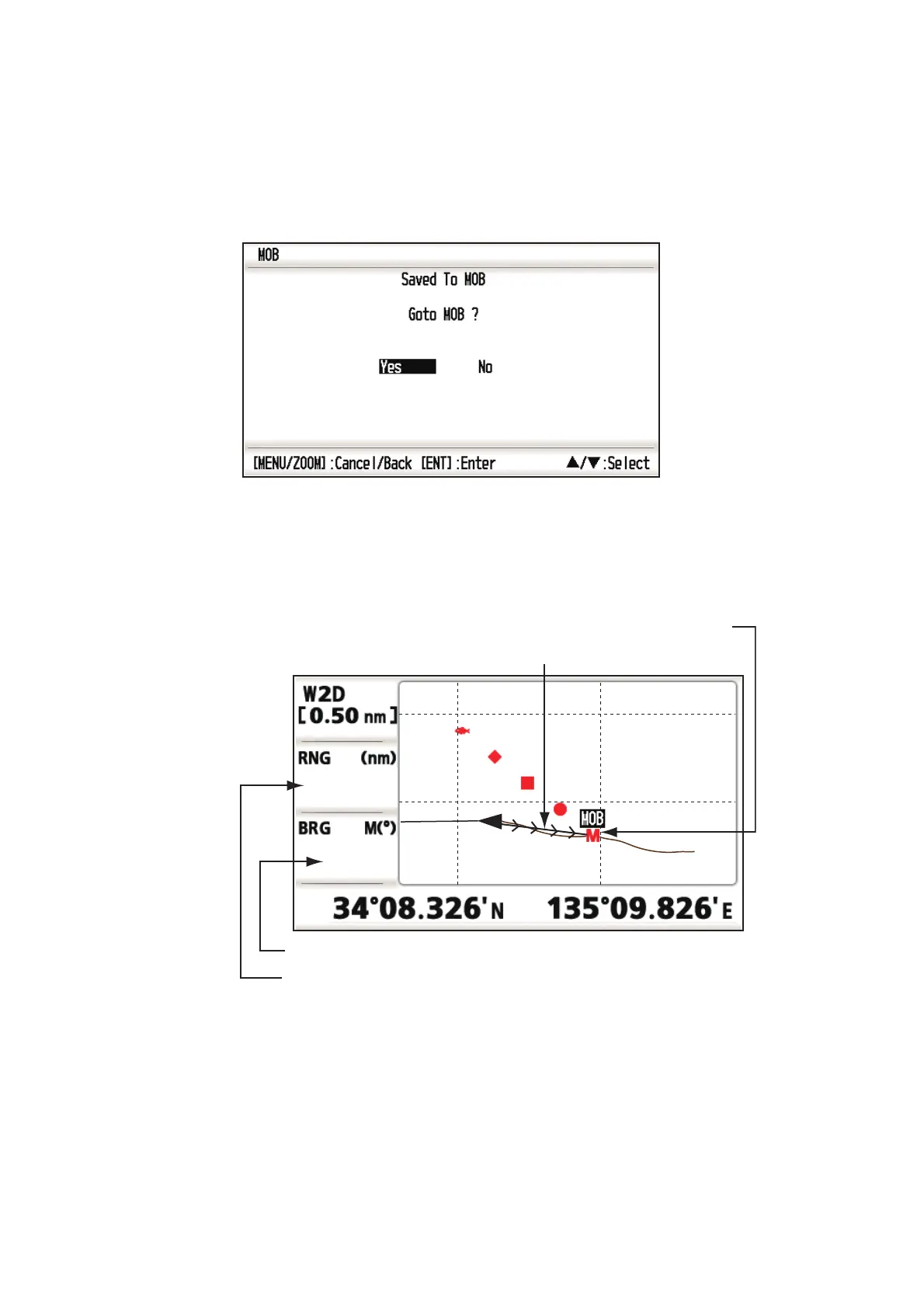
1. Press the MARK/MOB key until the following message appears.
2. To set the MOB position as the destination, confirm that [Yes] is selected and
press the ENT/CNTR key. MOB mark (“M”) appears and a blue line is drawn be-
tween own ship mark and the MOB mark. This line shows the shortest course to
go to the MOB position, and arrows on the line show the direction to the MOB po-
sition.
Range from own ship to MOB position
Bearing from own ship to MOB position
MOB mark
(red)
Shortest course from own
ship to MOB position (blue)
N 34 08.500
N 34 08.375
E 135 10.000E 135 09.750
95
0.20



 To Next Page