3-1
3. WAYPOINTS
3.1 How to Enter Waypoints
In navigation terminology a waypoint is a particular location on a voyage, whether it
be a starting, intermediate or destination waypoint. Your unit can store 10,000 way-
points. Waypoints can be entered on the plotter display: at cursor position, at own
ship’s position, through the waypoints list and at the MOB position. Also, waypoints
can be entered automatically when your boat changes course prominently.
3.1.1 How to enter a waypoint with the cursor
1. Use the cursorpad to place the cursor on the location desired for a waypoint.
2. Press the ENT/CNTR key to enter the waypoint mark (default shape: green solid
circle). This waypoint is named with the youngest unused waypoint number, and
saved to the waypoint list.
3.1.2 How to enter a waypoint at own ship position
Press the MARK/MOB key to enter the waypoint mark (default shape: green solid cir-
cle). This waypoint is named with the youngest unused waypoint number, and saved
to the waypoint list.
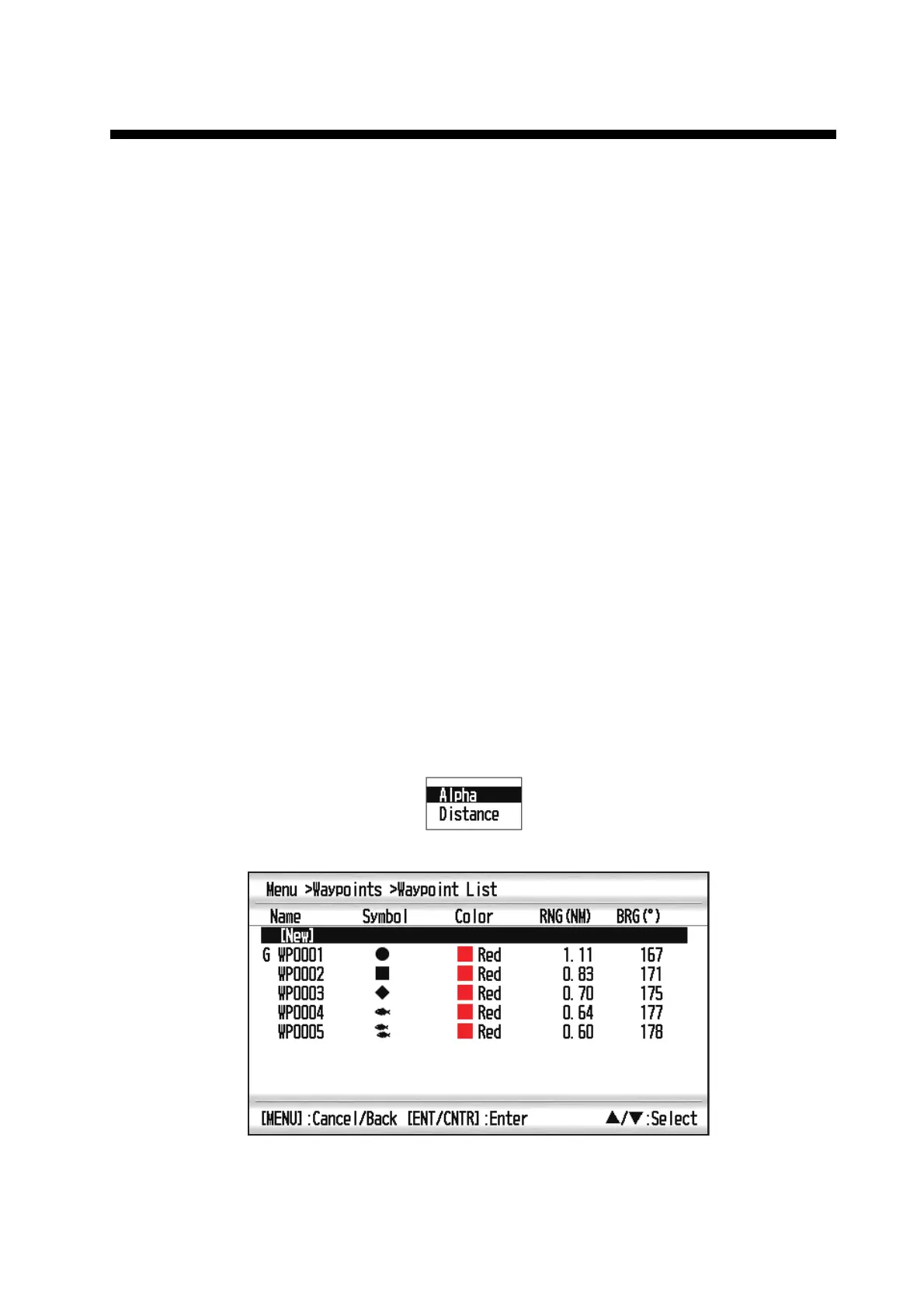
3.1.3 How to enter a waypoint through the list
1. Press the MENU key to show the main menu.
2. Select [Waypoints], and press the ENT/CNTR key.
3. Select [Alpha] or [Distance], and press the ENT/CNTR key.
4. Press the ENT/CNTR key to show the waypoint list.



 To Next Page