8. MAINTENANCE, TROUBLESHOOTING
8-2
8.2 Troubleshooting
This section provides simple troubleshooting procedures which the user can follow to
restore normal operation. If you cannot restore normal operation, do not attempt to
check inside the unit. Any trouble should be referred to a qualified technician.
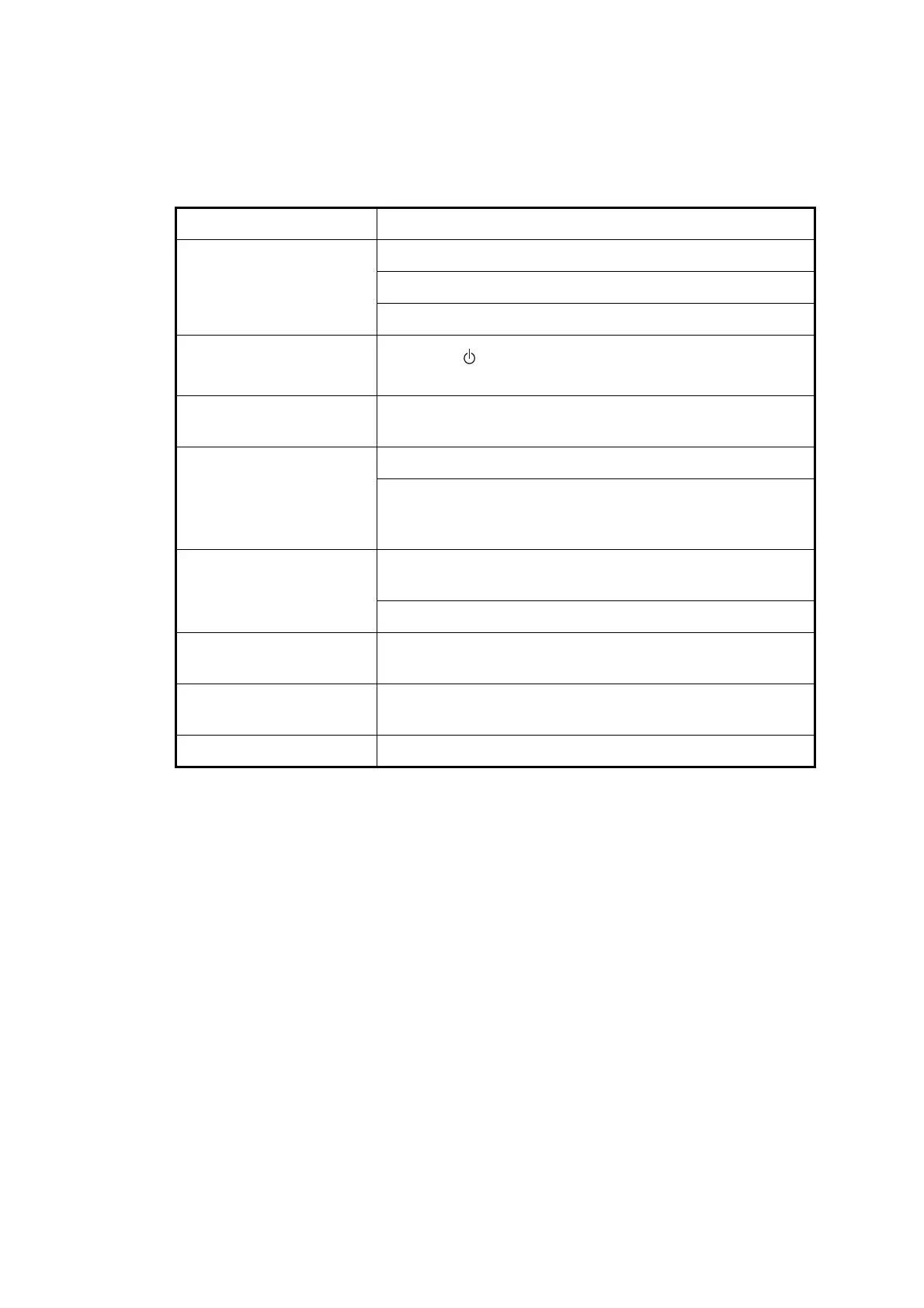
Symptom Remedy
You cannot turn on the
power.
Check that power cable is firmly fastened.
Check for damaged power cable and connector.
Check battery for proper voltage output.
No picture appears.
Press the /BRILL key several times to adjust the bril-
liance.
There is no response
when a key is pressed.
Turn off and on the power. If no change, ask your dealer.
Position is not fixed within
90 seconds.
Check that antenna connector is firmly fastened.
Check the number of satellites on Satellite Monitor display.
If there are two or less, check for obstructions between an-
tenna unit and satellites.
Position is wrong. Check that the correct geodetic chart system is selected on
the GPS Setting screen.
Enter position offset on the GPS Setting screen.
Loran C/Decca TDs do
not appear.
Check Loran C/Decca chain data on the Pos/TD Setup
screen.
Loran C/Decca TDs are
wrong.
Enter TD offset on the Pos/TD Setup screen.
Bearing is wrong. Check Magnetic Variation on the Plotter Setup screen.



 To Next Page