5. DESTINATION
5-3
5.3 How to Set Route as Destination
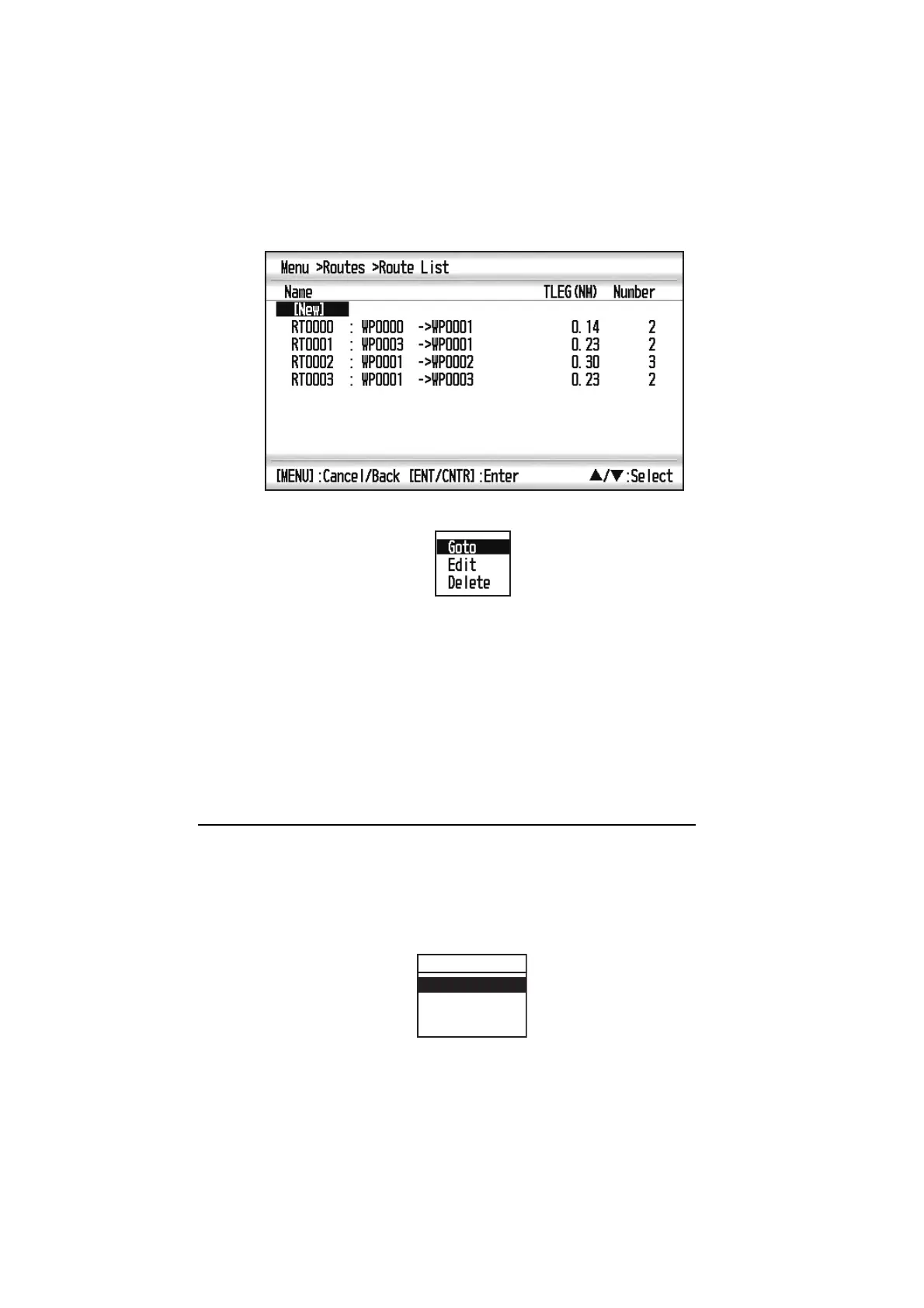
You can set a route as destination through the list.
1. Press the MENU key twice to show the main menu.
2. Select [Routes], and press the ENT/CNTR key.
3. Select [Alpha] or [Distance], and press the ENT/CNTR key.
4. Select the route to set as a destination, and press the ENT/CNTR key.
5. Select [Goto], and press the ENT/CNTR key.
6. Select [Forward] or [Reverse].
Forward: Follows waypoints in order registered (123…)
Reverse: Follows waypoints in reverse order registered (30 (when maximum en-
tered) 2928…1)
7. Press the ENT/CNTR key to show the plotter display. The destination route is
shown with waypoints connected with legs.
8. Cancel the destination referring to section 5.4 when arriving at the waypoint.
How to change the route direction after a destination is set
After a route is started, you can change the direction of the route from [Forward] to
[Reverse], or vice versa. Place the cursor on a leg of the route, and press the ENT/
CNTR key to show the following pop-up window. Select [Reverse] (or [Forward]).
Then, select [Yes] and press the ENT/CNTR key.
Note: If your boat has not yet arrived at the first waypoint in the route, the current route
destination is cancelled when you select [Reverse] (or [Forward]). Set the route des-
tination again.
RT0000
Cancel Route
Reverse
Route Info.



 To Next Page