2. PLOTTER DISPLAY OVERVIEW
2-2
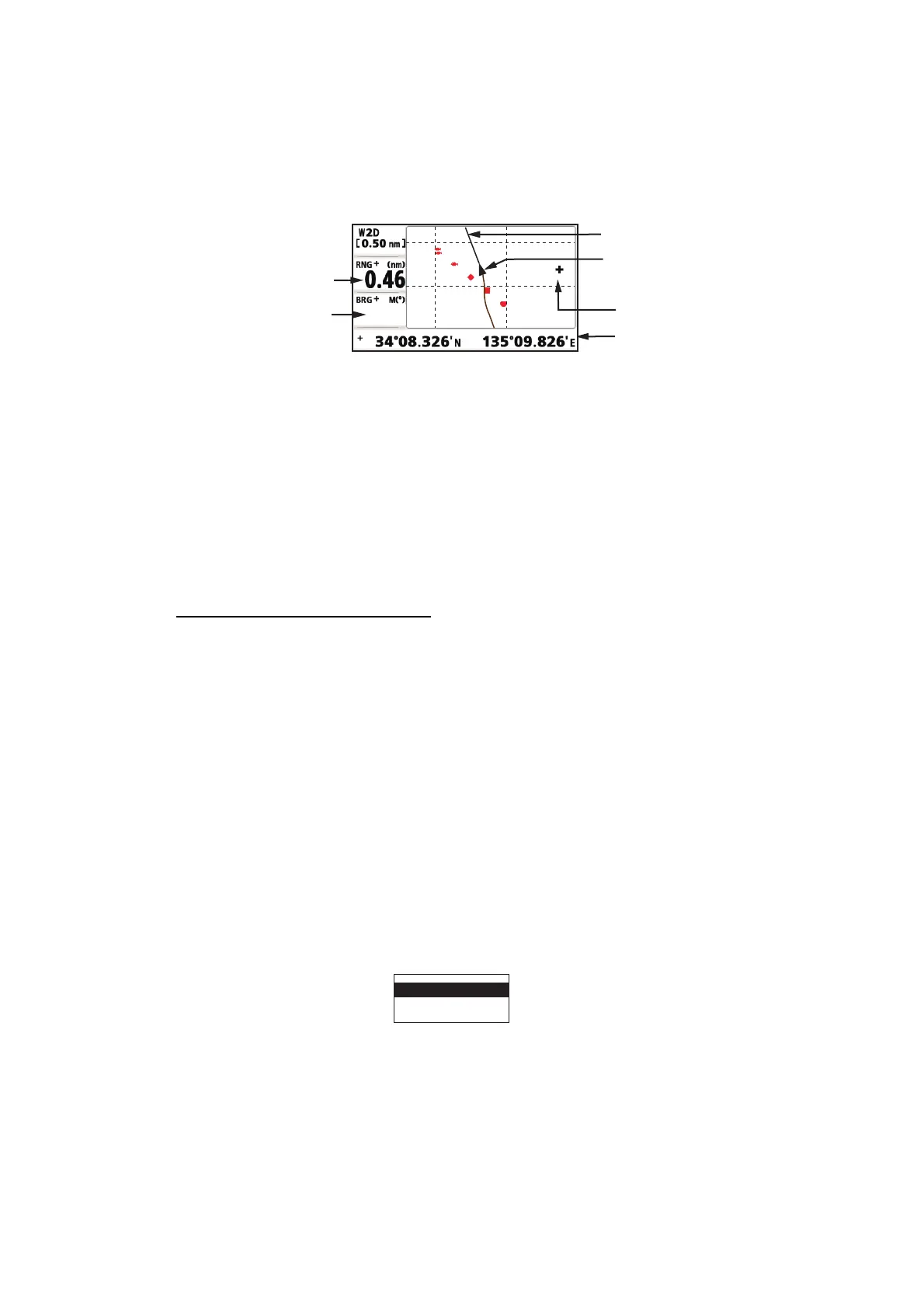
Cursor state and position indication
Cursor position is displayed in latitude and longitude or TDs at the bottom of the plotter
display when the cursor is shown.
If there is no operation for about seven seconds, the cursor disappears.
2.3 How to Shift the Display
The display can be shifted on the plotter display.
1. Press the cursorpad to show the cursor.
2. Press and hold down an arrow on the cursorpad.
When the cursor is placed at an edge of the screen, the display shifts in the direc-
tion opposite to cursorpad operation.
Centering own ship’s position
When own ship tracks off the plotter display, the own ship mark is automatically re-
turned to the screen center. You can also return it manually by pressing and holding
the ENT/CNTR key for more than three seconds.
2.4 How to Display/Hide Track and COG Line
The own ship’s track and COG line can be displayed or hidden separately on the plot-
ter display.
1. Press the cursorpad to show the cursor.
2. Operate the cursorpad to place the cursor on the own ship mark.
3. Press the ENT/CNTR key to show the pop-up window.
The default setting is On for Track and COG Line, so the following pop-up window
for Off setting appears.
4. Select [Track Off] or [COG Line Off] to hide the track or COG line, and press the
ENT/CNTR key. To display the track or COG line, select [Track On] or [COG Line
On] and press the ENT/CNTR key.
Bearing from
own ship to cursor
Range from
own ship to cursor
Cursor position in
latitude and longitude
Own ship’s mark
COG line
Cursor
92
Track
O
ff
COG
Line
O
ff



 To Next Page