3. WAYPOINTS
3-2
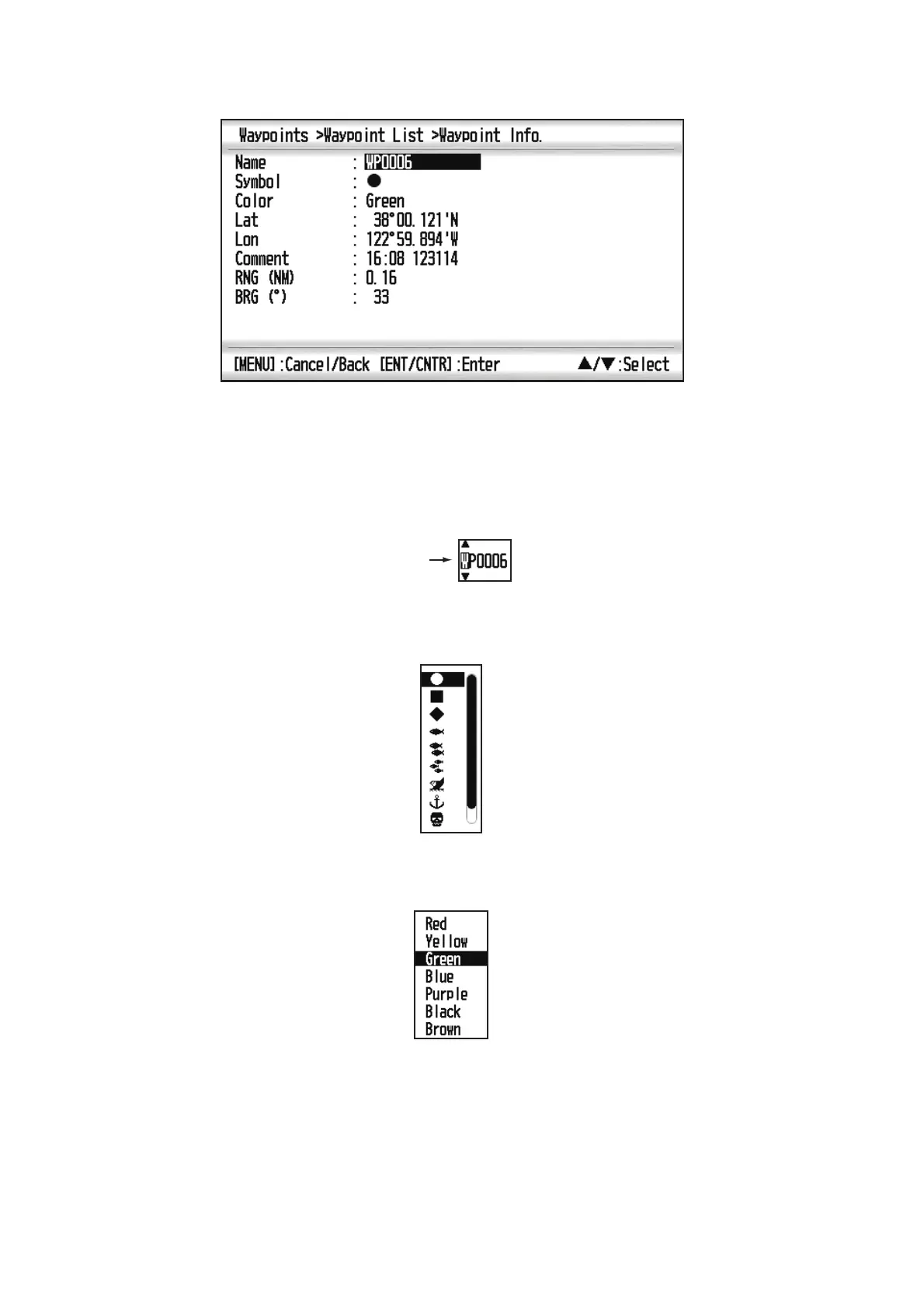
5. Confirm that [New] is selected, and press the ENT/CNTR key.
The default name, Lat/Lon and Comment are as follows:
Name: The youngest unused waypoint number.
Lat, Lon: Current own ship position
Comment: Current date/time
6. To change the waypoint name, press the ENT/CNTR key.
7. Operate the cursorpad to change the waypoint name (max. 8 characters).
8. To change the mark shape, select [Symbol] and press the ENT/CNTR key.
9. Select a mark desired, and press the ENT/CNTR key.
10. To change the mark color, select [Color], and press the ENT/CNTR key.
11. Select a color desired, and press the ENT/CNTR key.
12. To change the position, do as follows:
1) Select [Lat], and press the ENT/CNTR key.
2) Enter the latitude, and press the ENT/CNTR key.
3) Press to select [Lon], and press the ENT/CNTR key.
4) Enter the longitude, and press the ENT/CNTR key.



 To Next Page