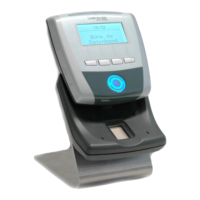
GT7 Terminal
Electrical Connections
24
HB_GT7-2x00-3x00--EN_12
www.gantner.com
Recommended cabling / cable lengths for LAN Ethernet:
- Shielded and twisted data cable (recommended min. CAT 5 for 100 MBit)
- Supply voltage via 2 wire pairs (PoE)
- Cable length max. 100 m
► Connect the Ethernet cable (1) to a separate port on the network switch (2).
► Connect the other end of the Ethernet cable to the ETHERNET RX/TX screw terminals of the GT7 terminal.
Depending on the Ethernet standard being used, terminate the wire colors as follows:
Table 4.1 – Wire colors for Ethernet connection
4.3 Digital Inputs and Outputs
1 Door feedback contact 4 Exit button
2 Door opener 5 Normally open contact
3 Door 6 Devices for external signals
Figure 4.2 – Connection of the digital inputs and outputs (example)


 To Next Page
 Loading...