Broadcasting Heart Rate Data
You can broadcast your heart rate data from your watch and view it on paired devices. Broadcasting heart rate
data decreases battery life.
TIP: You can customize the activity settings to broadcast your heart rate data automatically when you begin an
activity (Activity Settings, page45). For example, you can broadcast your heart rate data to an Edge device while
cycling.
1
Select an option:
•
Hold , and select Watch Settings > Health & Wellness > Wrist Heart Rate > Broadcast Heart Rate.
•
Hold to open the controls menu, and select .
NOTE: You can add options to the controls menu (Customizing the Controls Menu, page54).
2
Press .
The watch starts broadcasting your heart rate data.
3 Pair your watch with your compatible device.
NOTE: The pairing instructions differ for each Garmin compatible device. See your owner's manual.
4
Press to stop broadcasting your heart rate data.
Pulse Oximeter
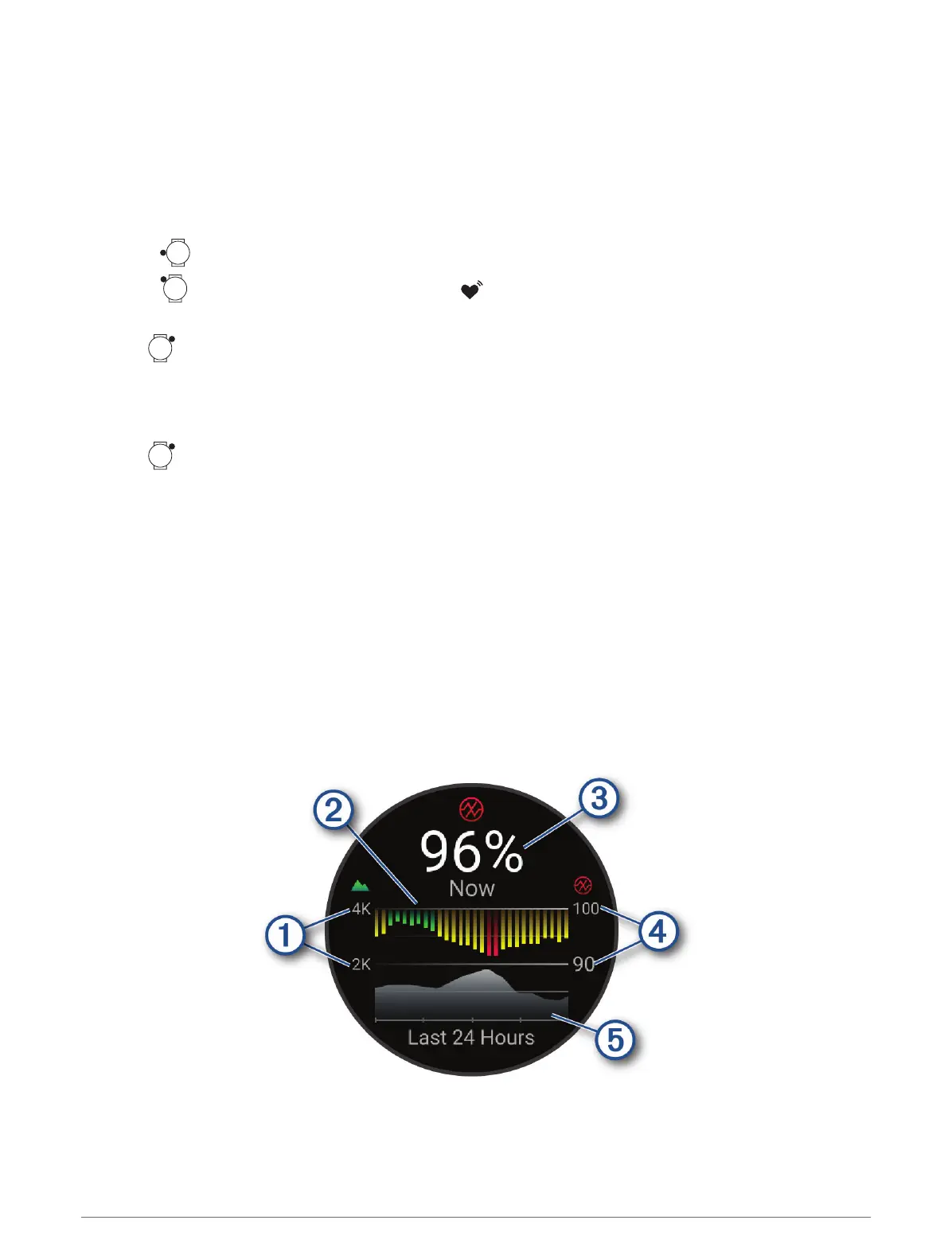
Your watch has a wrist-based pulse oximeter to gauge the peripheral saturation of oxygen in your blood (SpO2).
As your altitude increases, the level of oxygen in your blood can decrease. Knowing your oxygen saturation can
help you determine how your body is acclimating to high altitudes for alpine sport and expedition.
You can manually begin a pulse oximeter reading by viewing the pulse oximeter glance (Getting Pulse Oximeter
Readings, page99). You can also turn on all-day readings (Setting the Pulse Oximeter Mode, page99). When
you view the pulse oximeter glance while you are not moving, your watch analyzes your oxygen saturation and
your elevation. The elevation profile helps indicate how your pulse oximeter readings are changing, relative to
your to elevation.
On the watch, your pulse oximeter reading appears as an oxygen saturation percentage and color on the graph.
On your Garmin Connect account, you can view additional details about your pulse oximeter readings, including
trends over multiple days.
For more information about pulse oximeter accuracy, go to garmin.com/ataccuracy.
98 Health and Wellness Settings















 To Next Page