Listening to Music
1
Hold from any screen to open the music controls.
2 If necessary, connect your Bluetooth headphones (Connecting Bluetooth Headphones, page114).
3
Hold .
4 Select Music Providers, and select an option:
• To listen to music downloaded to the watch from your computer, select My Music (Downloading Personal
Audio Content, page113).
• To control music playback on your phone, select Control Phone.
• To listen to music from a third-party provider, select the name of the provider, and select a playlist.
5 Select .
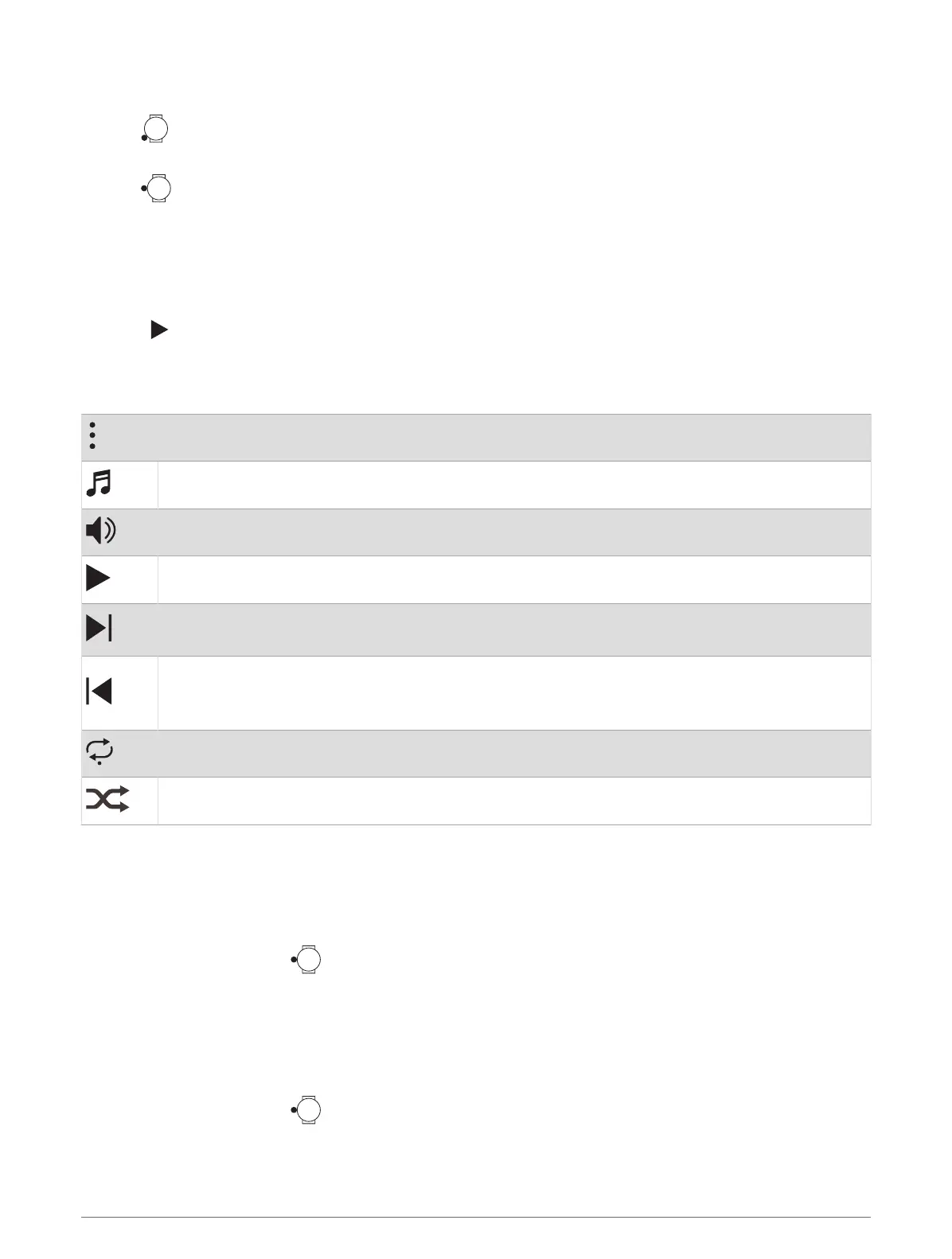
Music Playback Controls
NOTE: Music playback controls may look different, depending on the selected music source.
Select to view more music playback controls.
Select to browse the audio files and playlists for the selected source.
Select to adjust the volume.
Select to play and pause the current audio file.
Select to skip to the next audio file in the playlist.
Hold to fast forward through the current audio file.
Select to restart the current audio file.
Select twice to skip to the previous audio file in the playlist.
Hold to rewind through the current audio file.
Select to change the repeat mode.
Select to change the shuffle mode.
Connecting Bluetooth Headphones
To listen to music loaded onto your fēnix watch, you must connect Bluetooth headphones.
1 Bring the headphones within 2m (6.6ft.) of your watch.
2 Enable pairing mode on the headphones.
3
From the watch face, hold .
4 Select Watch Settings > Music > Headphones > Add New.
5 Select your headphones to complete the pairing process.
Changing the Audio Mode
You can change the music playback mode from stereo to mono.
1
From the watch face, hold .
2 Select Watch Settings > Music > Audio.
3 Select an option.
114 Music















 To Next Page