Hill Score
Your hill score helps you understand your current capacity for uphill running based on your training history
and VO2 max. estimate. Your watch detects uphill segments with 2% grade or more during an outdoor running
activity. You can view your hill endurance, hill strength, and changes to your hill score over time.
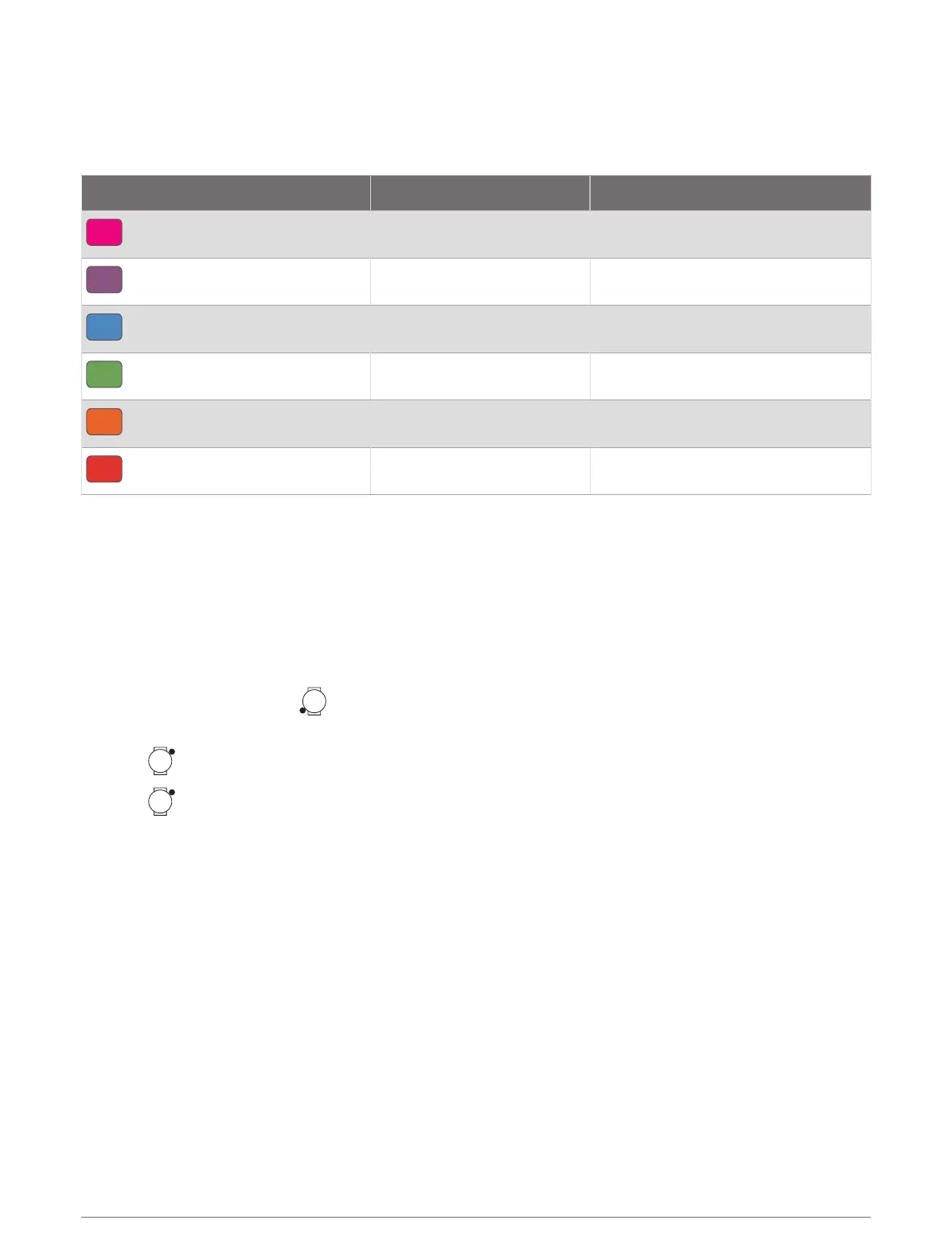
Color Zone Score Description
Pink
95 to 100 Elite
Purple
85 to 94 Expert
Blue
70 to 84 Skilled
Green
50 to 69 Trained
Orange
25 to 49 Challenger
Red
1 to 24 Recreational
Viewing Cycling Ability
Before you can view your cycling ability, you must have a 7-day training history, VO2 max. data recorded in your
user profile (About VO2 Max. Estimates, page60), and power curve data from a paired power meter (Viewing
Your Power Curve, page65).
Cycling ability is a measurement of your performance across three categories: aerobic endurance, aerobic
capacity, and anaerobic capacity. Cycling ability includes your current rider type, such as climber. Information
you enter in your user profile, such as body weight, also helps determine your rider type (Setting Up Your User
Profile, page115).
1
From the watch face, press to view the cycling ability glance.
NOTE: You may need to add the glance to your glances list (Customizing the Glances List, page58).
2
Press to view your current rider type.
3
Press to view a detailed analysis of your cycling ability (optional).
Race Calendar and Primary Race
When you add a race event to your Garmin Connect calendar, you can view the event on your watch by adding
the primary race glance (Glances, page54). The event date must be in the next 365 days. The watch displays a
countdown to the event, your goal time or predicted finish time (running events only), and weather information.
NOTE: Historical weather information for the location and date is available right away. Local forecast data
appears approximately 14 days before the event.
If you add more than one race event, you are prompted to choose a primary event.
Depending on the available course data for your event, you can view elevation data, the course map, and add a
PacePro plan (PacePro
™
Training, page31).
Glances 71















 To Next Page