Reference
37
• Automatic (Silent): The unit automatically recalculates the route, but it does not announce to theAutomatic (Silent): The unit automatically recalculates the route, but it does not announce to the
user it is recalculating. user it is recalculating.
•
Off: The unit does not recalculate when you go off route.Off: The unit does not recalculate when you go off route.
Route Preference
– Determines which criteria are used for calculating your route. The following options are
available:
• Faster Time: Time is used as the criterion for calculating your route. Routes calculated with this setting
are faster to drive but may be longer in distance.
• Shorter Distance: Distance is used as the criterion for calculating your route. Routes calculated with
this setting are shorter in distance but may take more time to drive.
• Off Road: A direct line from your current physical location to your destination is displayed. This may
be useful when you are traveling outside of detailed map coverage areas, or where no roads exist.
• Prompted: You are asked to select the route preference option before the route is calculated.
Calculation Method
– Allows you to control how thoroughly the Quest searches for the perfect route. A
trade-off exists between the length of time the unit takes to fi nd a route and the quality of that route. The
following options are available:
• Quickest Calculation: This calculation returns the fastest results, but it might not fi nd the best route.
• Quick Calculation: This takes a bit more time to calculate than the ‘Quickest Calculation’ method, but
generates a better quality route.
• Better Route: This generates an even better quality route, but uses a longer calculation time than the
‘Quick Calculation’ method.
• Best Route: This generates the most optimal route, but takes the longest time to calculate.
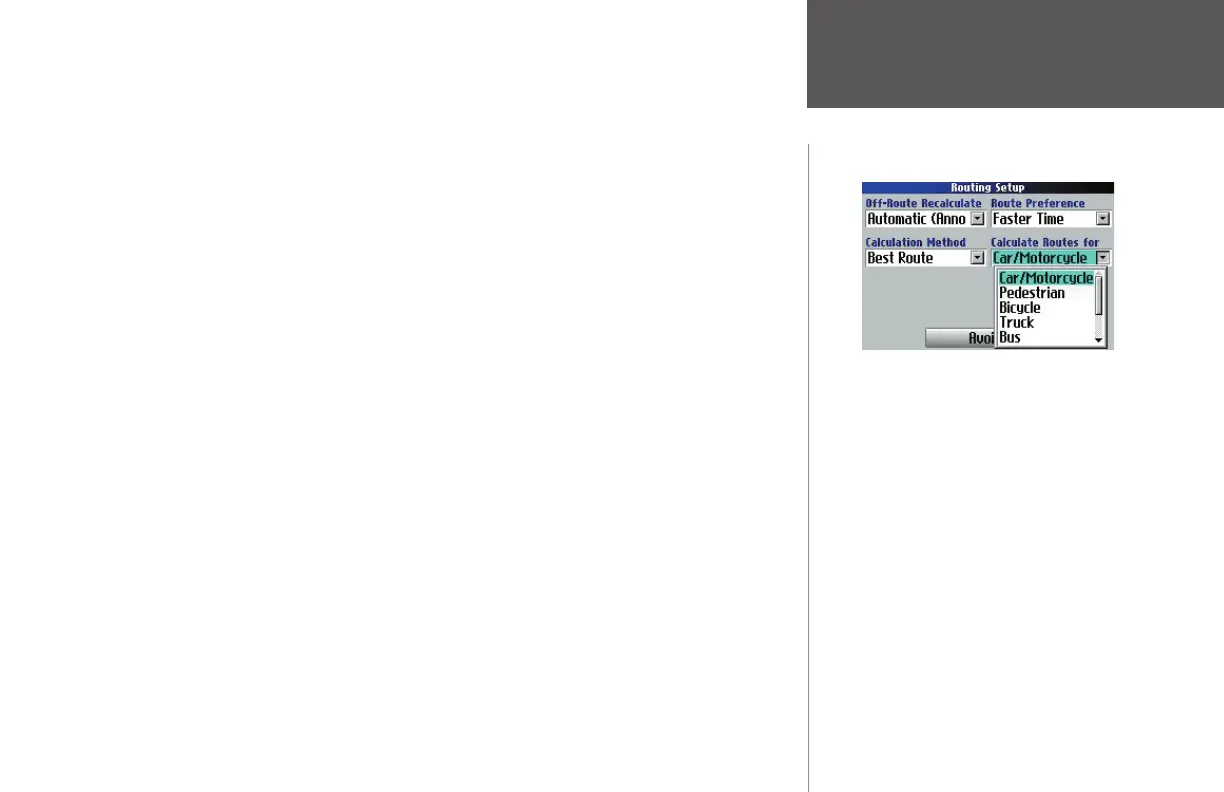
Calculate Routes for – Lets you take full advantage of the routing information built into the Quest’s map-
ping software. Some roads have vehicle-based restrictions. For example, a street or gate may be accessible
by emergency vehicles only, or a residential street may not allow commercial trucking traffi c. By specifying
Customizing the Route Settings
Using the ‘Calculate Routes for’ option allows you
to take full advantage of the routing information
contained in the Quest’s mapping software for
planning the most effi cient route for your type of
vehicle.
The following options are available:
• Car/Motorcycle
• Truck (large semi-tractor/trailer/lorry)
• Bus
• Emergency (ambulance, fi re department,
police, etc.)
• Taxi
• Delivery (delivery vehicles)
• Bicycle (avoids routing through interstates
and major highways)
• Pedestrian
190-00323-00_0B.indd 37 8/20/2004, 11:08:31 AM



 To Next Page