Video Shooting Display Mode
Mode: _])
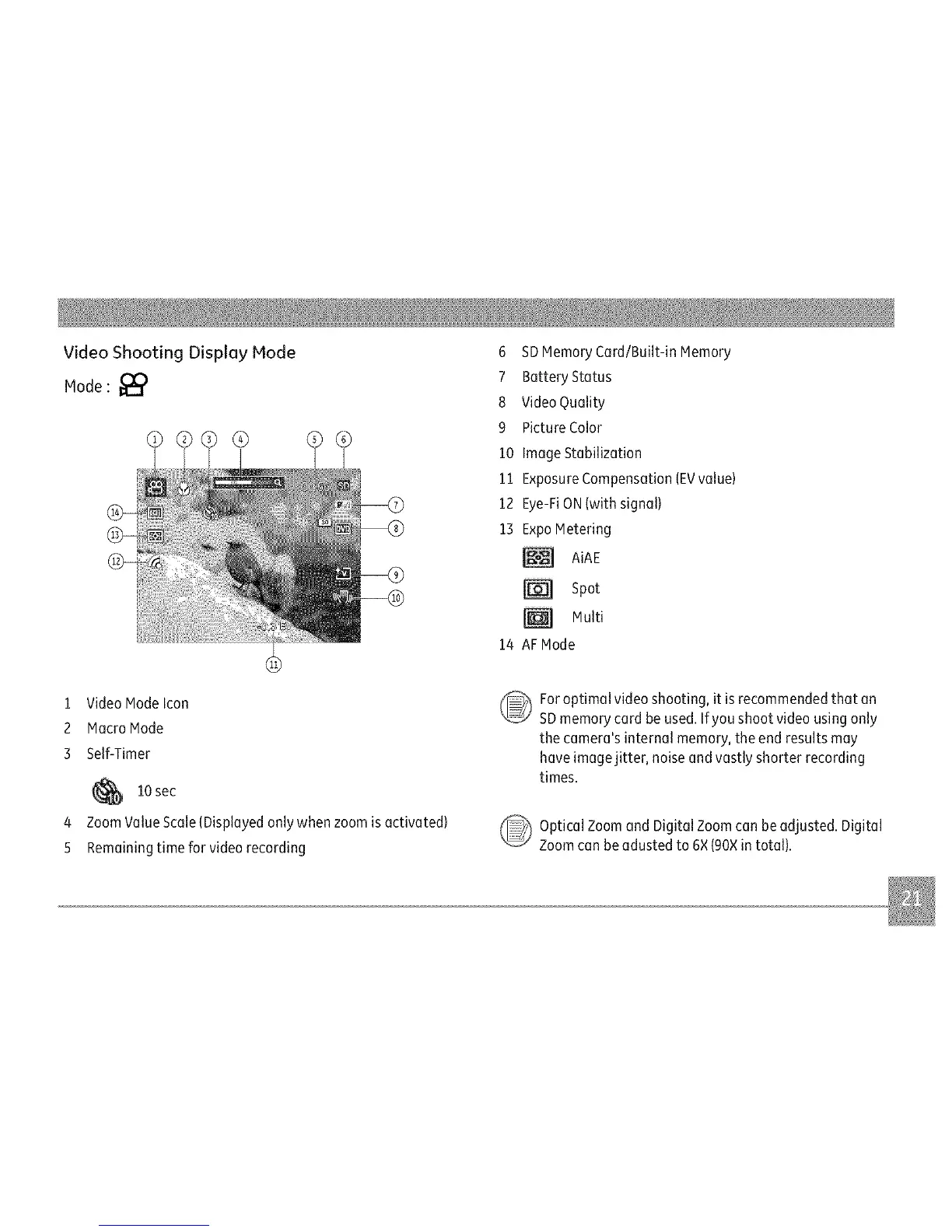
1 Video Modelcon
2 Macro Mode
3 Self-Timer
10 sec
4 Zoom ValueScale(Displayedonlywhen zoomis activated)
5 Remainingtime for video recording
6 SDMemory Card/Built-in Memory
7 Battery Status
8 Video Quality
9 Picture Color
10 ImageStabilization
11 ExposureCompensation(EVvalue)
12 Eye-FiON(with signal)
13 ExpoMetering
AiAE
Spot
Multi
14 AFMode
For optimal video shooting, it isrecommendedthat an
SDmemorycard be used.If you shoot video using only
the camera's internal memory, theend results may
have imagejitter, noise and vastly shorter recording
times.
_ ptical Zoom and Digital Zoomcan be adjusted. Digital
Zoomcan beadusted to 6×(90×in total).



 To Next Page