Red-EyeReduction
Usethissettingtoremovered-eyeeffectsinyourphotos.
1.Intheplaybackmode,pressLeft/Rightbuttontoselectthe
photowhichneedsred-eyereduction.
2.IntheQ menu,select_ toset,pressQ toenter
settingscreen.
3.PressLeft/Rightbuttontoselectcorrespondingmenu,or
cancelandreturntoplaybackmenu.
Rotate
Youcanusethissettingtochangetheorientationofthepicture.
1.Intheplaybackmode,pressLeft/Rightbuttontoselectthe
photowhichneedsrotation.
2.IntheQ menu,select_ toset,pressQ toenter
settingscreen.
3.PressLeft/Rightbuttontoselectrotationdirection,or
cancelandreturntoplaymenu.
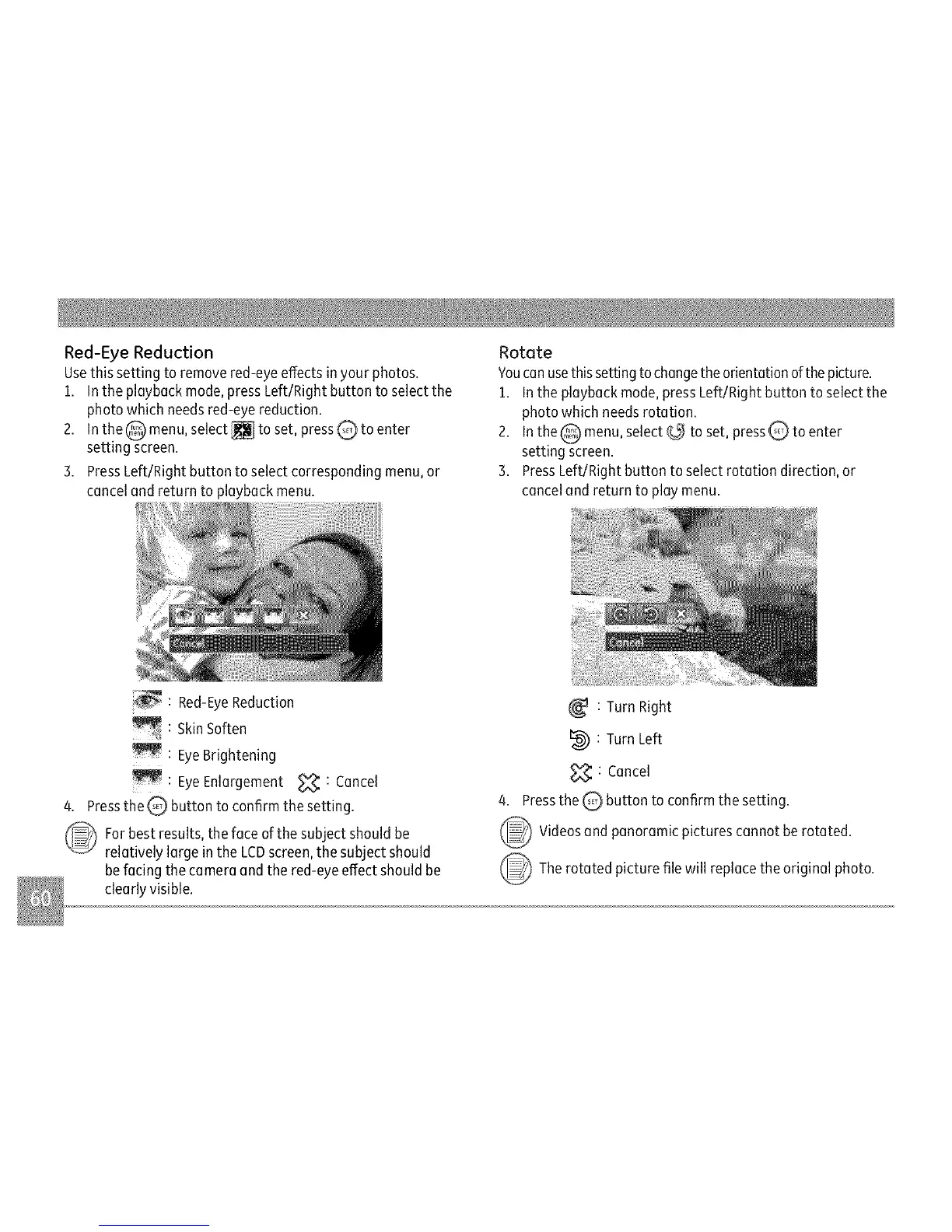
: Red-EyeReduction
:SkinSoften
:EyeBrightening
:EyeEnlargement<_:Cancel
4.Pressthe_ buttontoconfirmthesetting.
Forbestresults,thefaceofthesubjectshouldbe
relativelylargeintheLCDscreen,thesubjectshould
befacingthecameraandthered-eyeeffectshouldbe
clearlyvisible.
:TurnRight
I_ :TurnLeft
_ :Cancel
4.Pressthe_ buttontoconfirmthesetting.
_ Videosandpanoramicpicturescannotberotated.
_The picture replaceoriginalphoto.
rotated filewill the



 To Next Page