ActionStep
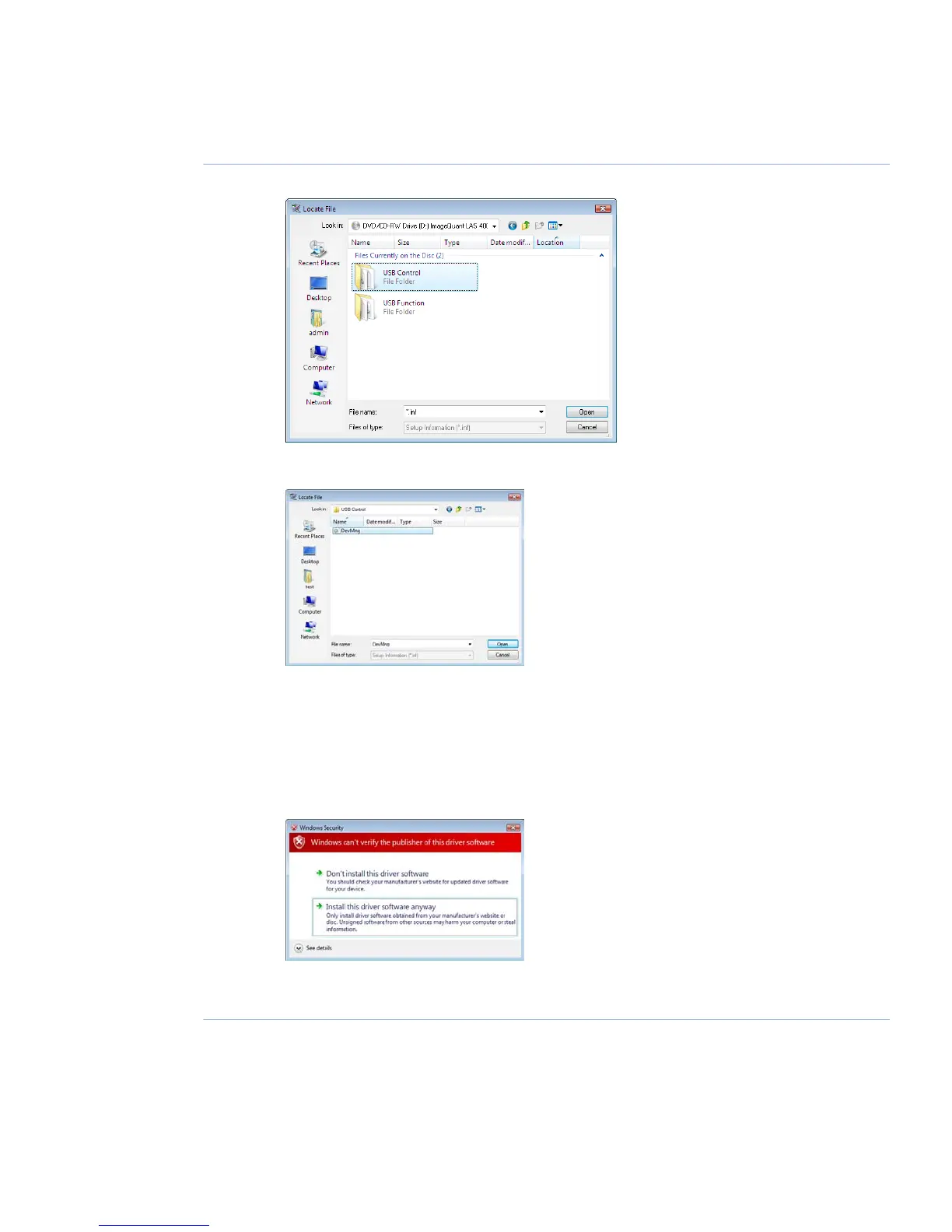
Select the USB Control folder and click Open.10
Select the file DevMng and click the Open button.11
Click the OK button in the dialog Install from disk.12
Click the Next button in the wizard Add hardware.13
Click the Next button once again.14
The following warning is displayed. Proceed by cliking Install this driver software anyway.15
Click the Finish button in the Add Hardware wizard to complete the installation.16
ImageQuant LAS 4000 User Manual 28-9607-42 AB 115
6 Installing ImageQuant LAS 4000 Control Software
6.3 Install ImageQuant LAS 4000 Control Software under Windows Vista



 To Next Page