12-
4
LPS-O Line Protection Relay GE Power Management
12.1 INTRODUCTION 12 ASCII COMMUNICATIONS
12
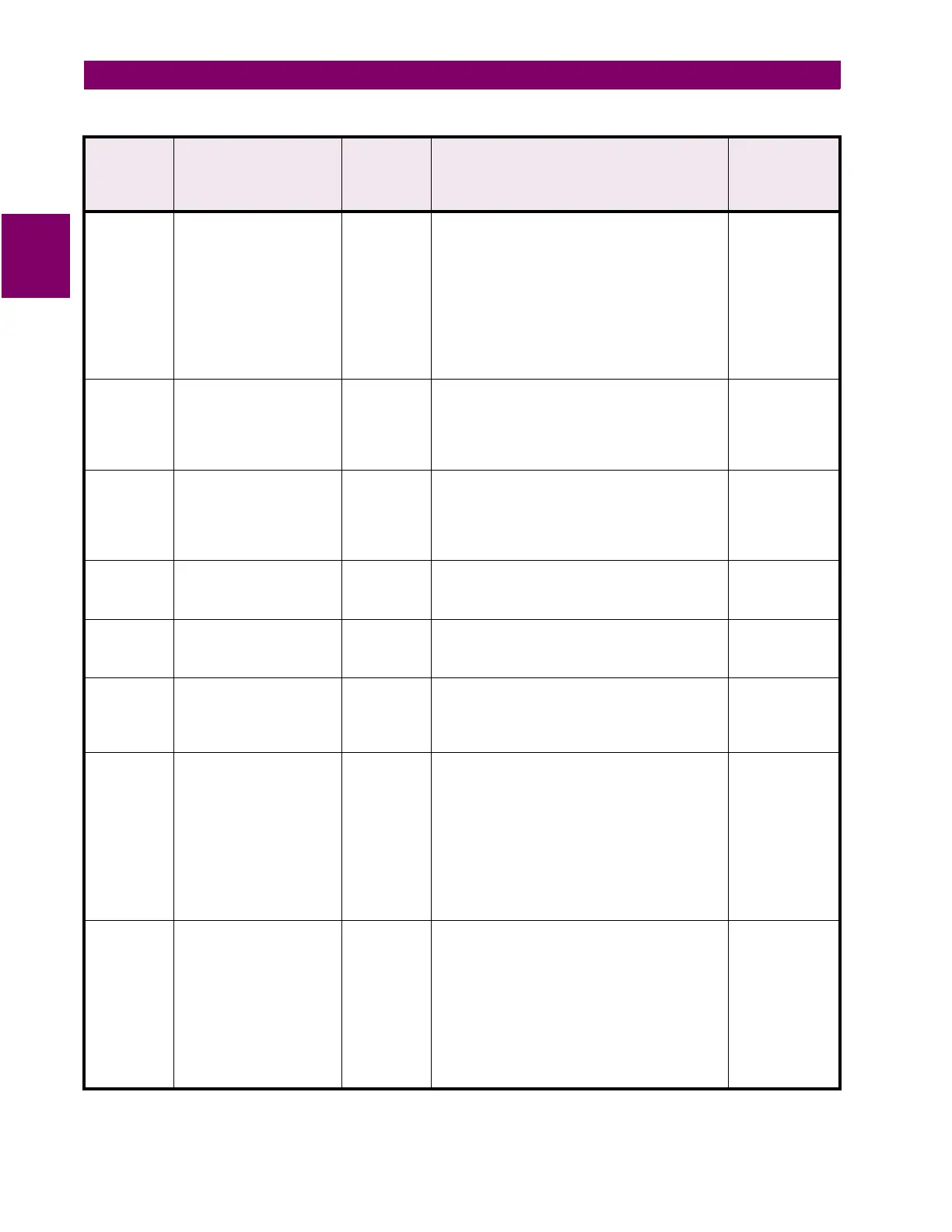
EVEnts Display events VIEW List of events with date and time. Example:
06/30/98 16:26:29.7562 Host Lo
off on MMI
06/30/98 16:24:37.5944 Host Lo
on OK on Port 2
06/30/98 16:10:45.6505 Recloser in RESET state
06/30/98 16:10:40.0000 Settin
s File 0 in Use
06/30/98 16:10:40.0000 System booted
Press ENTER to continue, B to
o back a screen,
or ESC to quit
None
TRIP Open Breaker command;
issues the command to
open breaker; breaker will
be determined by settin
s
NUM_BRKR and NUM_TC
CONTROL Enter Breaker No. (1 / 2 / BOTH)
TRIP BREAKER 1, ! Are you sure? (Y/N)
Breaker open command sent
1, 2, or BOTH;
Y to trip, N to
cancel
CLOSe Close Breaker command;
issues the command to
close breaker; breaker will
be determined by settin
s
NUM_BRKR and NUM_TC
CONTROL Enter Breaker No. (1 / 2 / BOTH)
CLOSE BREAKER 1,! Are you sure? (Y/N)
Breaker close command sent
1, 2, or BOTH;
Y to trip, N to
cancel
ENOUT Enable outputs CONTROL Enable Outputs, Are you sure? (Y/N)
Outputs are disabled
or
Outputs cannot be
disabled
Y for OK, N to
cancel;
command
DISABle
outputs
Disable outputs CONTROL Disable Outputs, Are you sure? (Y/N)
Outputs are disabled
or
Outputs cannot be
disabled
Y for OK, N to
cancel;
command
STATUs Display status of the relay VIEW RELAY STATUS
Refer to the servicin
section for status messa
es
for the LPS-O
Press ENTER to continue
None
DATAReset Clear various data lo
s
maintained in the relay
SETTING To clear FAULT REPORT and OSCILLOGRAPHY
enter F
To clear OST REPORT enter S
To clear EVENT DATA enter E
To reset tar
et LED and clear warn, failure, and
trip messa
es enter L
To clear BREAKER HEALTH enter B
To quit press ESC
Enter your choice:
Enter letter,
press ENTER
DIGTest Perform Di
ital Output
tests; the test ener
izes
the selected output until
END is chosen or another
output is tested
MASTER Turn Protection off (Y/N):
Enter the number of the Di
ital Output to be tested
(1 to 18)
Enter END to end test
To see list of Di
ital Outputs enter H
To quit press ESC
Enter your choice: 4
Di
ital Output #4 is Activated
Turn Protection on? (Y/N):
Enter letter;
Enter di
it form
1 to 18; enter
letter
Table 12–3: ASCII COMMAND LIST
(Sheet 3 of 7)
ASCII
Command
Mnemonic
Command Description Lowest
Level
Password
Needed
Relay Prompt User Response



 To Next Page