page | 91
Web Interface
ID Name Description
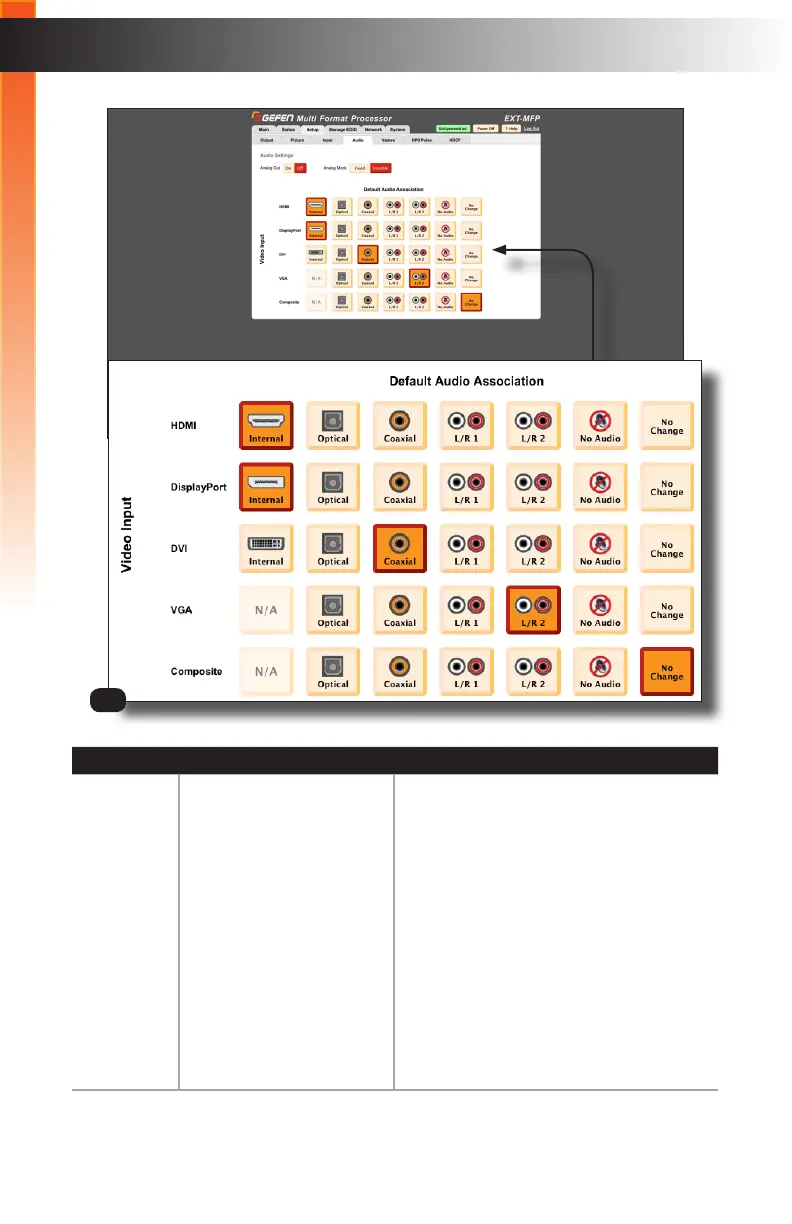
3 Default Audio Association Click these buttons to set the audio
association for each video input.
For example, in the above screenshot, both
the HDMI and DisplayPort video inputs are
set to “Internal”. In addition, the DVI input
is set to Coaxial, the VGA input is set to
L/R 2, and the Composite input is set to
“No Change”.
Clicking No Audio will mute the audio
on the selected video input. Clicking No
Change will prevent the audio source from
changing when switching video inputs.
Refer to the next page for details on the
“No Change” feature.
3
Basic Operation



 To Next Page